Rockchip MaskROM mode
This page explains Rockchip MaskROM mode and how the SoC selects a boot device after power-on.
MaskROM mode
Rockchip SoCs have a built-in MaskROM mode that provides USB access to the SoC's RAM and connected storage devices (SPI/eMMC/UFS flash chips). In this mode, only a dedicated MaskROM USB port of the RK3576 is used.
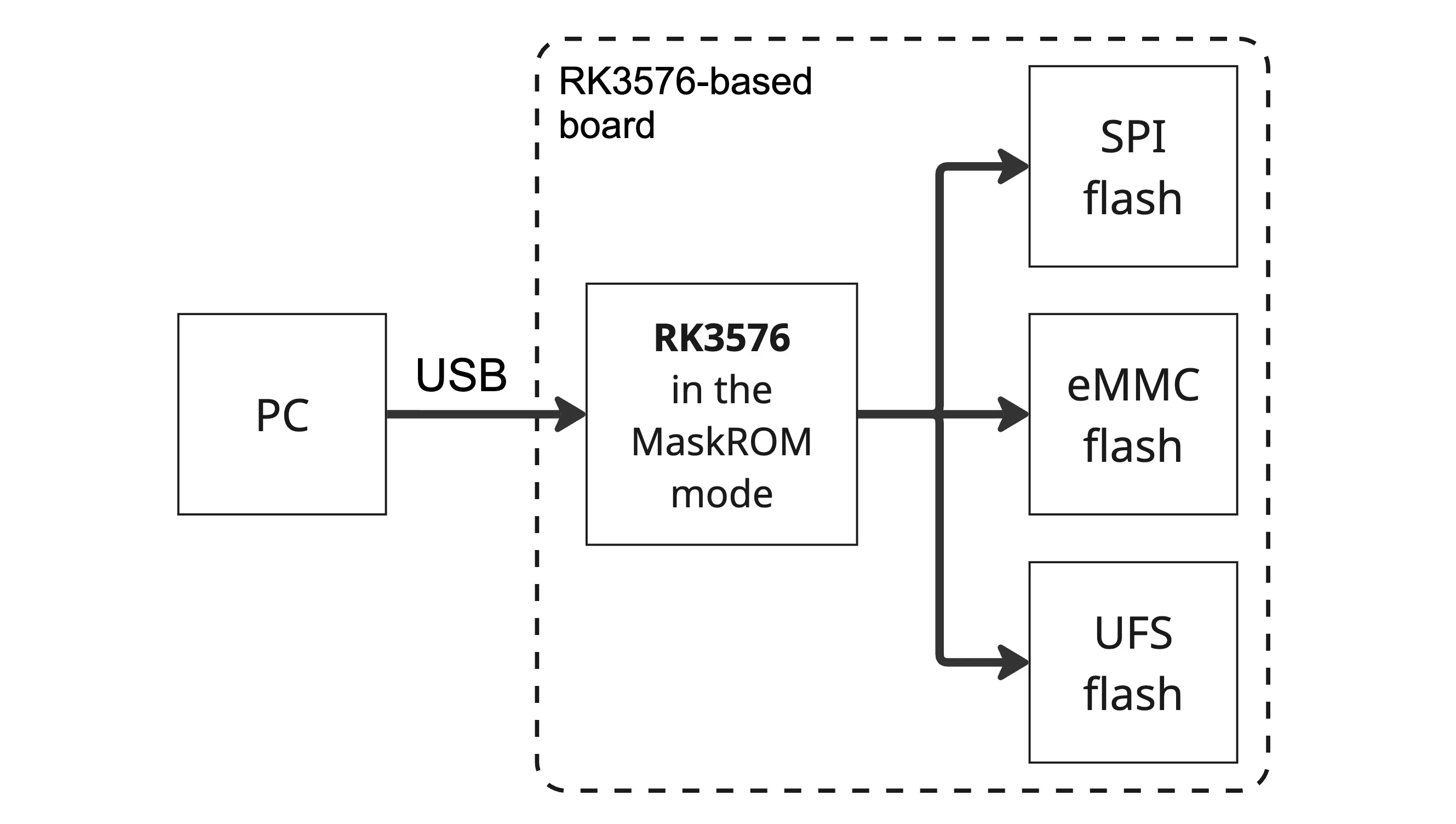
The code implementing MaskROM mode on the RK3576 is stored in the chip’s internal ROM (read-only memory) during manufacturing and cannot be erased or modified by the user. As a result, the ability to restore the device’s operating system is always preserved, provided the hardware is not damaged.
Switching into MaskROM mode varies across boards, so on the Supported Boards page you will find the method for entering MaskROM mode and the USB port used in MaskROM mode for each supported board.
Boot priority
The RK3576 chip can be configured with one of several boot priority lists for onboard storage drives. This list can contain up to two items (for example, eMMC flash and an SD card). The boot priority is determined by the voltage on the RK3576 SARADC_VIN0_BOOT pin, which is set using a resistor divider on the board and can also be pulled to ground via an onboard button or switch to trigger MaskROM mode.
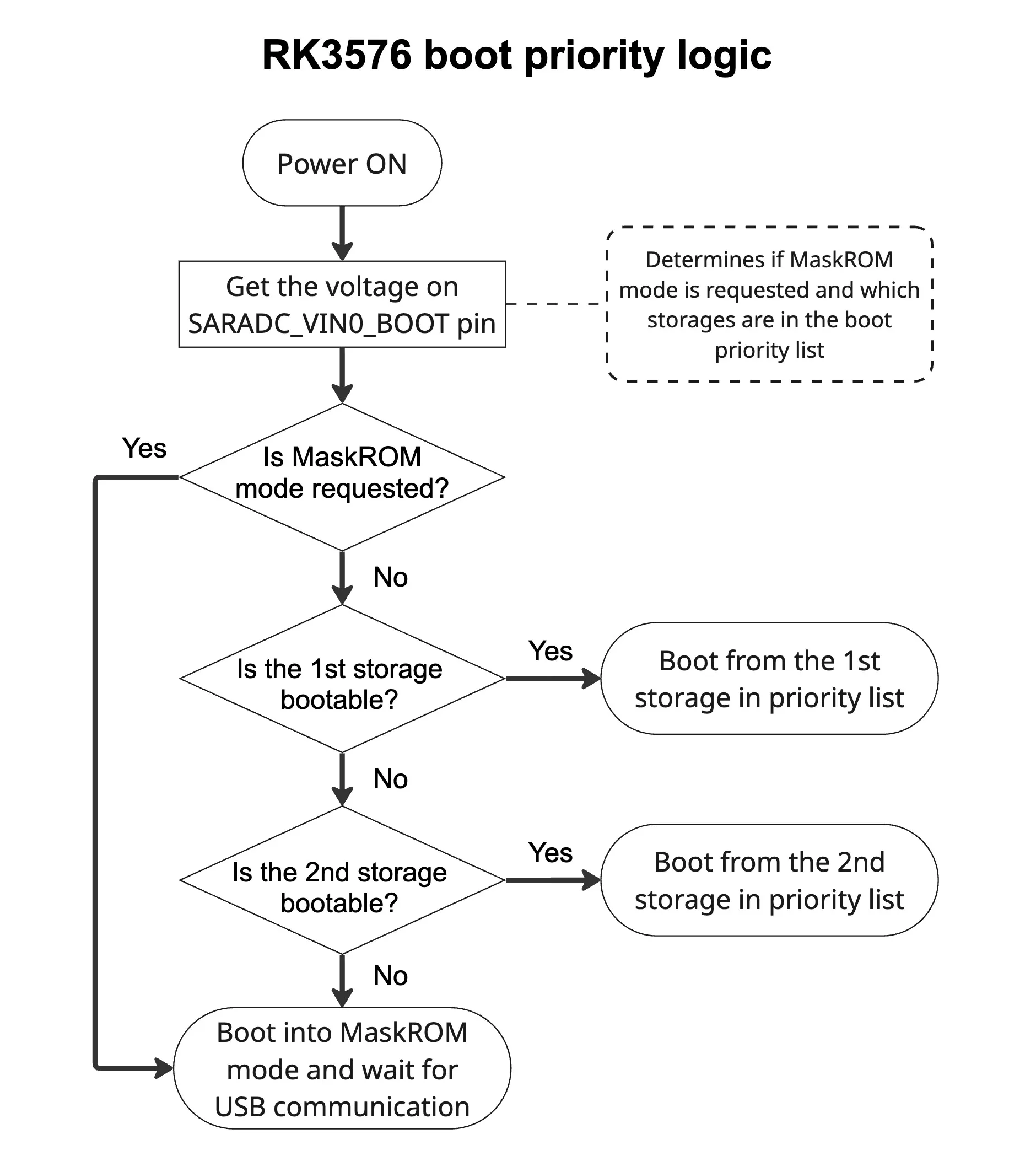
After power-on, the RK3576 reads the voltage on the SARADC_VIN0_BOOT pin to determine the boot priority list and to check if MaskROM mode has been requested. If not, it attempts to boot from the first storage drive in the priority list. If no valid Rockchip-compatible bootloader signature is found on that device, it proceeds to the second storage device. If no bootloader signature is found there either, the RK3576 enters MaskROM mode and waits for commands from a PC via the MaskROM USB interface.
The table below lists all supported boot priority lists (referred to by Rockchip as boot modes) for the RK3576, along with the corresponding resistor combinations and ADC values for each mode.
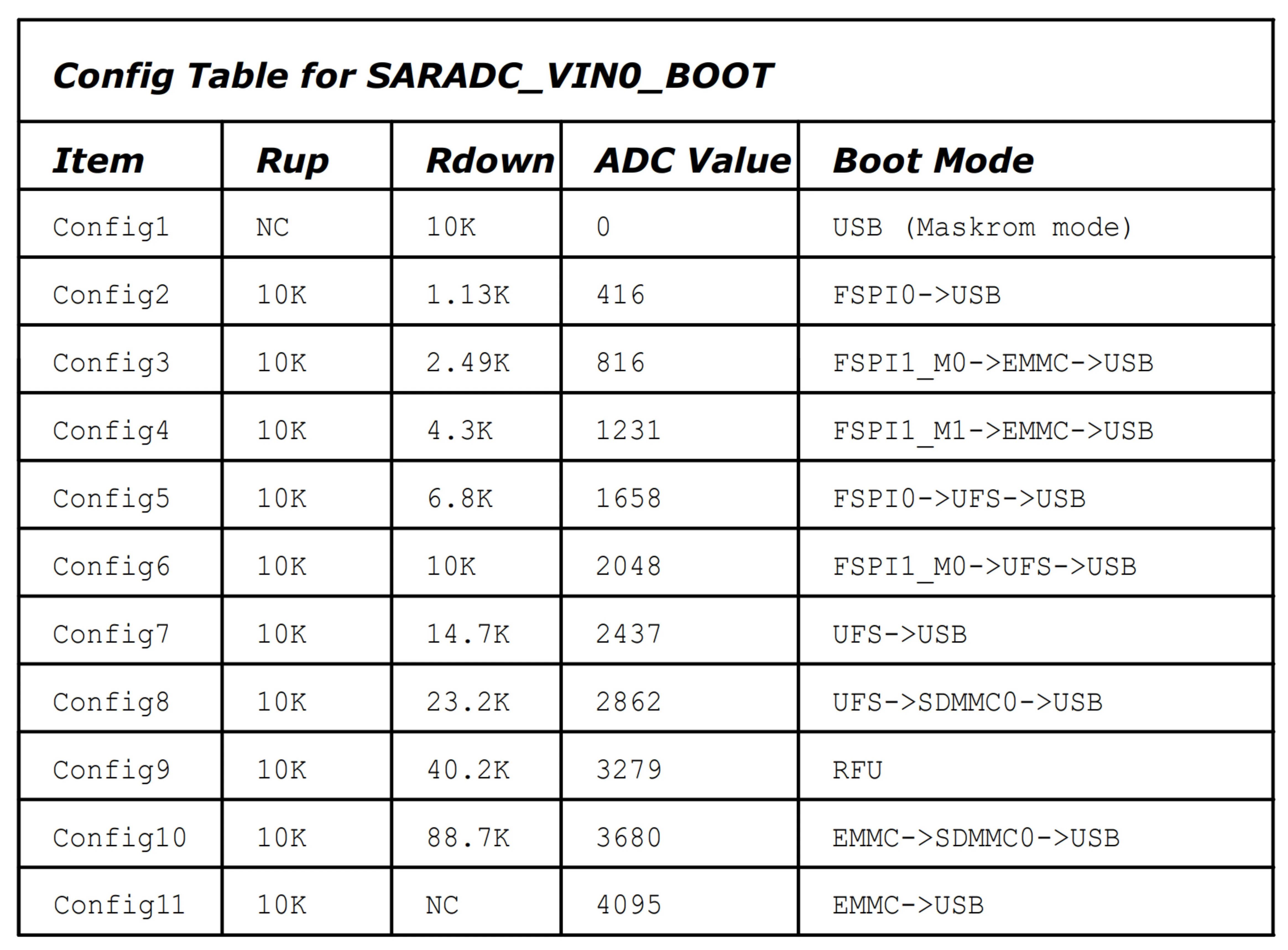
On the Supported Boards page you will find the boot priority, the method for switching to MaskROM mode, and the MaskROM USB port for each supported board.