Build system
A build system is a framework for producing full OS disk images for various supported hardware platforms. It consists of build scripts and several GitHub repositories containing OS components such as the bootloader, Linux kernel, patches, packages, and more. The output of the build system is a disk image file that can be written to a microSD card or flashed directly to a device's internal flash memory via USB using Rockchip’s built-in MaskROM mode.
Disk images include two Linux kernels (Mainline kernel 7.0 and BSP kernel 6.1), between which you can switch from the terminal or via the U-Boot menu.
You can either download a prebuilt OS image from our public build serverpublic build server or build your own image locallybuild your own image locally.
OS disk image build flow
The OS images are built using scripts from the flipperone-linux-build-scripts repository. These scripts fetch sources from multiple additional repositories, compile the code, and assemble the resulting artifacts into full disk images for all supported boards.
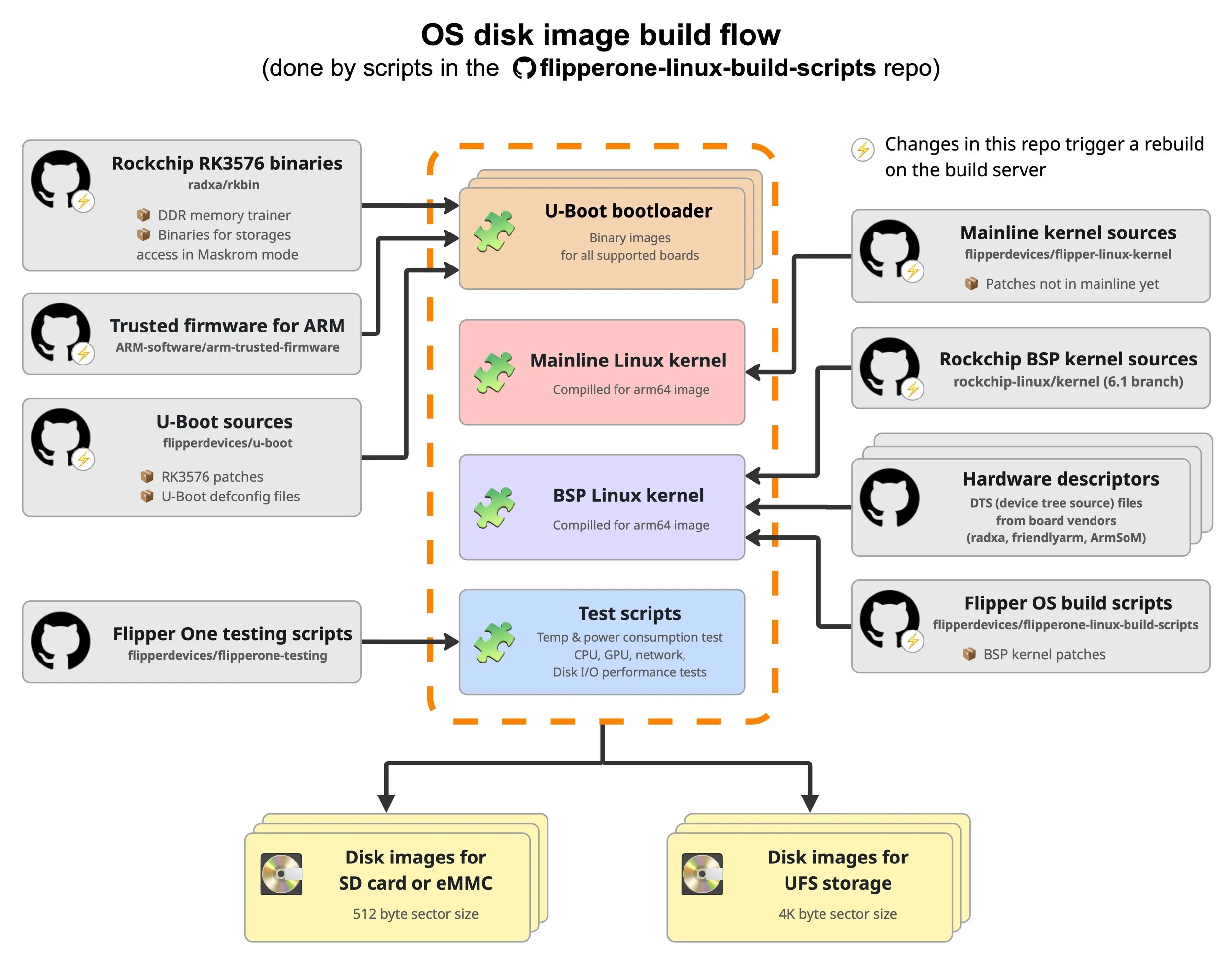
The build system flow consists of steps required for building a full disk image from scratch:
Build the U-Boot bootloader image. It includes Rockchip RK3576 binaries, trusted firmware for ARM, and open-source upstream U-Boot sources. Each supported board needs a separate U-Boot image.
Get & compile the Mainline Linux kernel. We use the latest release (7.0.0 as of now) fork sources from Linus Torvalds with some of our patches not yet in mainline.
Get & compile the BSP Linux kernel. This kernel (6.1.118 for now) includes Rockchip's kernel sources, the DTS (device tree source) file for each supported board, and our patches for the BSP kernel.
Build the full disk images. It uses debos to build the image that includes all of the above, and drops in some extra testing scripts (temperature monitoring and tests for power consumption, CPU, GPU, network, and disk I/O performance).
The Flipper OS image files are stored in the out/images directory.
OS image file naming
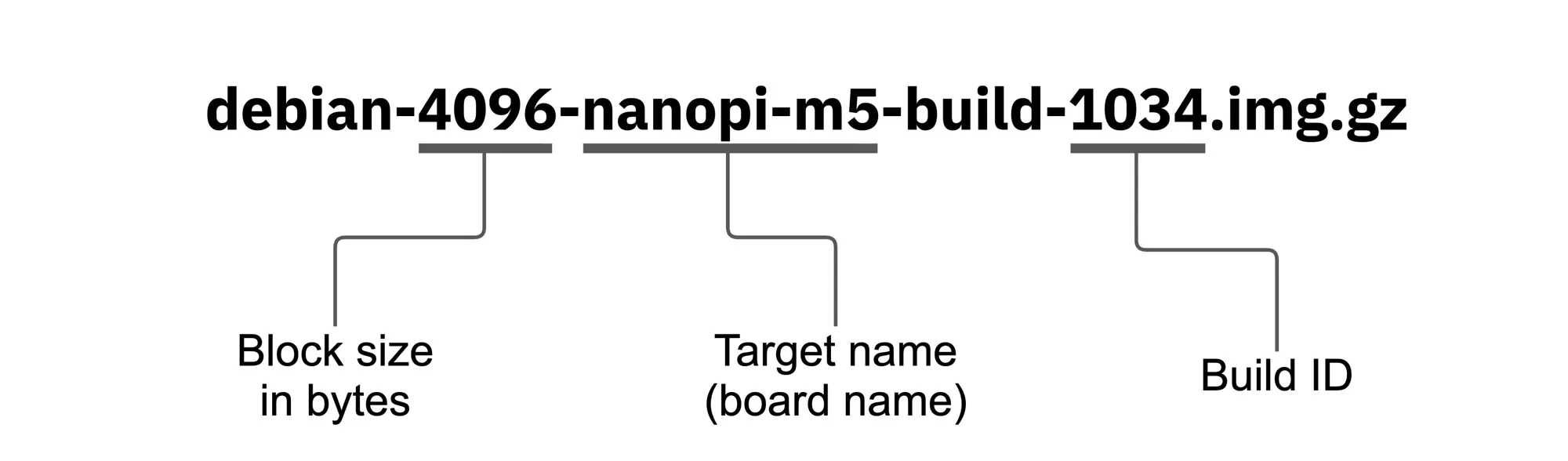
The OS image filename consists of several parts. Let’s break them down using the example above:
- debian — indicates that the image is based on the Debian Linux distribution.
- 4096 — the data block size in bytes. It can be either 512 for SD card and eMMC images, or 4096 for UFS images.
- nanopi-m5 — the target name of the board for which the image is built. A list of supported target names can be found on the Supported BoardsSupported Boards page.
- build — a keyword indicating that the following value represents the build ID.
- 1034 — the build ID. It consists of a sequential build number and an optional textual label, such as test-dp, test-interconnect, etc.
Each disk image is accompanied by a .bmap file that contains a map of the used data blocks. Using the .img.gz image together with the .bmap file speeds up the flashing process by skipping unused blocks.
Public build server
The official OS build server web interface is available at https://linux-images.flipp.dev/. We use Buildbot as our continuous integration (CI) framework to automate the build process. This web interface allows you to monitor the status of OS image builds.
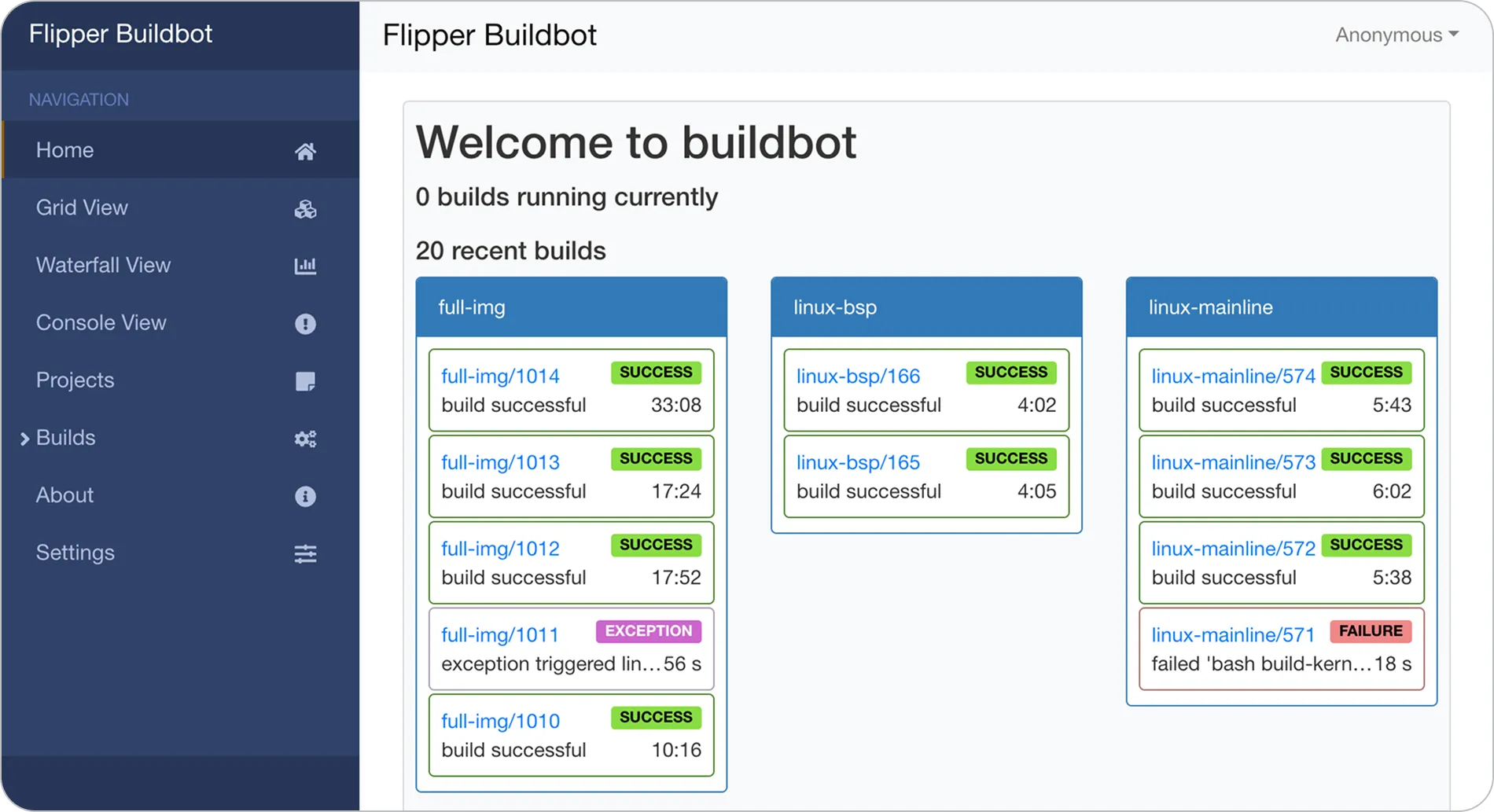
The images produced by each build are uploaded to a public web server, where they can be downloaded: https://dl-linux-images.flipp.dev/full-img/.
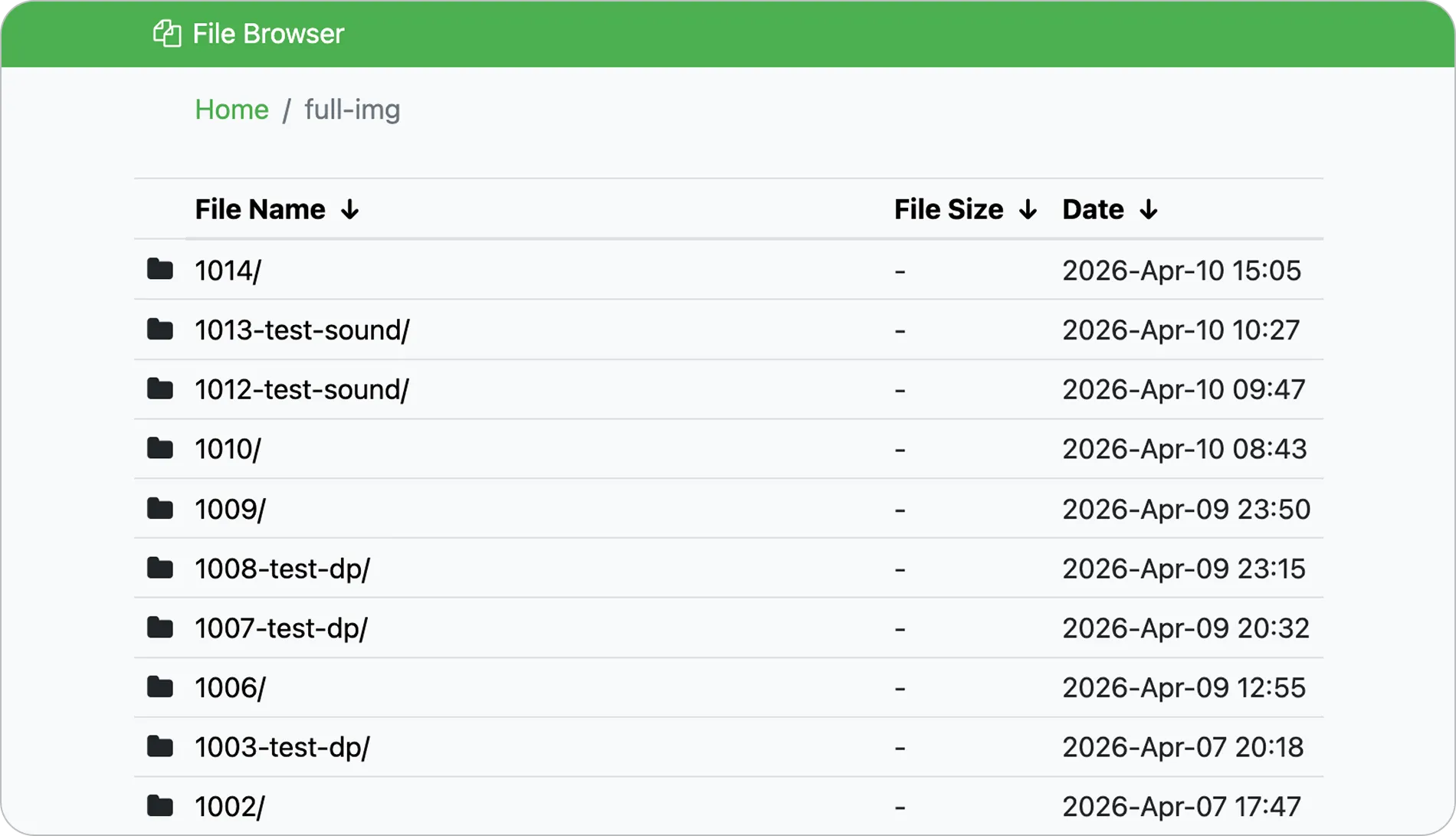
Each build is stored in a separate directory, where the directory name matches the build ID.
By default, Buildbot monitors each of the Git repositories labeled with a ⚡ icon on the image build diagram for any changes (by polling them every 5 minutes), and rebuilds any components affected by a change.