About Mechanics
This page explains the structure of the Mechanics sub-project, provides links to design files, and outlines how to contribute to Flipper One's mechanical development.
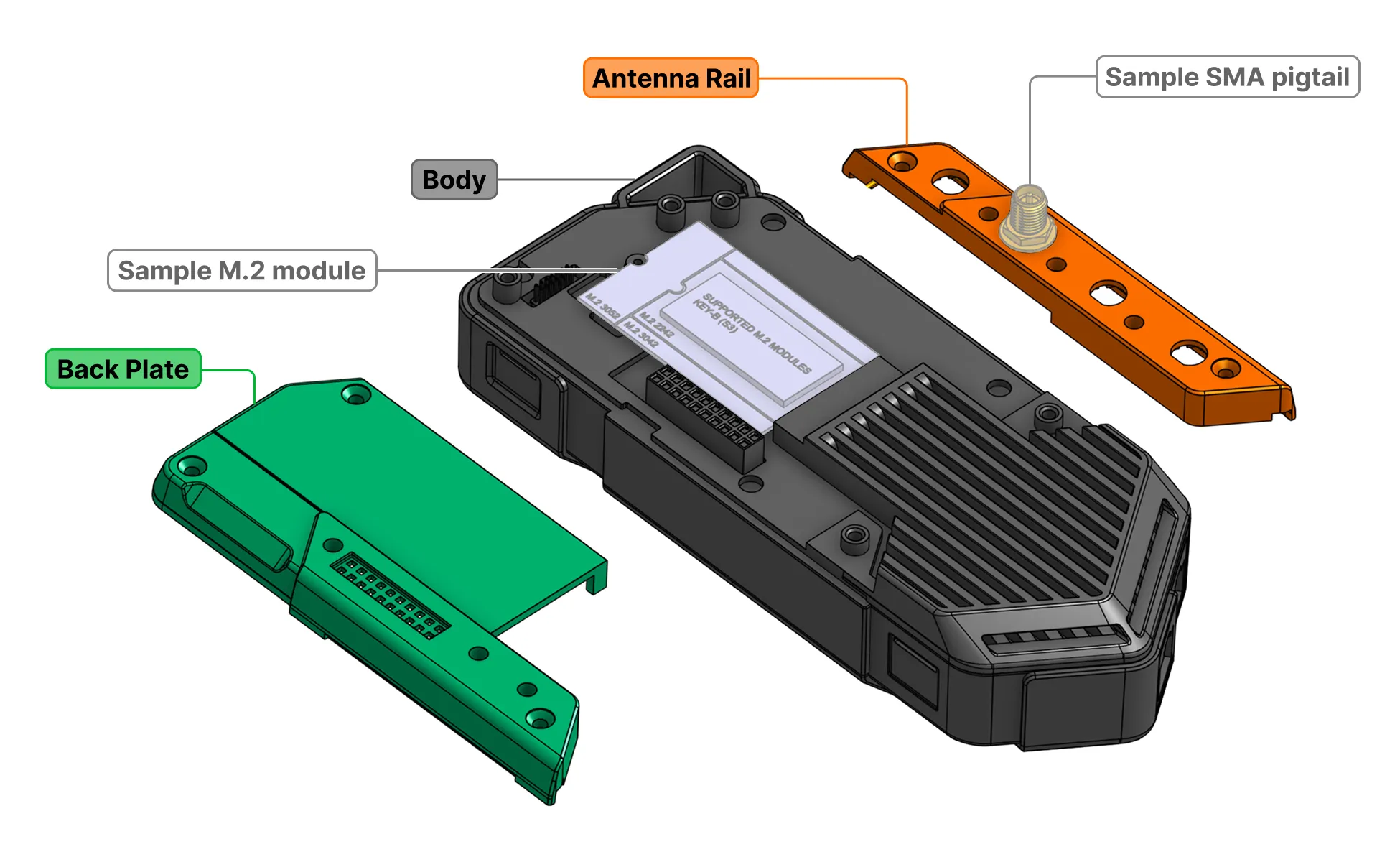
The Mechanics sub-project is where we engineer the enclosure, buttons, plastic and metal parts, and mounting components of Flipper One. We share 3D models of the Body, Back Plate, and Antenna Rail with the community, and keep the development process open for feedback and discussion.
The Mechanics sub-project consists of:
We'd love your feedback — look for tasks tagged help wanted in the task tracker, or contribute directly to the GitHub repository via pull requests.
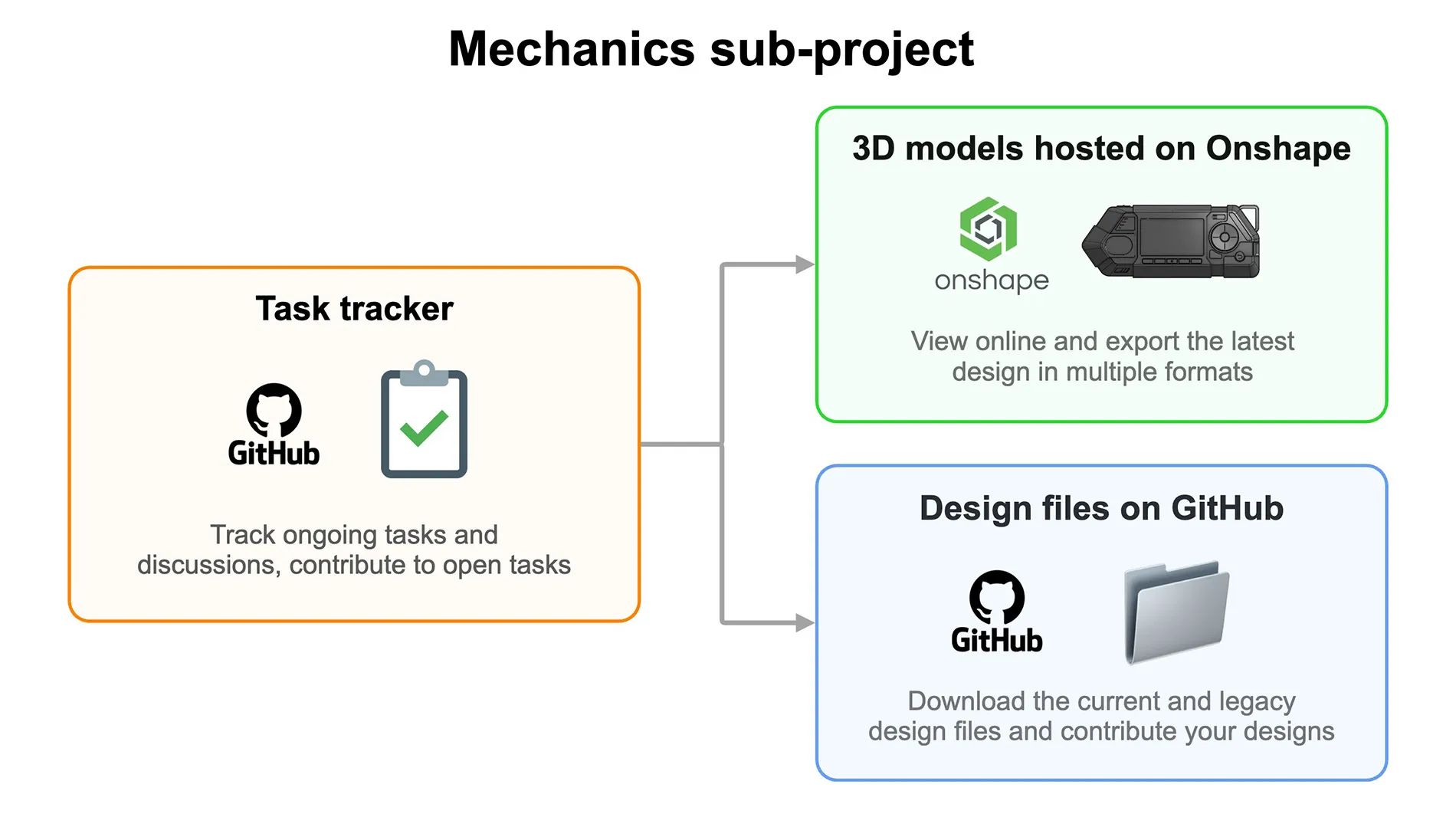
✅ Tasks tracker
All mechanical team tasks are tracked in the GitHub project Flipper One — Mechanics. There, you can see what the engineering team is working on and follow progress and discussions.
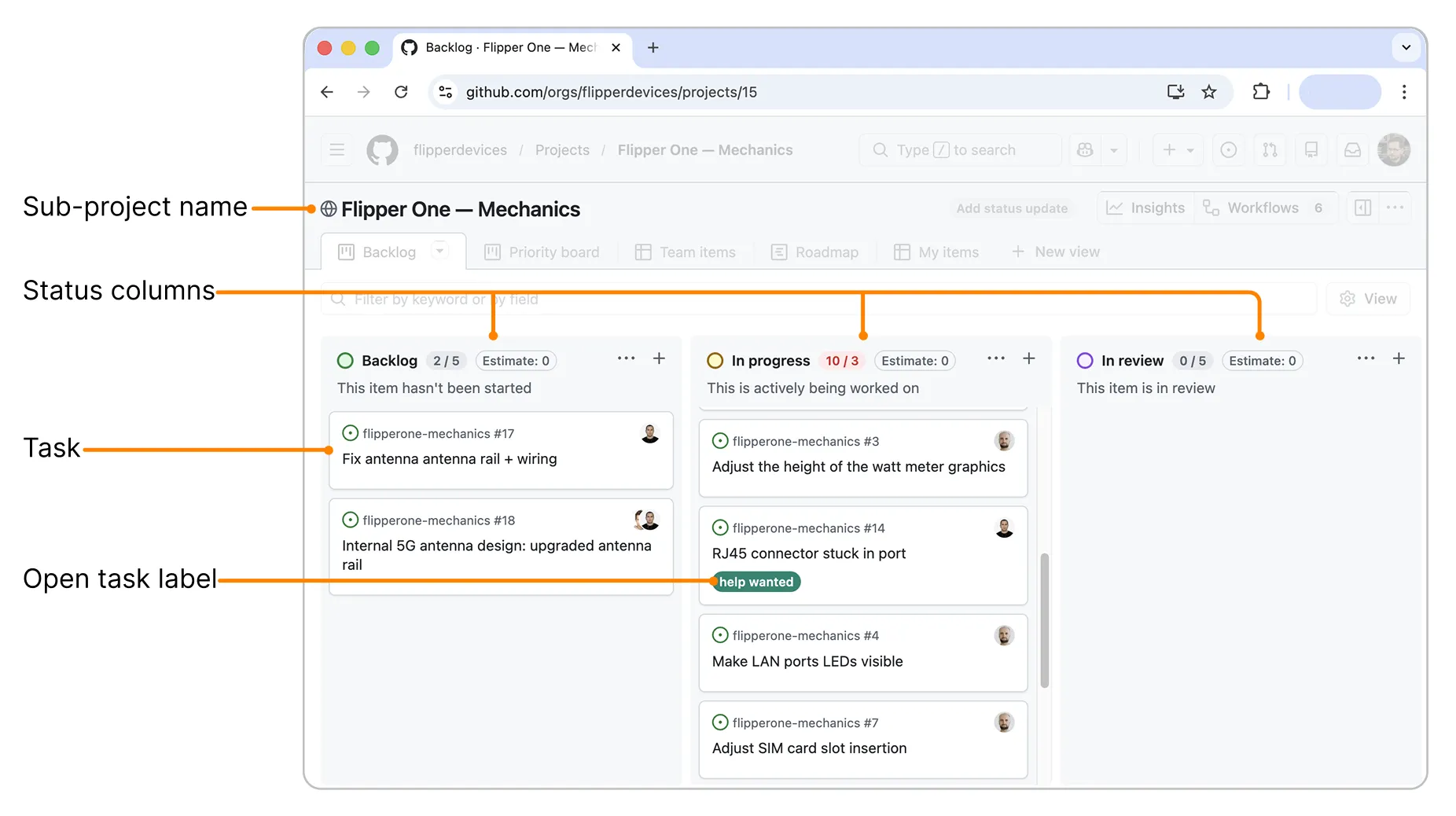
Some tasks are open to the community and marked with a help wanted label. You’re welcome to join the discussion on these tasks or submit your design proposals — just make sure to read the Contribution guideContribution guide first.
⚙️ 3D models hosted on Onshape
You can view and export the 3D models via  Onshape – a cloud-based CAD tool (similar to SolidWorks) that runs directly in your web browser. Onshape hosts the latest version of the 3D models. The same 3D models are also available in the CURRENT folder on GitHub.
We made some mechanical parts of Flipper One available for the community to explore. Feel free to review them, download them for 3D printing, or make your own external hardware modules for Flipper One.
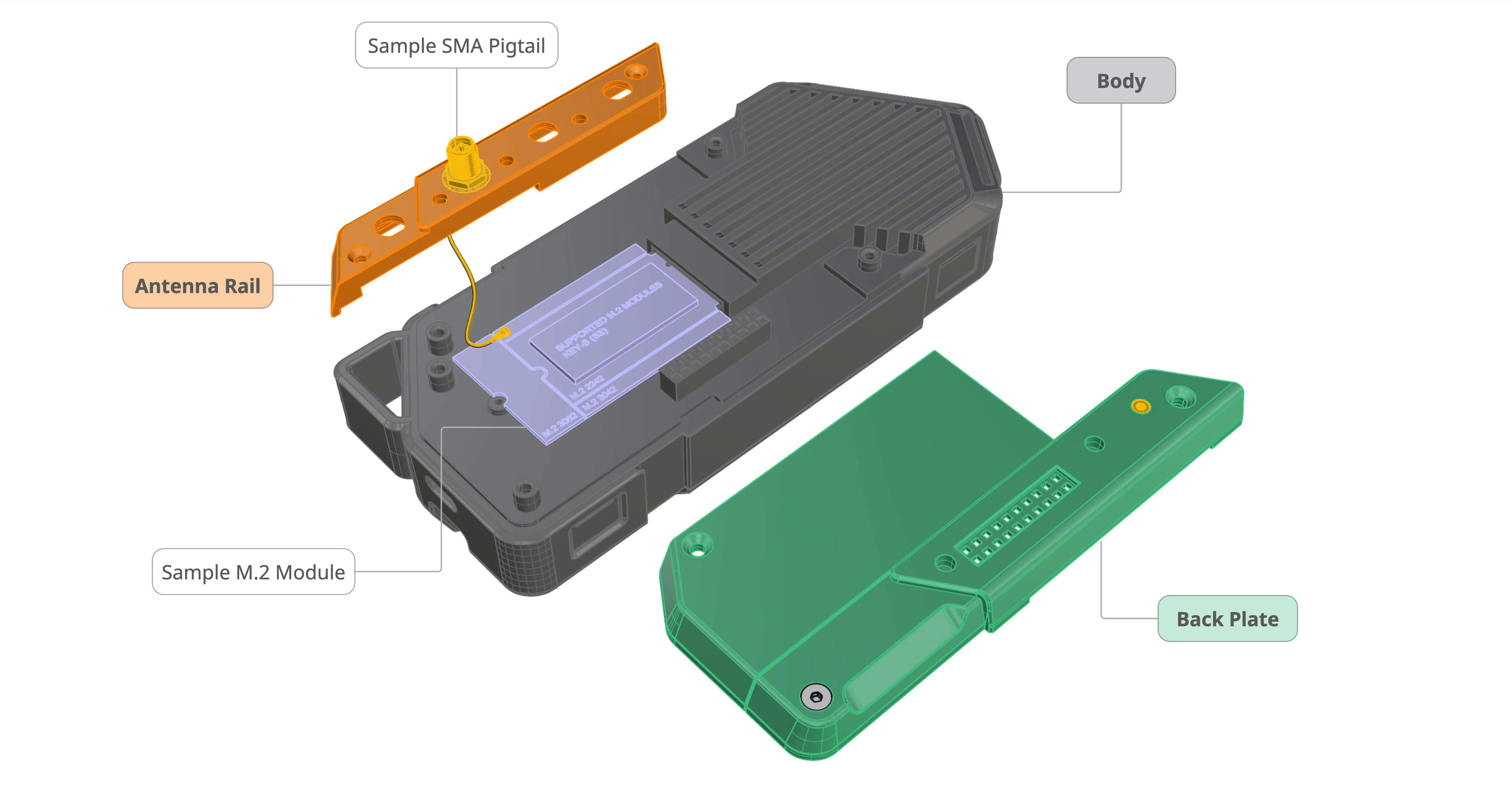
The 3D model consists of three parts:
- Body — the main enclosure of the device. It contains all electronics, the display, and the user controls. The public release provides this part as a solid shell with an empty interior.
- Back Plate — the back cover that provides access to the M.2 expansion port. This screw-on cover is interchangeable, with different designs for each module.
- Antenna Rail — a separate part for mounting SMA antennas. It is intentionally separate from the back plate so you can install antennas and route cables before attaching the plate, preventing cable damage during assembly.
All surfaces and dimensions match the real product, allowing development of accessories, cases, mounts, back plates, antenna rails, and modules.
How to view 3D models
Simply click the Flipper One - Onshape link — the model will open in your browser in view mode. Here you can navigate the model:
- Pan model — click
 Pan or click and hold the
 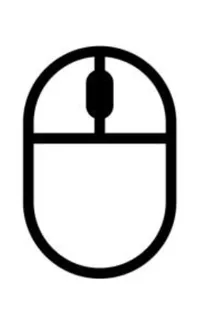 middle wheel on your mouse.
- Rotate model — click
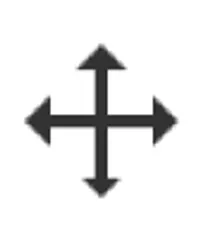 Rotate or
 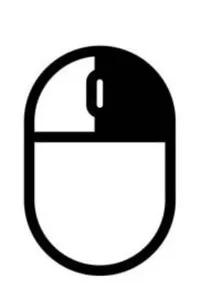 right-click and hold your mouse.
- Hide parts — click the
 eye icon next to a part in the left side bar.
- Move parts — click a part in the 3D view or from the list on the left, then drag it to the desired position.
For all methods of navigating models in Onshape, view the official documentation.
How to export 3D models
You can export the models for printing to test ergonomics, or develop your own modules for Flipper One. Onshape supports exporting models in various formats.
Supported export formats: STEP, STL, OBJ, SOLIDWORKS, IGES, Parasolid, GLTF, RHINO, COLLADA, JT, PVZ, ACIS, and 3MF.
To export:
Click the  Export button at the bottom of your screen.
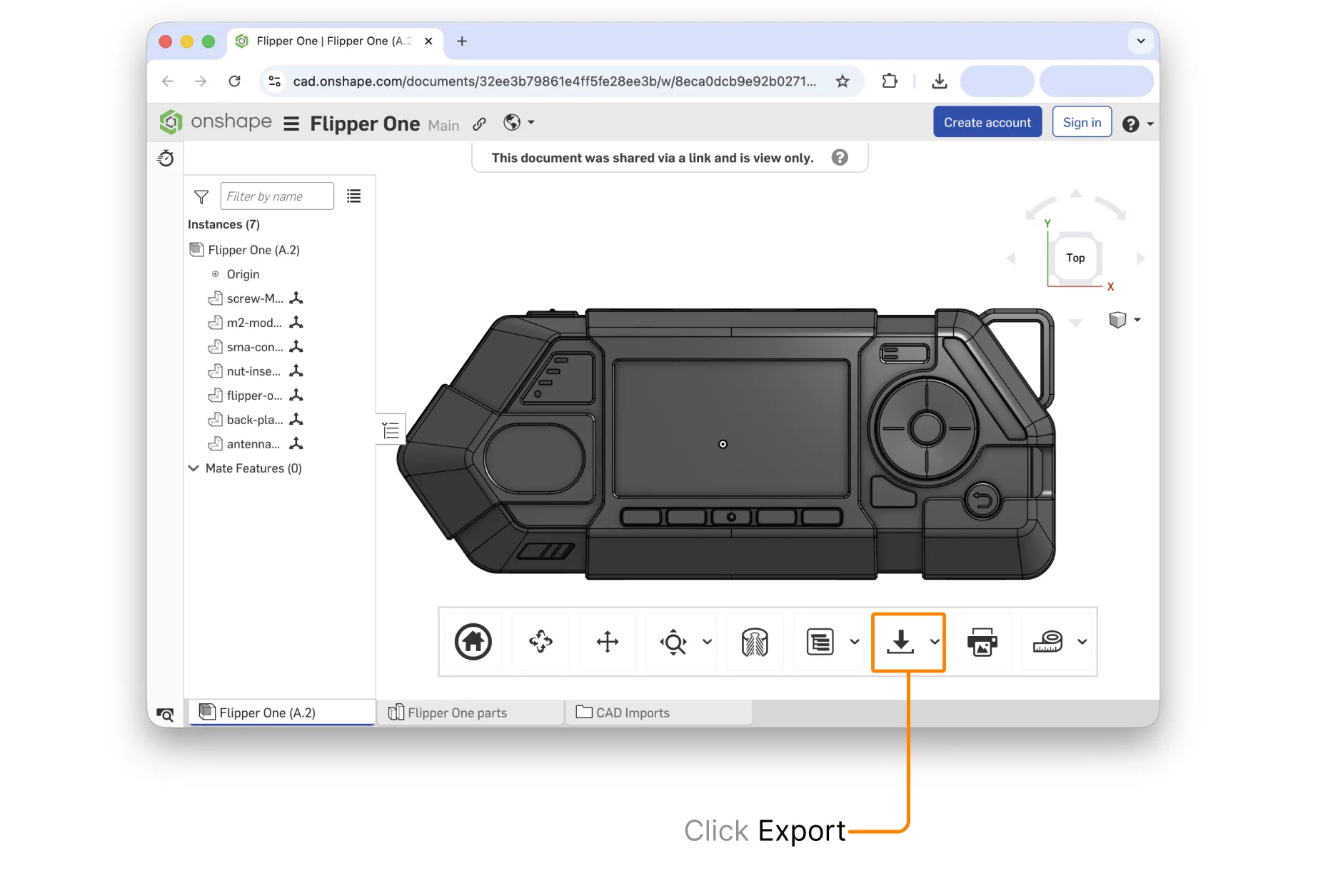
Select your preferred export format.
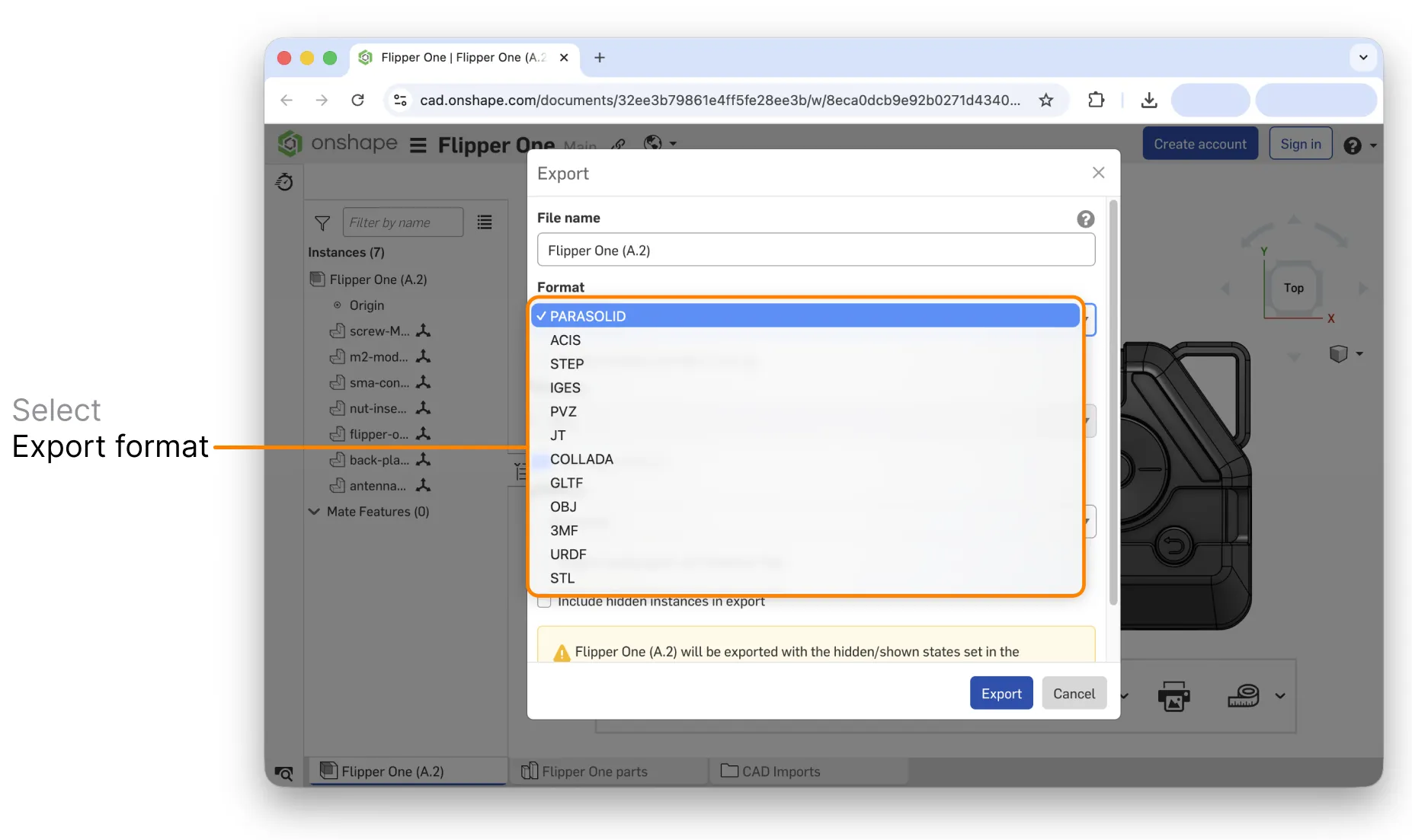
Click Export.
📁 Design files on GitHub
The flipperone-mechanics GitHub repository hosts both current and legacy versions of Flipper One’s enclosure 3D models in .stp format. It also includes other design files, such as enclosure text and labels, as well as designs for official hardware modules and add-ons. You can download the design files to explore and modify them.
Both the CURRENT folder on GitHub and Onshape host the latest Flipper One 3D models, but there is a difference:
 GitHub — only download models in .stp format.
 Onshape — view the current models and export in multiple formats.
Repository structure
The repository has the following folder structure:
├── OLD/                     # Deprecated enclosure revisions
│   ├── A.0/
│   └── ...
├── CURRENT/                 # Current supported enclosure revision
│   └── X.N/                 # Current revision <LETTER>.<NUMBER>
│       ├── Flipper One (X.N).stp   # Full enclosure 3D model (STEP)
│       ├── Graphics/               # Logos, engravings, decals, artwork for the enclosure
│       └── Modules/                # Official modules and add-ons
Versioning scheme
Design versioning scheme includes two parts: <LETTER>.<NUMBER> (for example, A.1), where:
- LETTER — major version. Different major versions are not mechanically compatible with each other.
- NUMBER — minor revision. This may indicate small changes (for example, graphics, labels, or minor tweaks). Different minor revisions are compatible with each other.
How to contribute
To contribute to the Mechanics sub-project, you need to have a GitHub account. You can create one on the GitHub website.
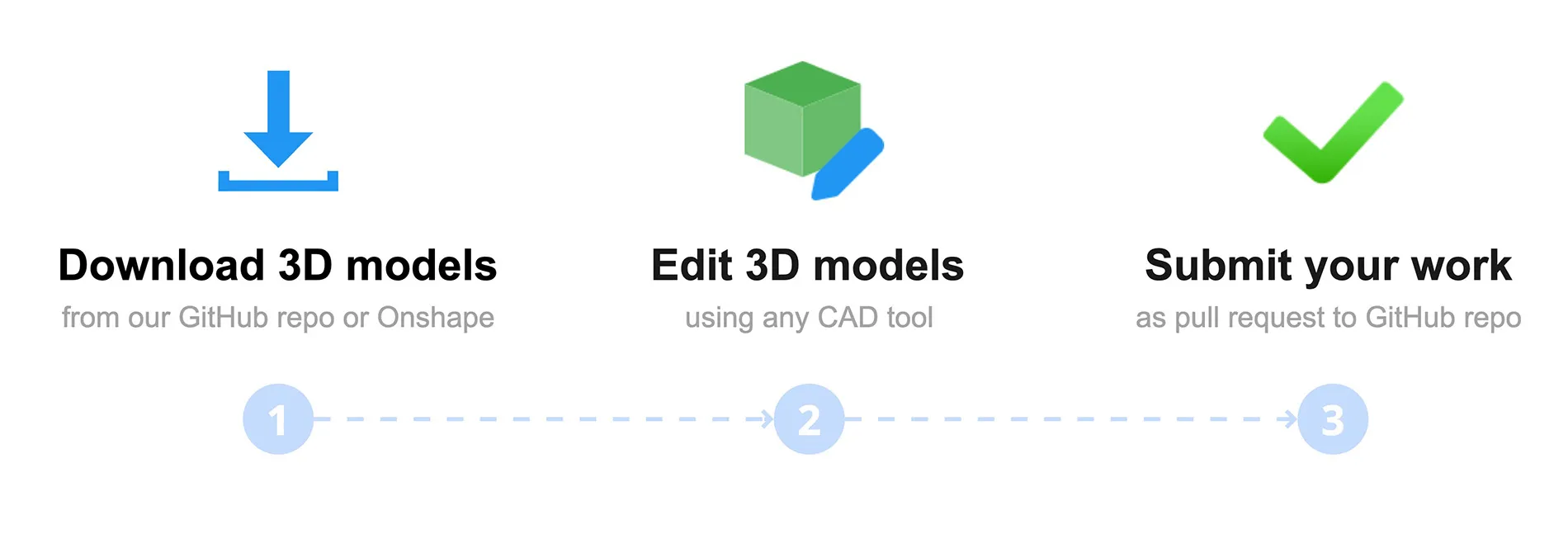
Before you start: Check open tasks in the task tracker to see what the team is already working on or where help is wanted.
Submit your design as a pull request
If you have an idea for improving the design of Flipper One, you're welcome to contribute it. Copy the GitHub repository, make your changes to the design files, and submit a pull request to the original repository:
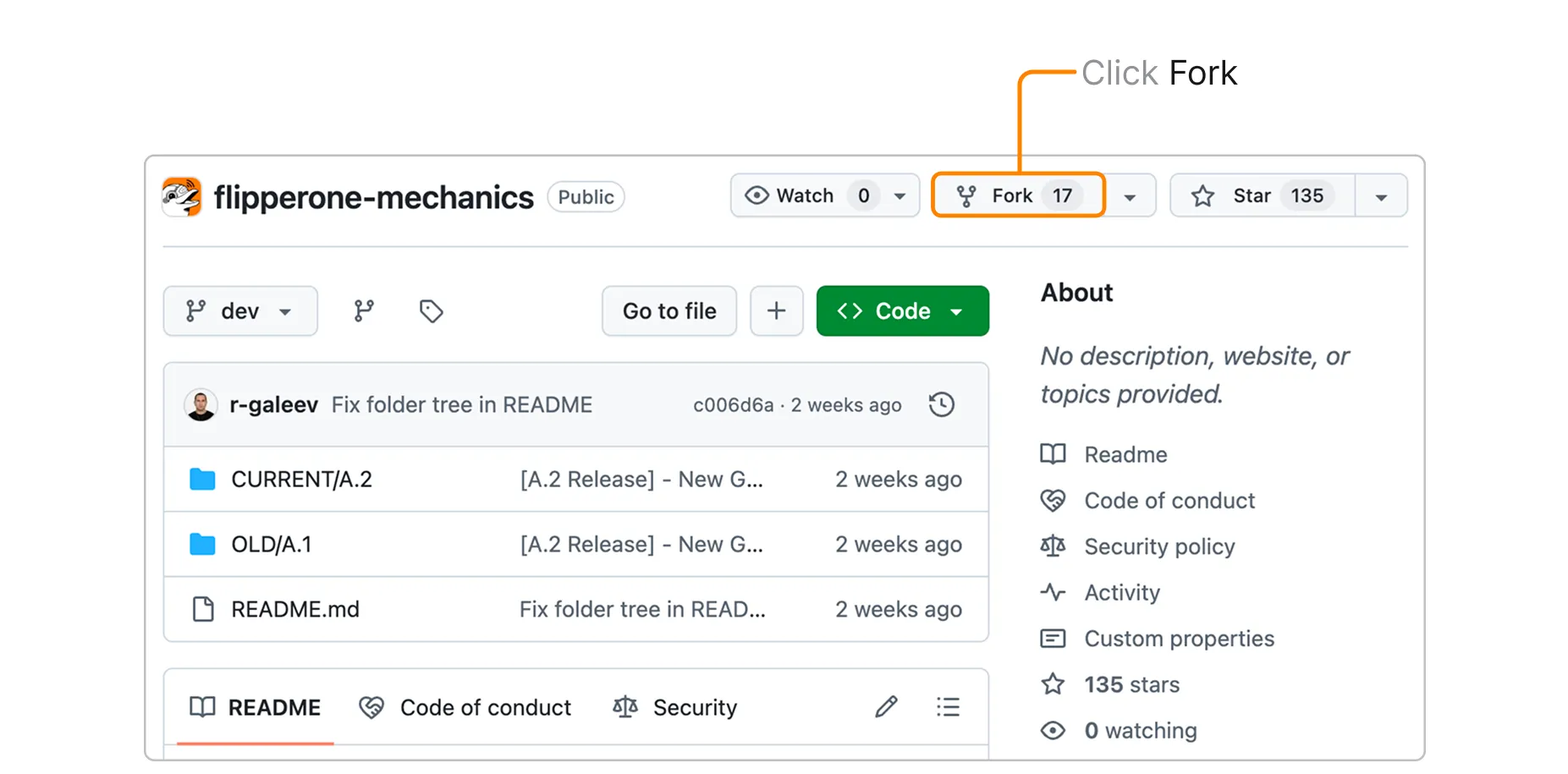
Open the repository. Go to flipperone-mechanics on GitHub.
Fork the repository. Click the Fork button in the upper-right corner and confirm to copy it to your GitHub account.
In your fork, open the CURRENT folder.
Click the Add file dropdown.
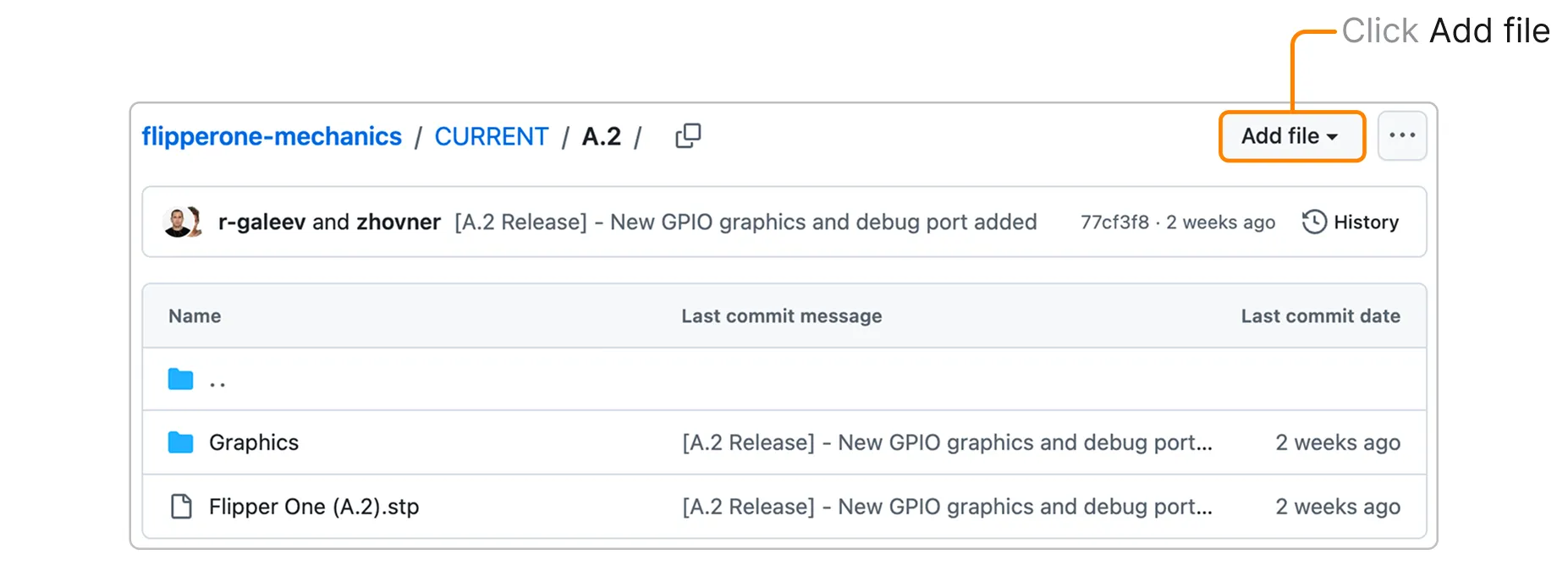
Select  Upload files from the dropdown.
Upload your files. Drag and drop a file, or click choose your files to select it from your computer.
After uploading, scroll down to Commit changes.
Write a commit description. Keep it clear and concise — for example, Add bumps to aluminum bracket.
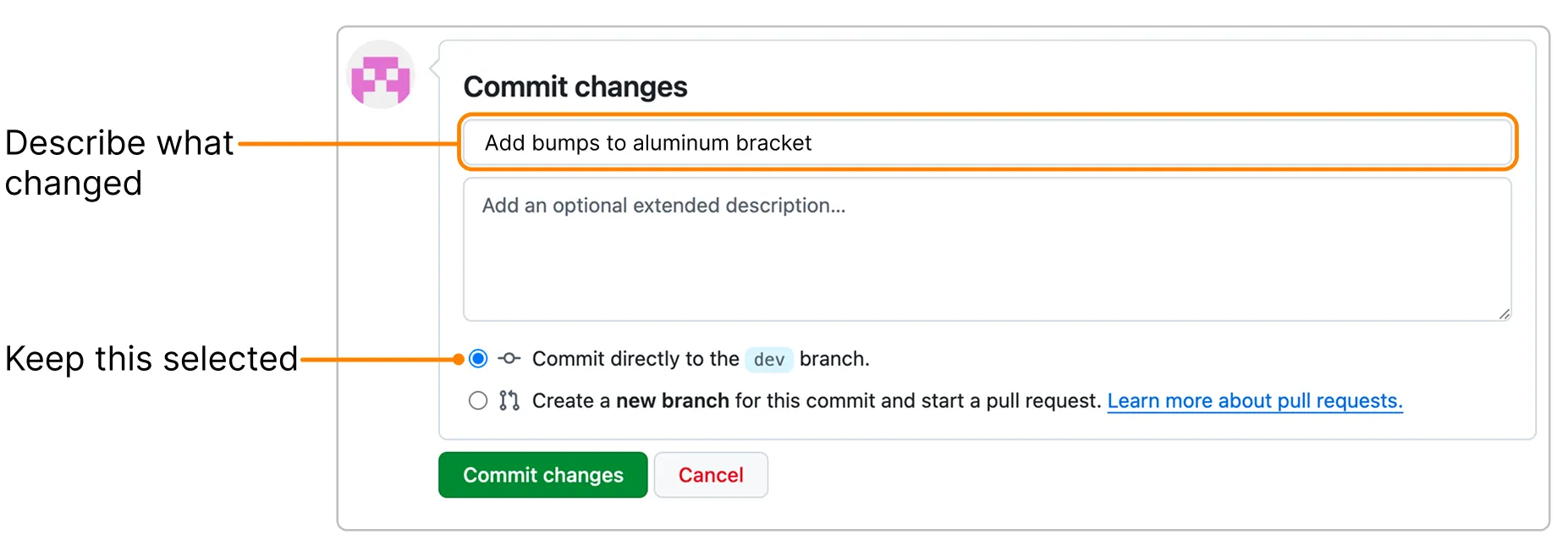
Click Commit changes to save them in your repository.
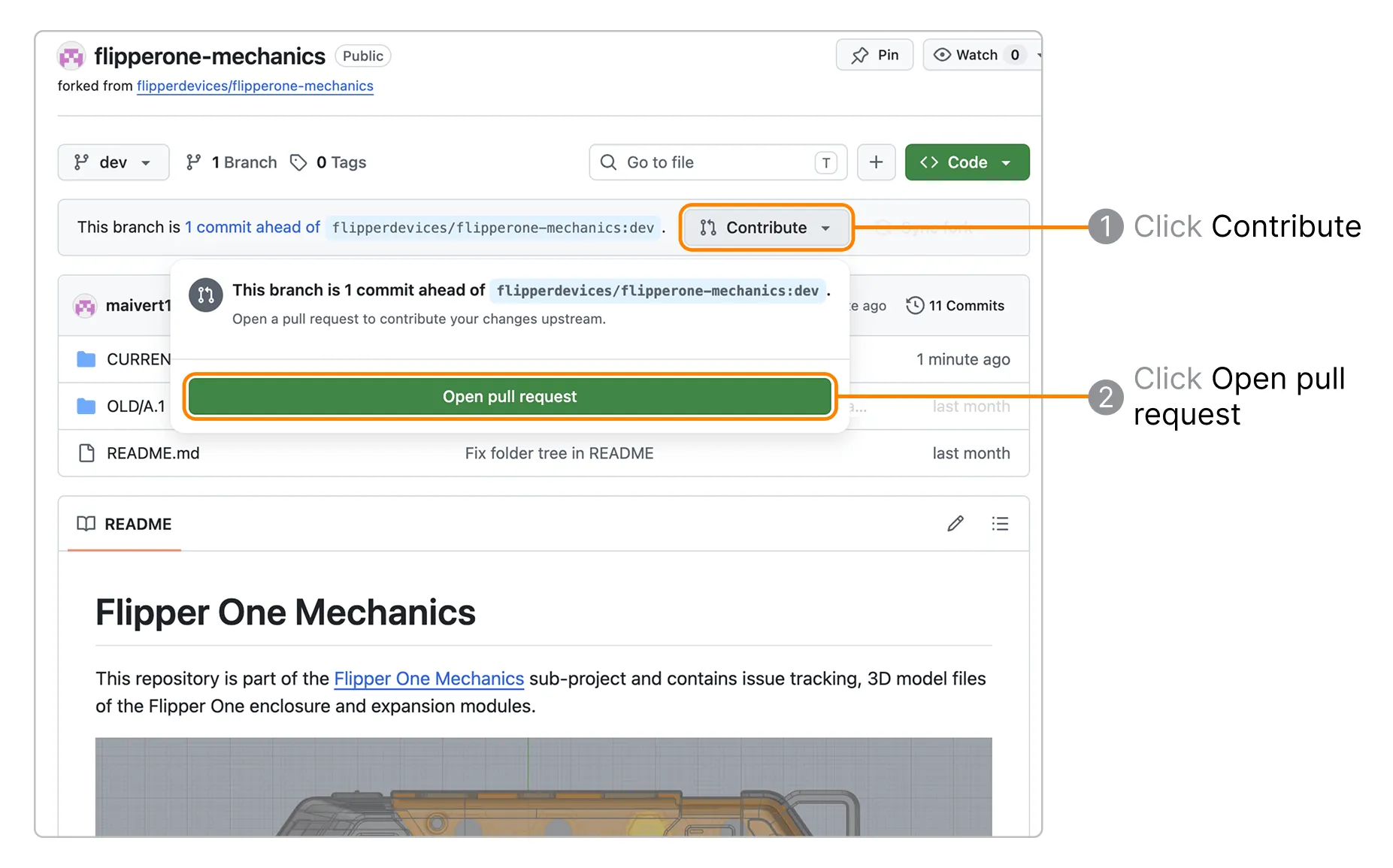
Open a pull request. In your repository, click Contribute → Open pull request.
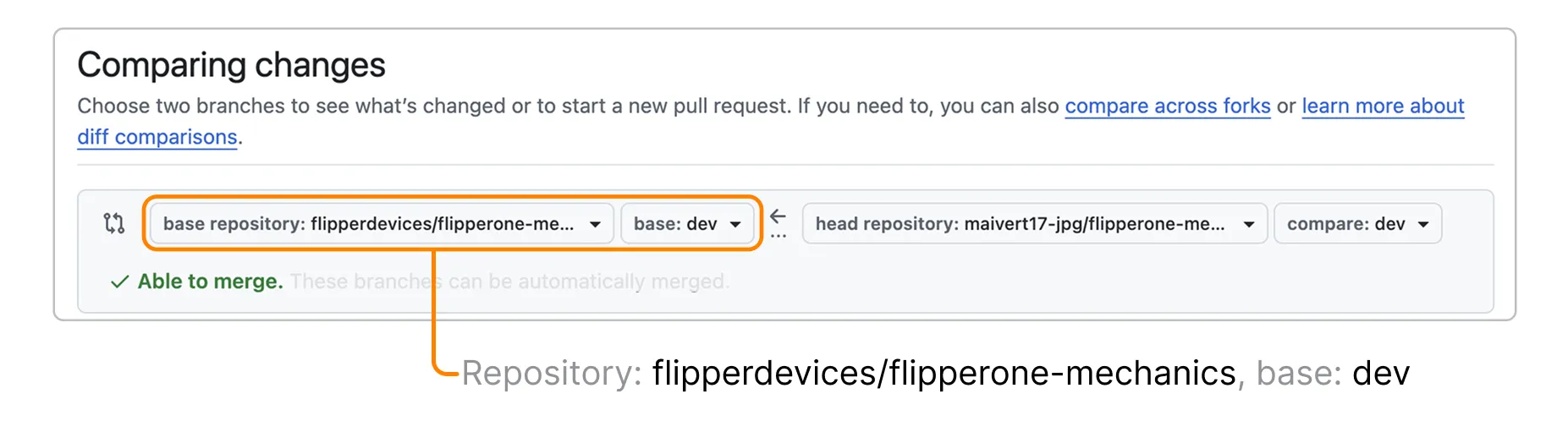
Check the target branch. Confirm changes will be pushed to flipperdevices/flipperone-mechanics, base: dev.
Add a title and description. Write the pull request title and a description in Markdown — preview it with Preview.
We highly recommend attaching screenshots that show what changed and a link to the open task this pull request is associated with.
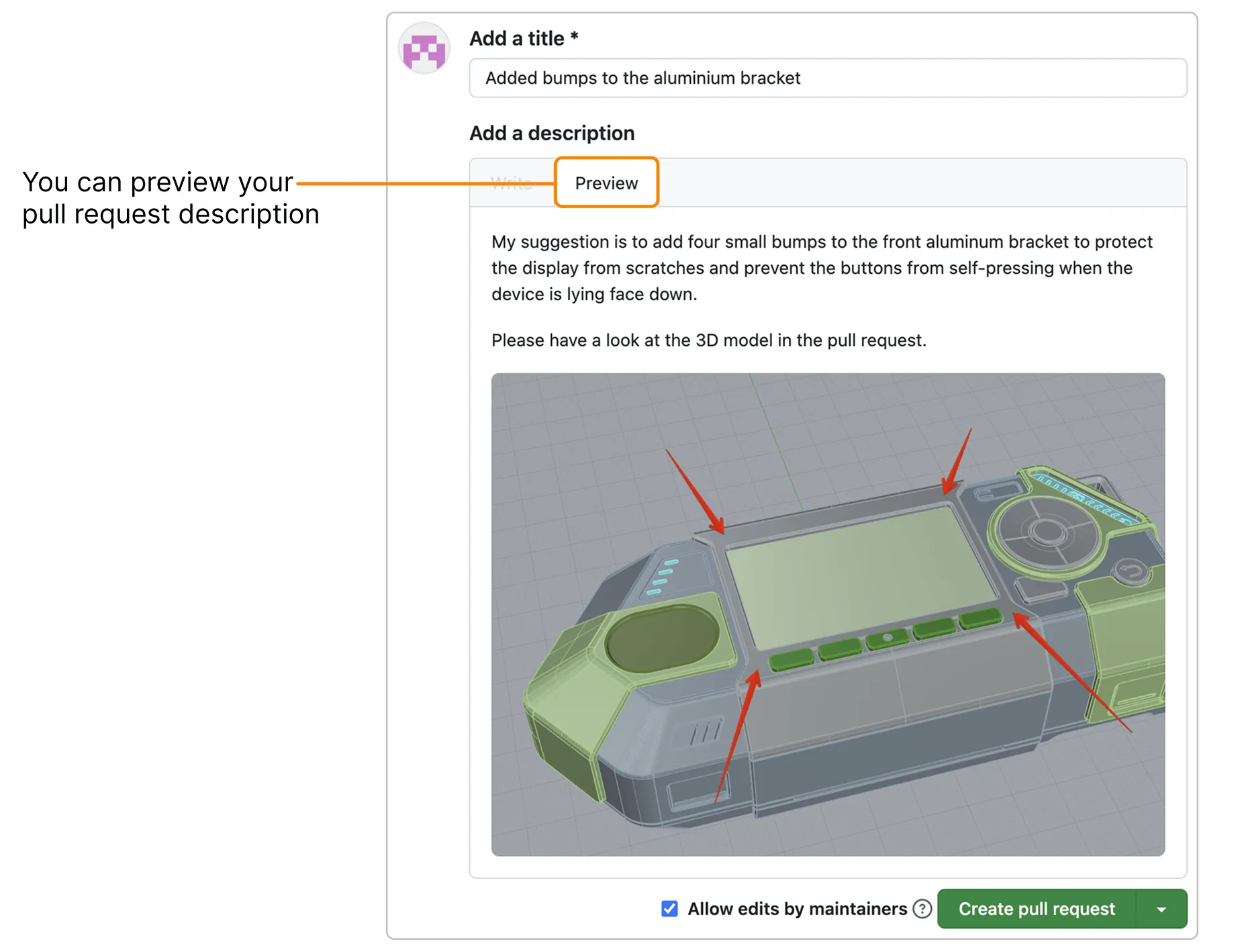
Click Create pull request.
We review all ideas carefully! We may ask additional questions about your idea in the pull request thread, so please watch for GitHub notifications in your email.
Contribute a third-party module
If you've designed your own accessory or module for Flipper One — a fan shield, a mounting bracket, anything that attaches to the enclosure but isn't an official part — you're welcome to share it. Third-party modules follow a slightly different process from base model improvements, so they're easy for the team to find and review.
Keep base model changes and module proposals in separate pull requests
A pull request that mixes an improvement to the base enclosure with a new module proposal is hard to review and merge — the team can't take one without the other. If you have both, open two pull requests.
Place your files under Modules/Third party/. In the CURRENT/<version>/Modules/ folder, create a new directory named after your module, for example Modules/Third party/fan-shield/, and put your design files there.
Add a minimal description. A short note in your pull request description — what the module does and how it attaches — is enough. You don't need extensive documentation to propose a module.
Open a pull request, following the same steps as submitting your designsubmitting your design above.
Suggest your change as a comment on an open task
⚠️ Contributions only — no flooding
To keep collaboration productive, please keep comments on-topic. Open tasks are for contribution-related discussion only. If you have an idea or concern, first turn it into a concrete contribution and share it as a comment on a task. For general questions or discussions, you’re always welcome to join the conversation on social media or Discord!
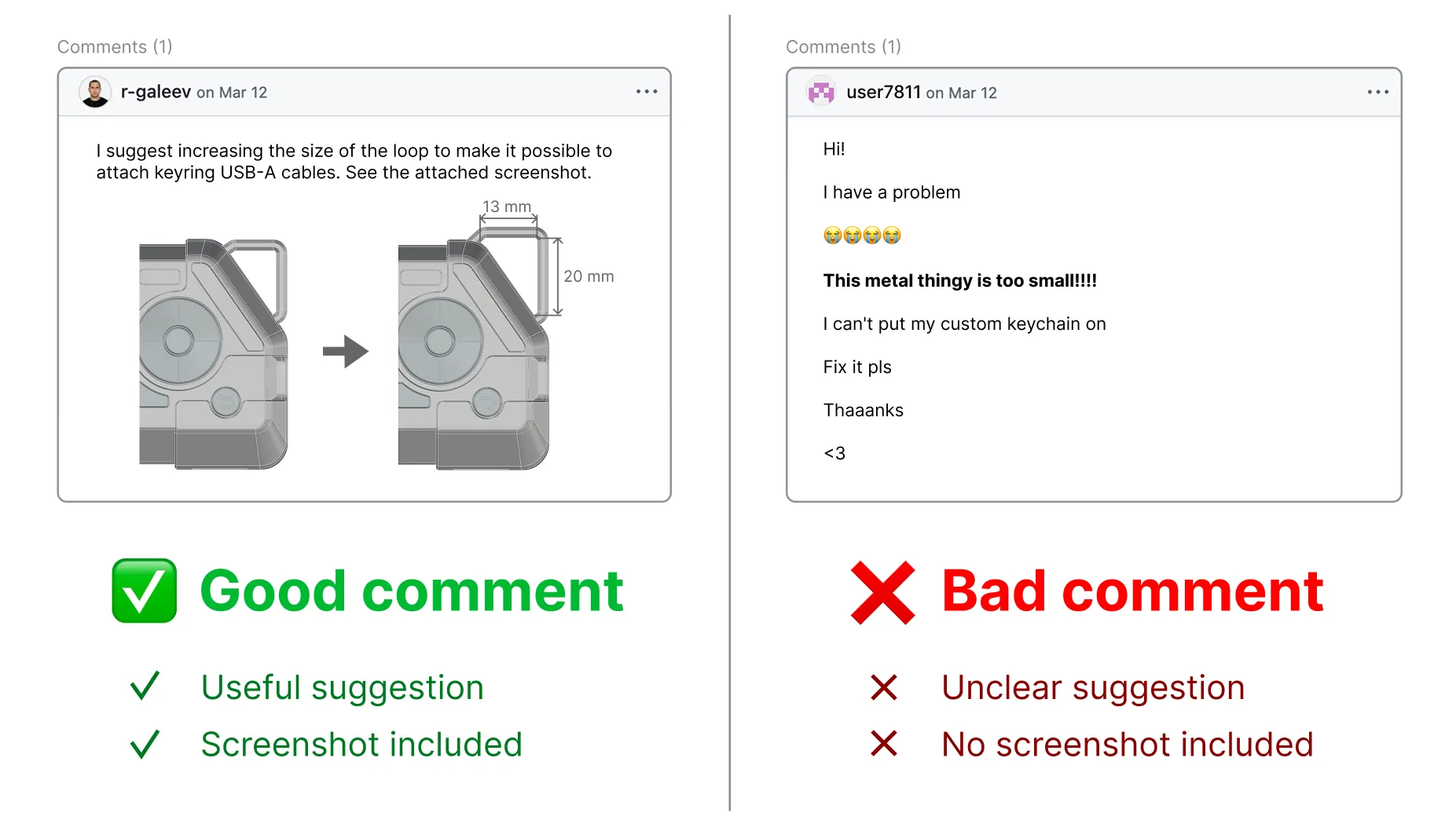
Open tasks that need the community's help are labeled help wanted. If you have ideas on how to improve the design, you can contribute by commenting on the task and attaching screenshots, videos, or links:
Pick a task. In the Mechanics GitHub project, browse the open tasks and click the one labeled help wanted that you want to contribute to.
Write your suggestion. In the comments section, clearly describe your suggestion and attach a screenshot, video, or a link to your 3D model on Onshape. Unfortunately, .stp files can't be attached to the comment.
Important: If you share a link to your design on Onshape, ensure the model is accessible for others to view.
Attachment size limit:
- Images: 10 MB
- Videos: 100 MB
Click Comment to submit.
We review all comments carefully! We may ask additional questions about your idea in the task thread, so please watch for GitHub notifications in your email.
Licensing
The mechanical design files in the flipperone-mechanics repository are licensed under the CERN Open Hardware Licence Version 2 — Permissive (CERN-OHL-P-2.0).
In practice, this means:
- You can modify the design files and submit improvements back to the project.
- You can use the published 3D models to design cases, mounts, and any other external modules. You can also submit them to this repository.
- You may distribute modified versions of the licensed models under different terms, as long as you preserve the required notices for the original work.
- Unrelated work, such as your own software, electronics, or independent module designs, is not automatically covered by this license just because it works with Flipper One.
- You can manufacture and sell hardware based on the licensed design files.
The full license text is available in the repository as LICENSE. You can also read the official license text on the CERN Open Hardware Licence website.
Developer Certificate of Origin
We use the Developer Certificate of Origin (DCO) to make sure every contribution can legally be included in the project. It also protects you, when you build your modules based on templates contributed by other people.
Instead of signing a separate contributor agreement, you certify each contribution by adding a Signed-off-by line to your commit message. By signing off a commit, you confirm that you have the right to submit the contribution under the project's license and that the contribution can be distributed publicly as part of the project.
A signed commit includes a line like this:
Signed-off-by: Jane Doe <[email protected]>If you're using console to make git commits, use --signoff to add this line in this commit message:
git commit --signoff --message "Add a wind power module design"This command creates a commit with this message:
Add a wind power module design

Signed-off-by: Jane Doe <[email protected]>