Power meter
On the front right side of Flipper One, there is a power meter that enables real-time monitoring of the device’s power subsystem. It helps understand what is happening under the hood: whether the system is idle or active, charging or discharging, and how much power the connected USB power source is supplying.
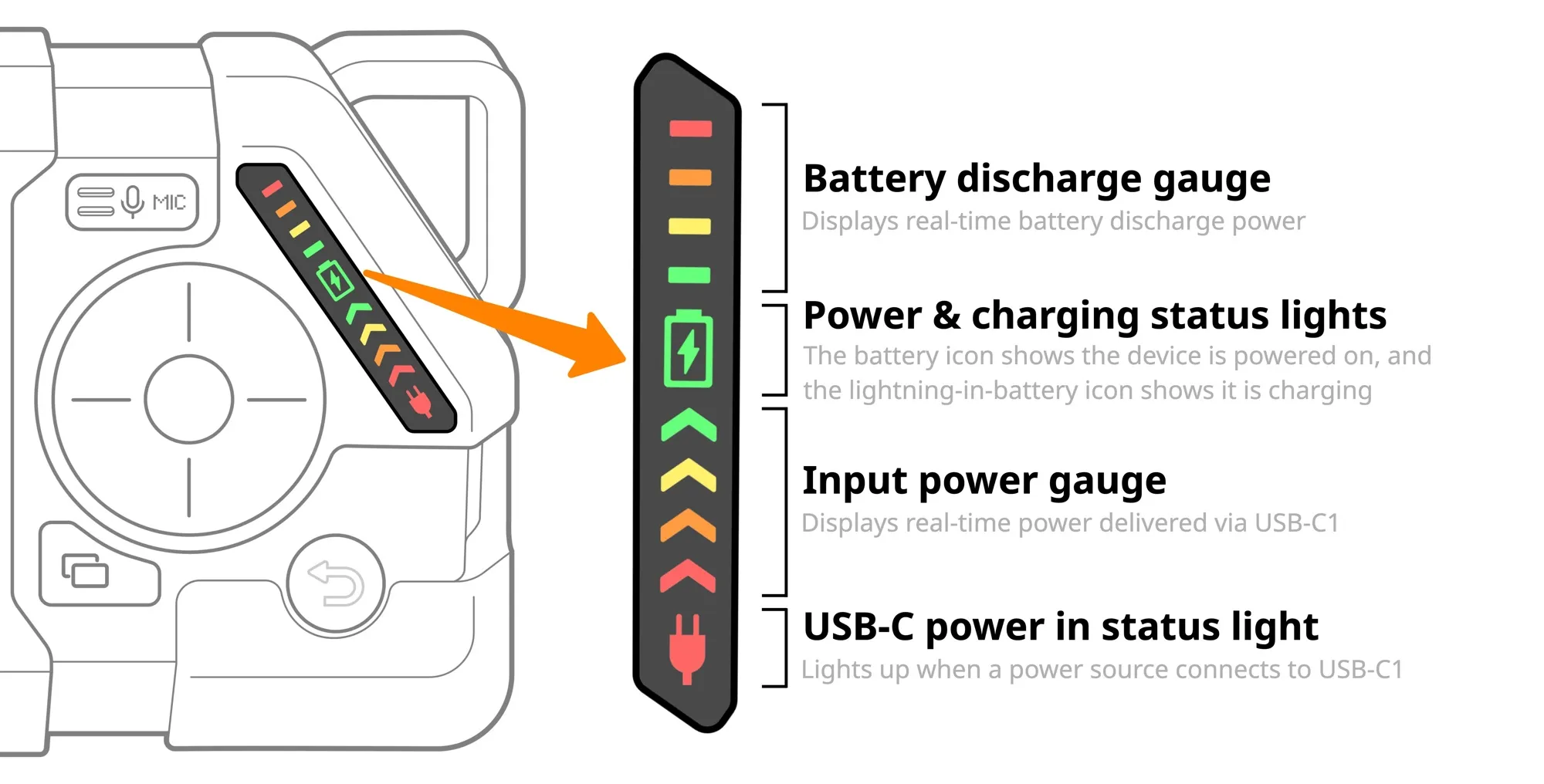
The power meter consists of four separate sections:
- Battery discharge gauge. The gauge displays power drawn from the battery in real time.
- Power & charging status lights. The battery icon is green when the device is powered on and red when the power source output is insufficient to charge the battery. The green lightning-in-battery icon shows it is charging.
- Input power gauge. The gauge displays the USB-C1 port input power. You can see if power is not enough to charge the battery.
- USB-C power in status light. Lights up when a power source connects to USB-C1 port of the device.
Power meter state examples
The following describes common use cases and how the power meter shows the device’s power state in each of them, depending on the power received via the USB-C1 port, the device’s power consumption, and the battery charging state.
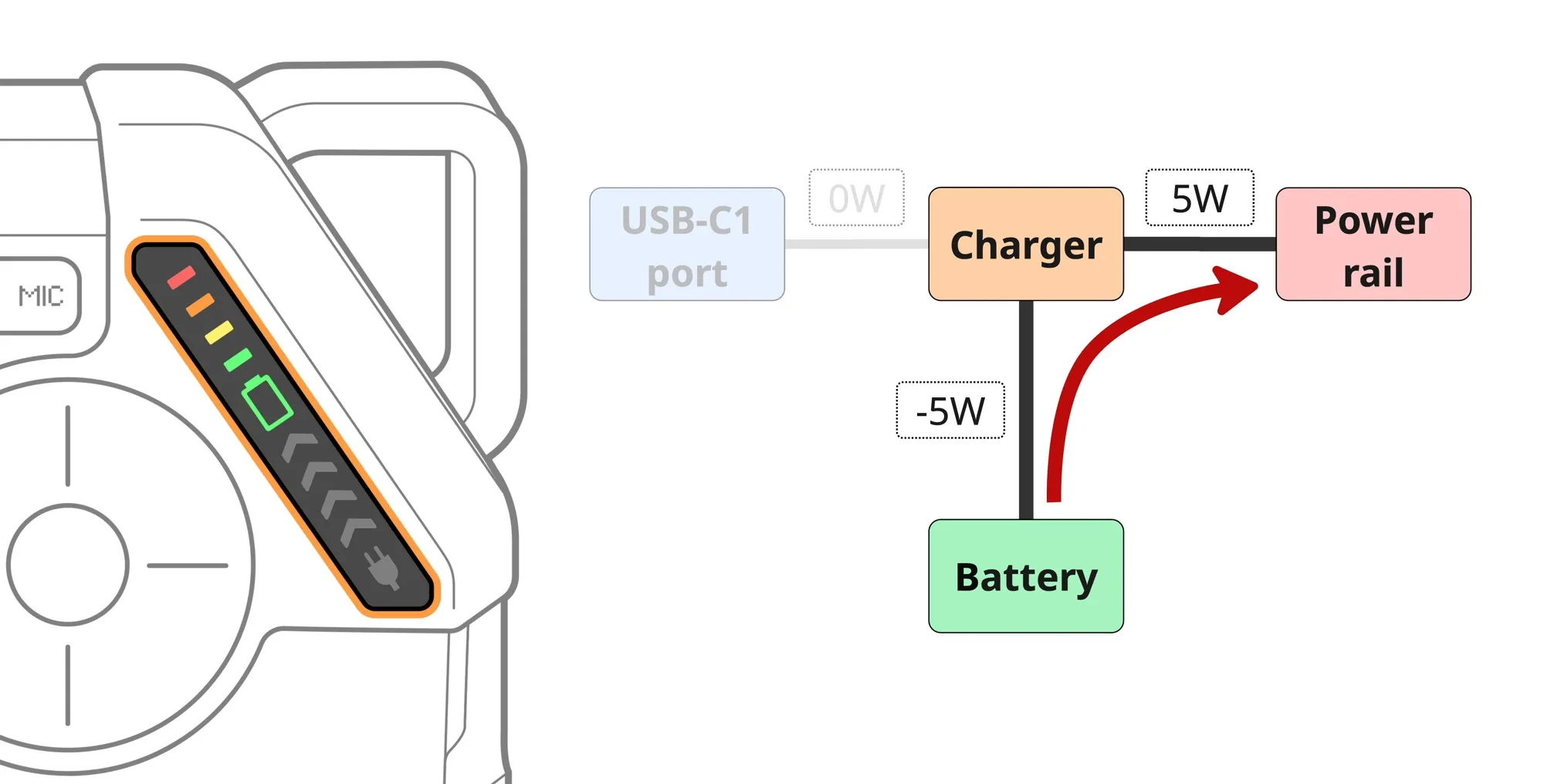
Case 1: Battery-powered operation
The device is powered only by the battery and is discharging. The green battery indicator is on, and the battery discharge gauge blinks to show current draw from the battery.
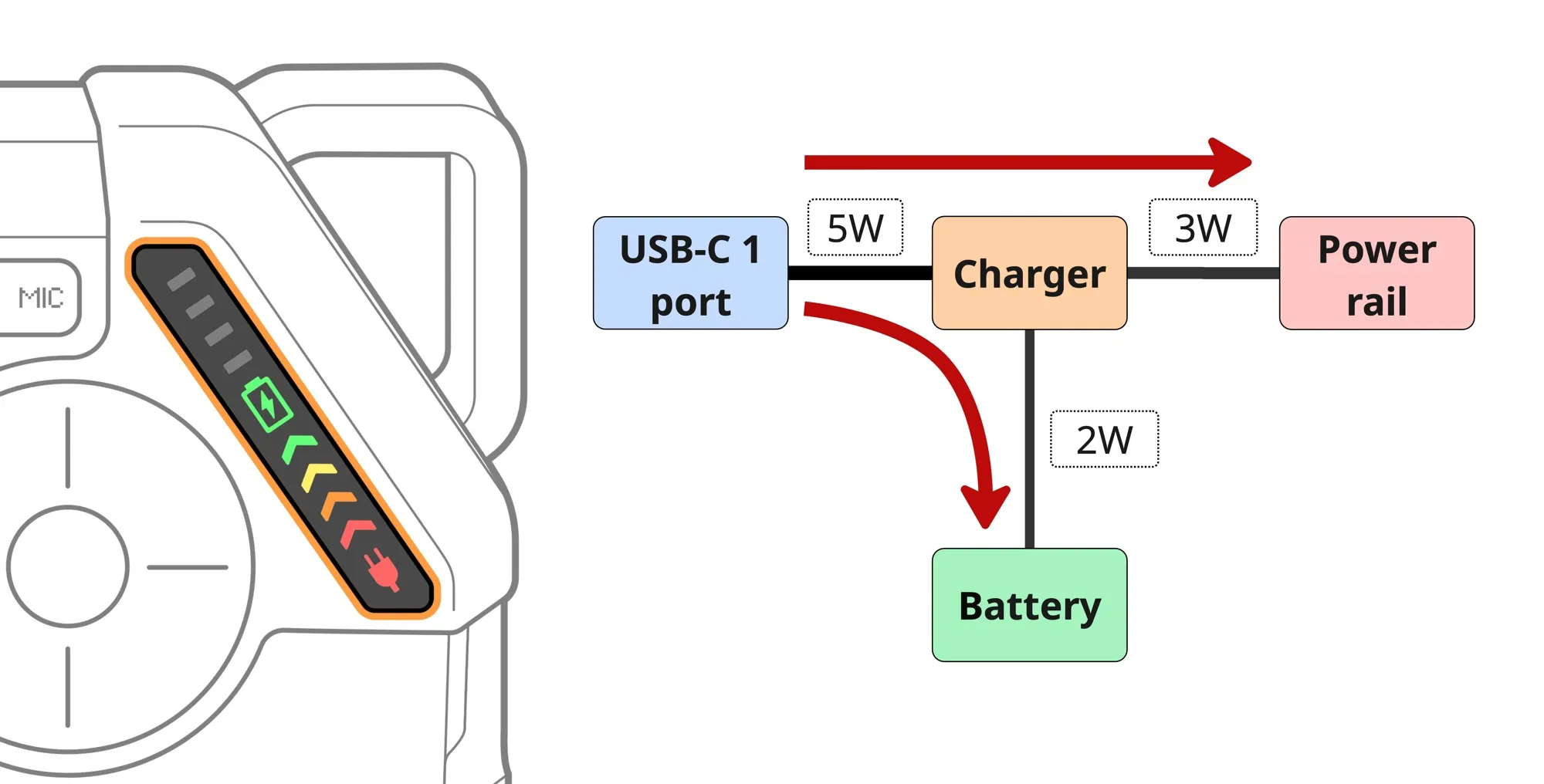
Case 2: USB-powered operation, battery charging
A power source is connected to USB-C1, and its output is sufficient to both power the device and charge the battery. The input power gauge shows the power drawn by the device from the USB-C1 port, including charging.
Case 3: USB-powered operation, battery fully charged
A power source is connected to USB-C1, but the battery is not charging because it is fully charged. The lightning icon inside the battery is off, indicating no charging. The input power gauge shows the power drawn by the device from the USB-C1 port.
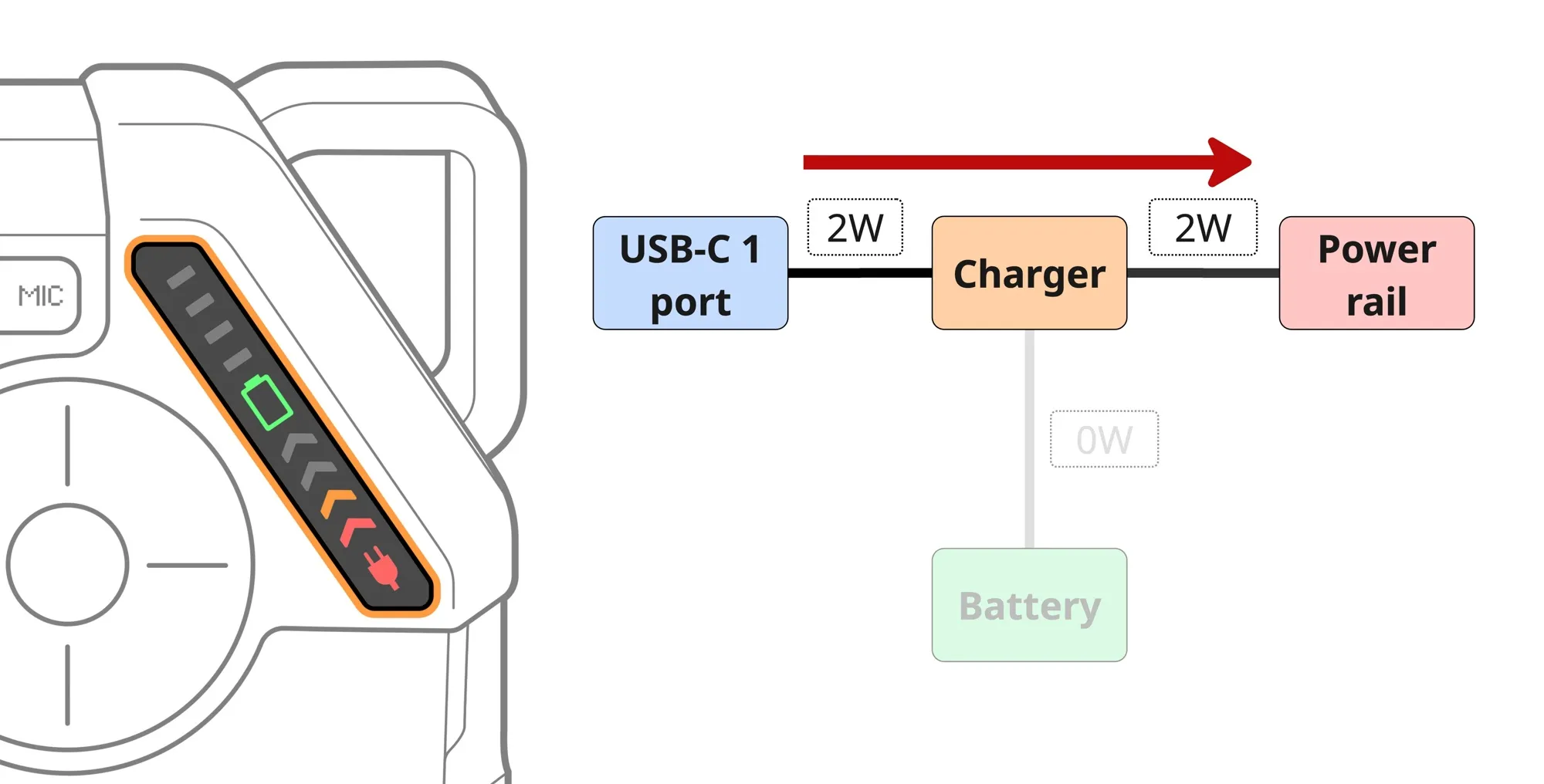
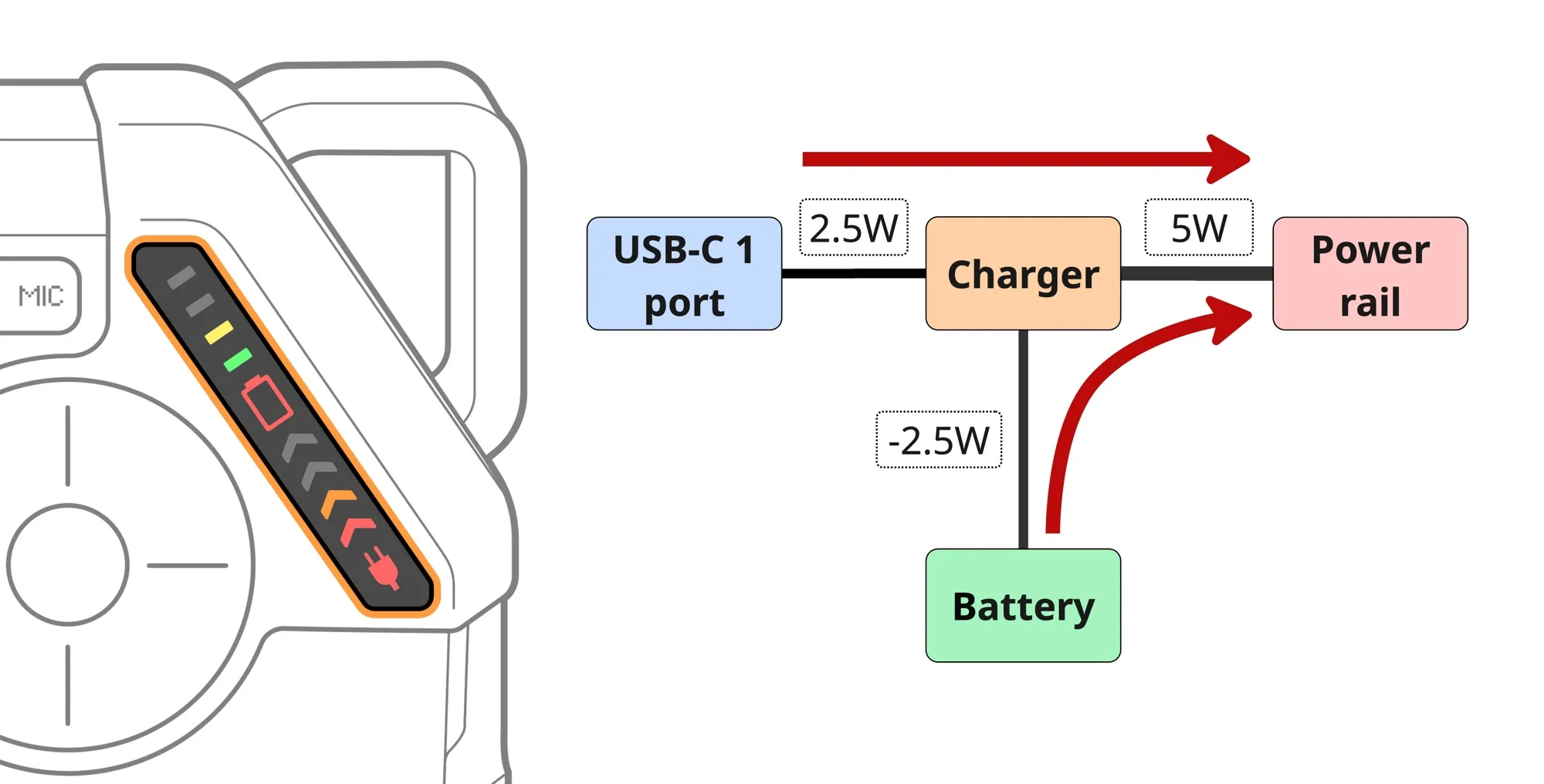
Case 4: Not enough power from USB
A power source is connected to USB-C1, but its output is insufficient to charge the battery while the device is operating, so the lightning-in-battery icon is off and the battery icon is red. The battery discharge gauge shows the power drawn from the battery, while the input power gauge shows the power supplied through the USB-C1 port.