Firmware update
This page explains how to flash the MCU firmware file (.UF2) to the Flipper One MCU via USB. The process differs depending on the Flipper One hardware revision.
Identify the hardware revision
You can identify Flipper One hardware revision by checking the following:
Difference | Rev. F0B0C1 | Rev. 2.F0B1C2 |
|---|---|---|
Label on the Main PCB | ONE-Main-F0B0C1 | ONE-Main-2.F0B1C2 |
Screws on the back | 5 Hex screws | 6 Philips screws |
LAN port LEDs visible | No | Yes |
LED in the Power button | No | Yes |
If you are still unsure which hardware revision you have, try both guides one after the other.
Flash the MCU firmware
To flash firmware to the Flipper One MCU:
Get the flipper-one-mcu-f1-firmware-*.uf2 file, where f1 corresponds to the F0B0C1 revision. There are two options:
- Download the file from the Update Server.
- Build the file from source if you have modified the firmware source code.
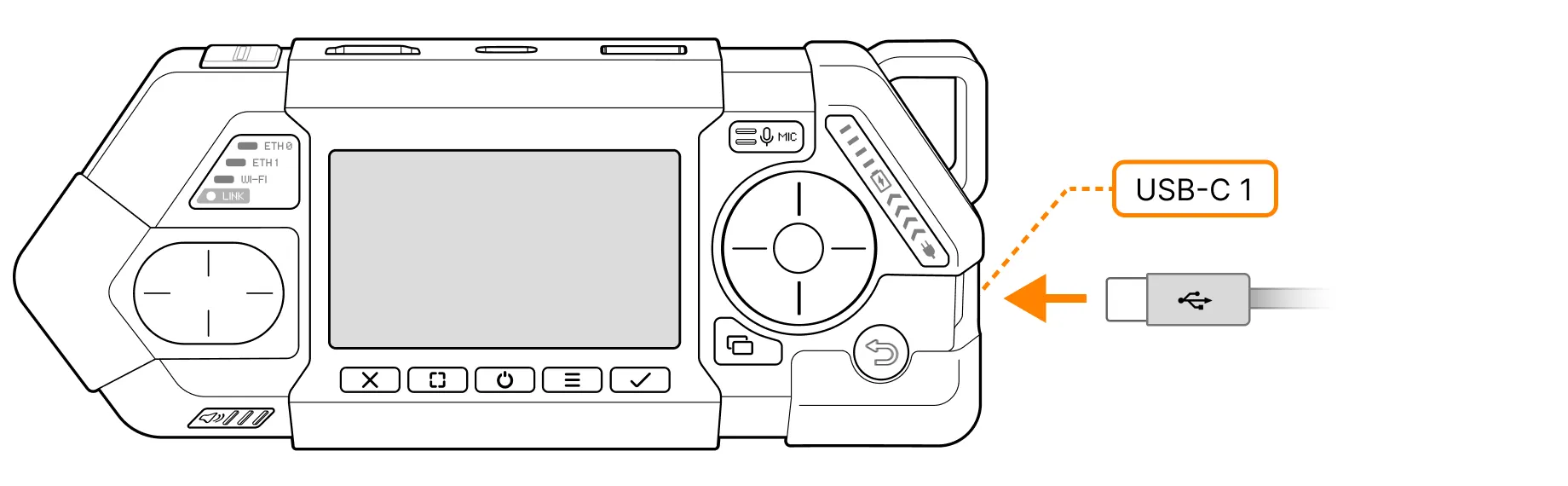
Connect Flipper One to your PC via the USB-C 1 port.
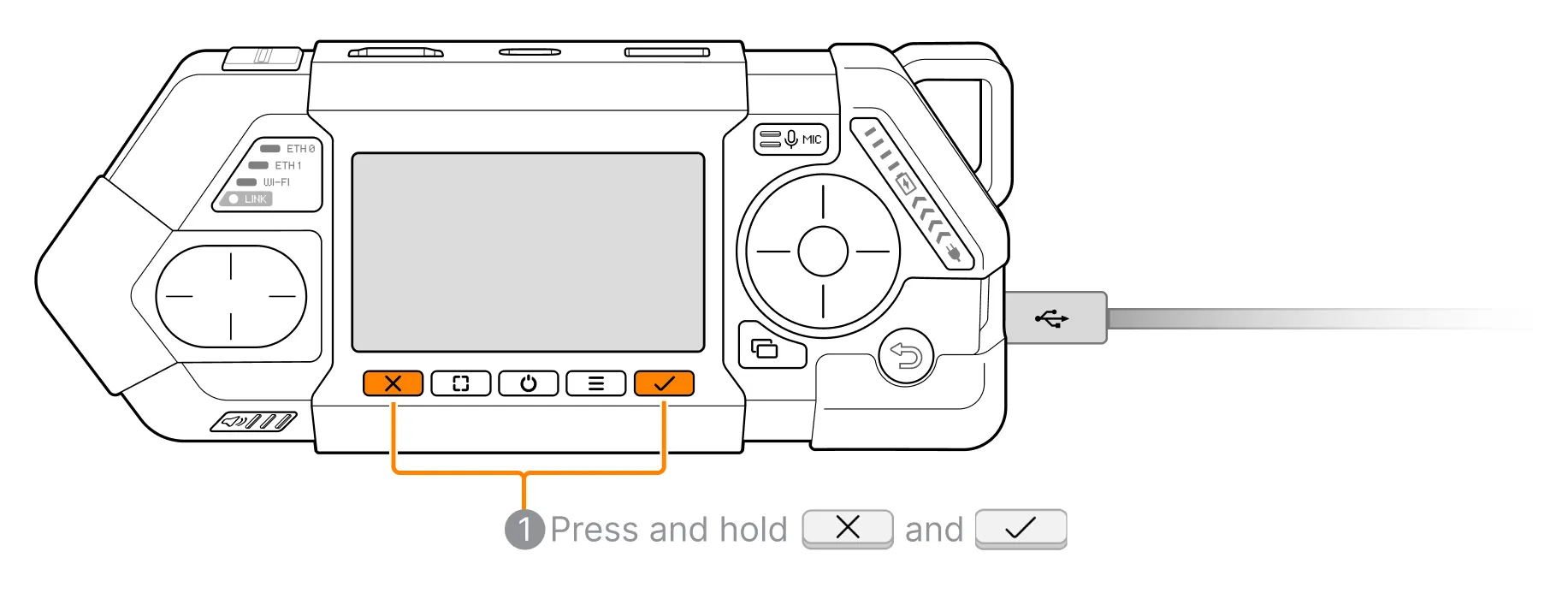
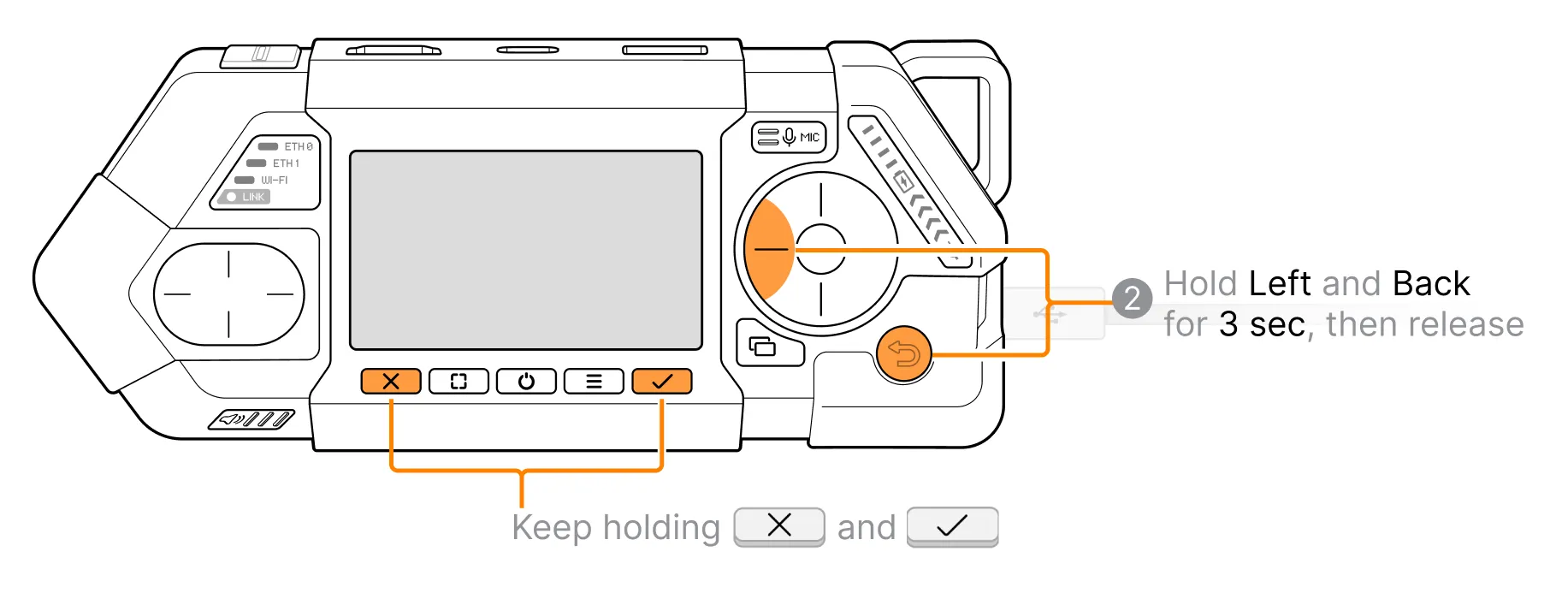
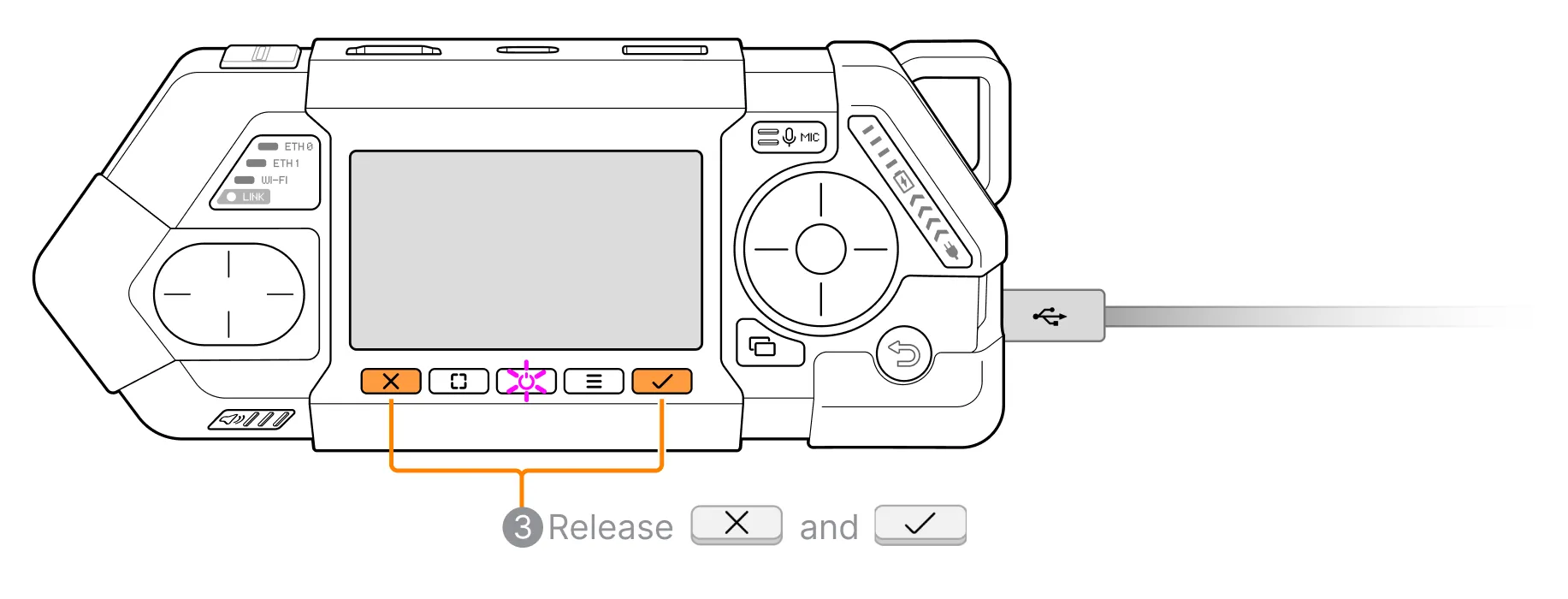
Switch the MCU to BOOTSEL (DFU) mode. There are two ways to do this:
- Via the App Switcher menu. This method works if MCU mode is working on your device.
- Using a button combination. This method works even if the MCU has never been flashed before and MCU mode is not working.
To switch the MCU to BOOTSEL (DFU) mode:
Switch the device to MCU mode. Turn it on if it's off, and stop Flipper OS if it's running.
Press the  App switcher button from the MCU mode main screen.
Press the DFU soft button.
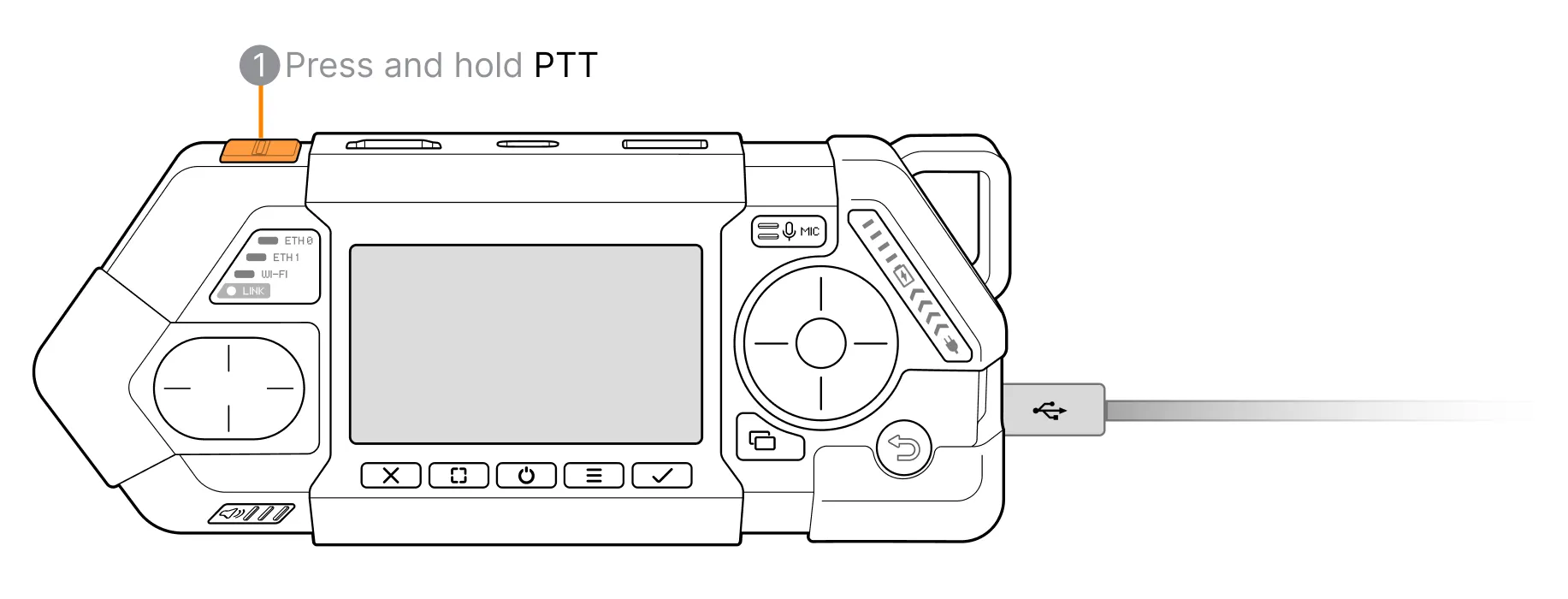
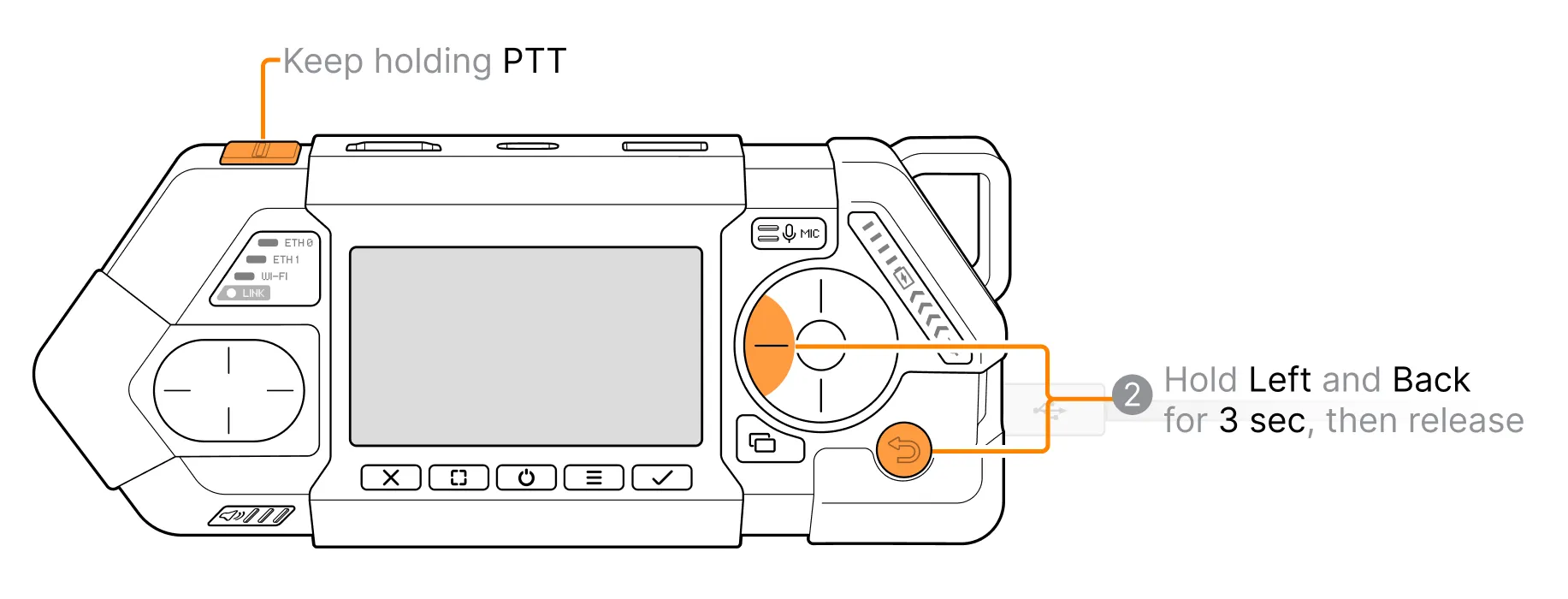
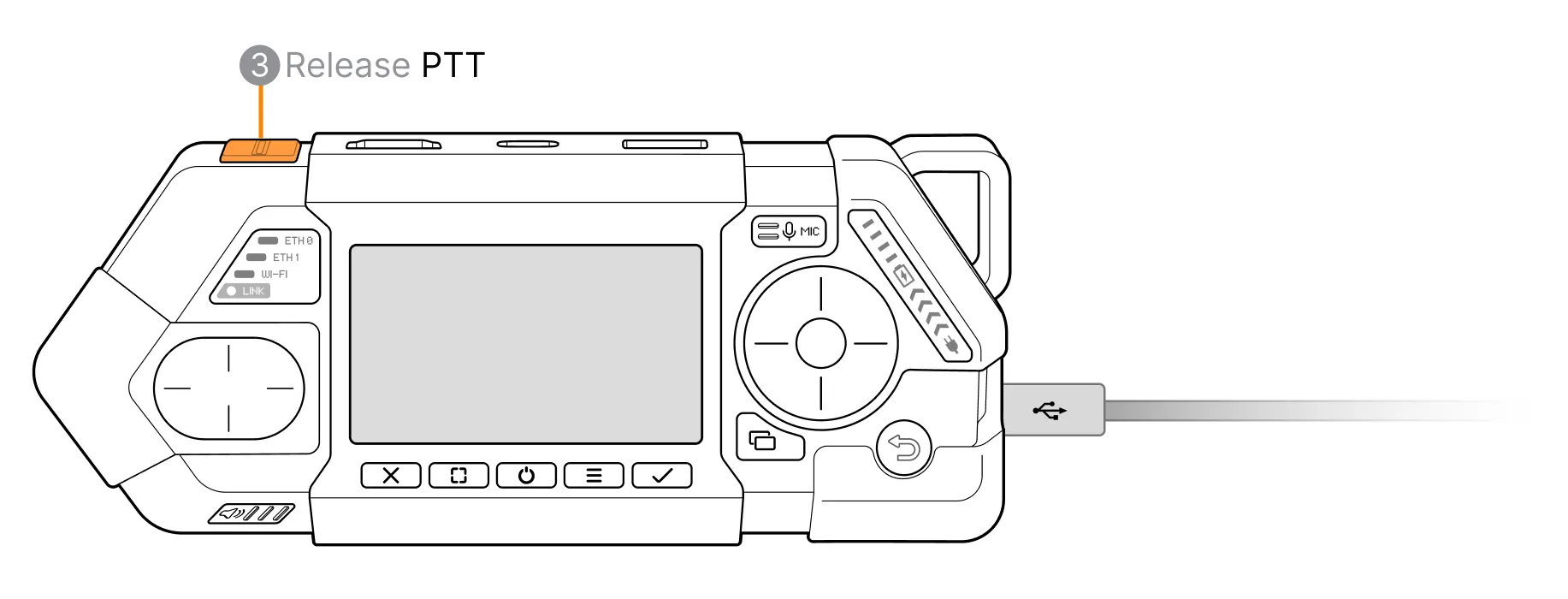
After switching the MCU to BOOTSEL mode, Flipper One's screen backlight will turn OFF and the device will appear on your PC as a Mass Storage Device named RP2350. If Flipper One doesn't appear, try a different USB cable and repeat the BOOTSEL procedure.
Upload the .UF2 firmware file to the Mass Storage Device.
MCU firmware successfully updated! Once the .UF2 file upload is complete, Flipper One will automatically reboot, and the Mass Storage Device will disconnect from your PC.