How to join
Guide for the community on how to join Flipper One development
This page explains the overall structure of the Flipper One project, the sub-projects it consists of, and how you can contribute to its development.
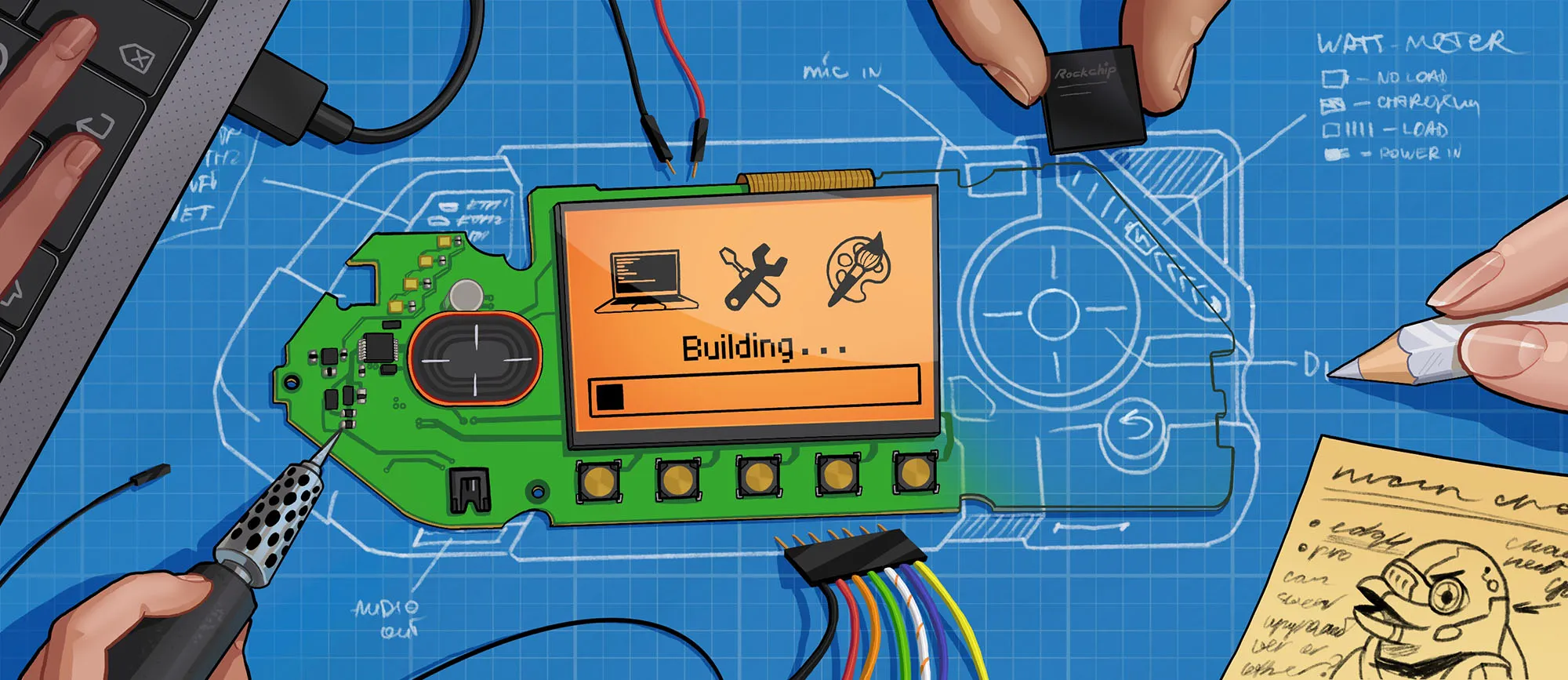
Flipper One is currently in active development. As a community-driven project, we’ve made the entire development process open — so you can see how things are built and even take part in shaping Flipper One’s future.
Sub-projects structure of Flipper One
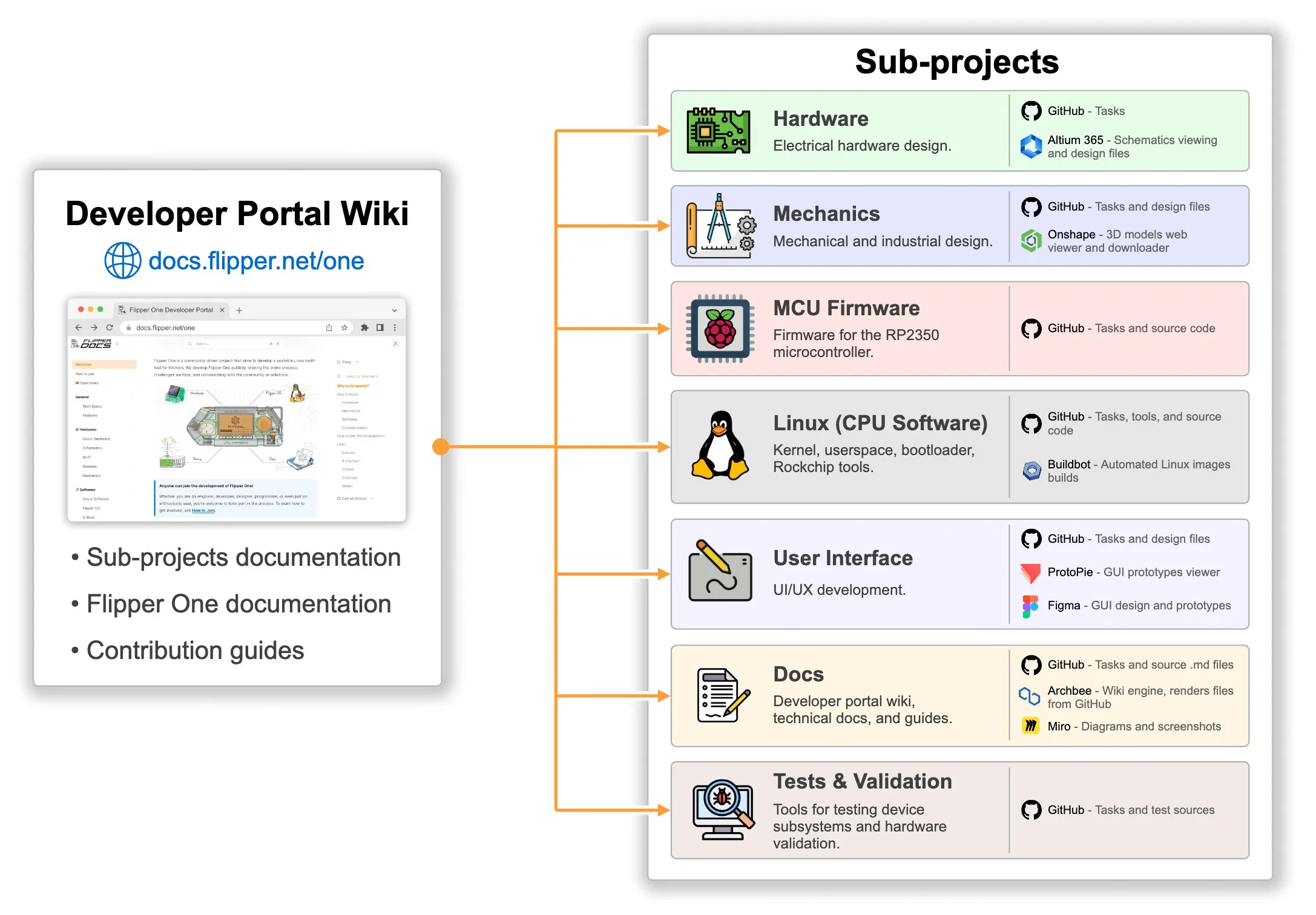
Flipper One is a large and complex project, divided into several sub-projects. Each sub-project is managed by a dedicated Flipper team, with its own structure, rules, and workflows. This Developer Portal acts as a wiki and the main entry point into all sub-projects, hosting their documentation and contribution guides.
Currently, we have the following sub-projects:
HardwareHardware
Electrical hardware development. This is where the printed circuit boards (PCBs), antennas, and everything related to the electrical connections of chips, connectors, and processors are designed. The Hardware team works closely with the Mechanics team to ensure the electronics are compatible with the enclosure. Learn more →Learn more →
MechanicsMechanics
Mechanical and industrial design. This is where the enclosure, buttons, plastic and metal parts, and mounting components are designed. Everything the user physically interacts with. Many mechanical tasks are tightly coupled with the Hardware team. Learn more →Learn more →
Linux (CPU Software)Linux (CPU Software)

Linux kernel, modules, drivers, userspace, bootloader, Rockchip tools, etc. This is the largest and most complex sub-project, spanning many repositories. It contains the core software that users will interact with directly. Learn more →Learn more →
MCU FirmwareMCU Firmware
Firmware for the RP2350 microcontroller (MCU), which controls the display, power subsystem, and CPU boot process, and handles button and touchpad events. Learn more →Learn more →
User InterfaceUser Interface
UI/UX development. This is where the user interface, visual communication of the device, all graphics, and visual design are developed. Learn more →Learn more →
DocsDocs

Developer portal wiki, technical docs, guides, and datasheets. All documentation — including this wiki — is developed here. It covers both the Flipper One product documentation and descriptions of development processes and contribution guides. Learn more →Learn more →
TestingTesting

Tools for testing device subsystems and hardware validation. Includes various scripts and programs for testing power, networking, CPU, audio, graphics, etc. Also includes interface prototypes, demos, and sample audio and video files. Learn more →Learn more →
Inside a sub-project
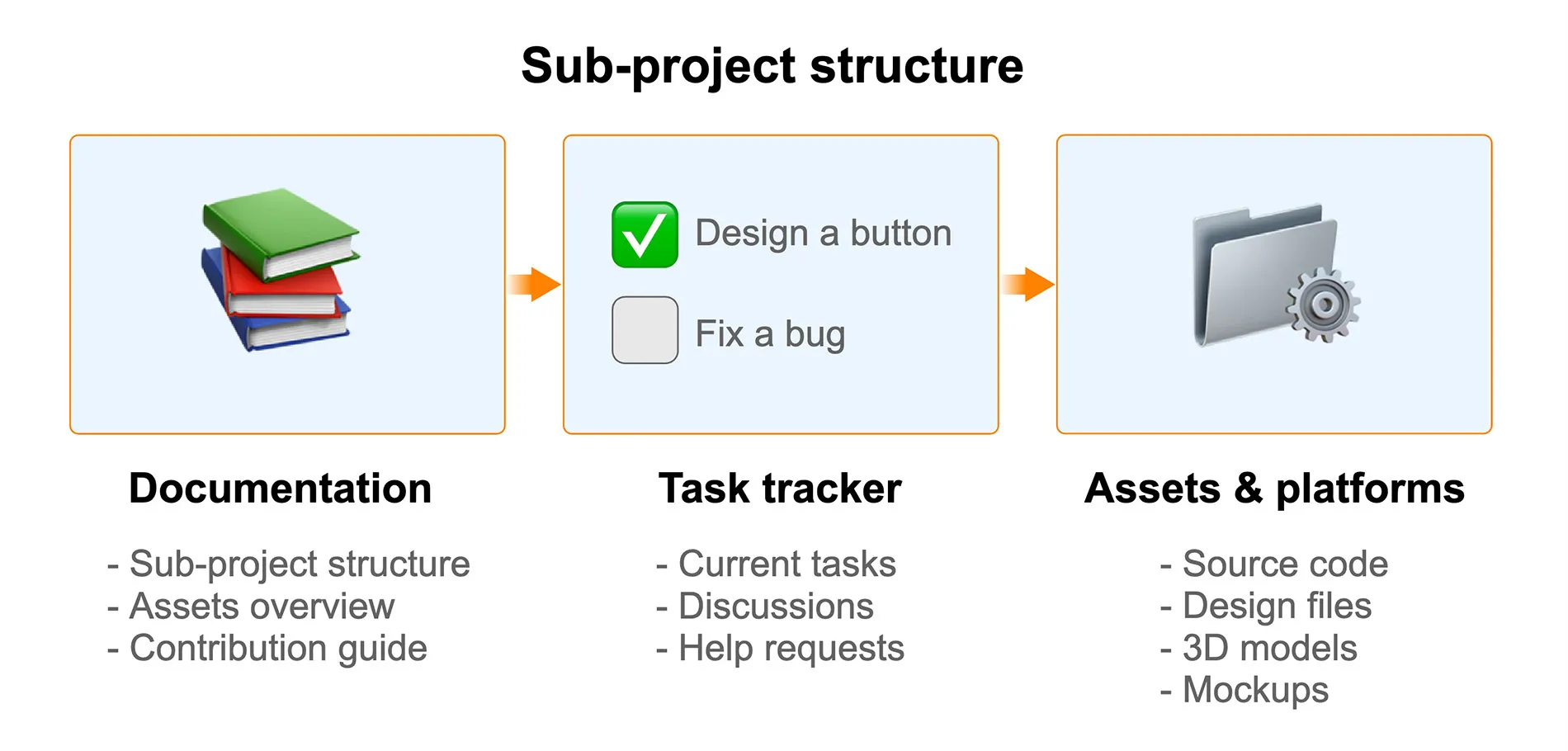
A sub-project within the Flipper One project is a collection of entities used by the development team. Each sub-project includes at least three types of entities:
- 📚 Documentation — explains the sub-project structure, provides an overview of assets and platforms, and contribution guidelines.
- ✅ Task tracker — used to track and discuss tasks, including those where the community can help.
- 📁 Assets & platforms — includes source code, files, firmware builds, 3D models, UI mockups, images, and APIs available for community review and contribution.
📚 Documentation
Each sub-project is different, so it has its own documentation explaining how it is organized and how it works. You can access this documentation through the Flipper One Developer Portal (this wiki) or in the README file of the sub-project’s GitHub repository.
Documentation usually includes:
- An overview of the sub-project structure
- Task tracker rules
- Contribution guidelines
For those who want to explore further, some sub-projects provide more in-depth materials, such as datasheets, test results, logs, and design guides.
You can contribute to the documentation
This wiki is a sub-project of its own, and anyone can contribute by editing its source files on GitHub. Learn more in the Docs sub-projectDocs sub-project.
✅ Task tracker
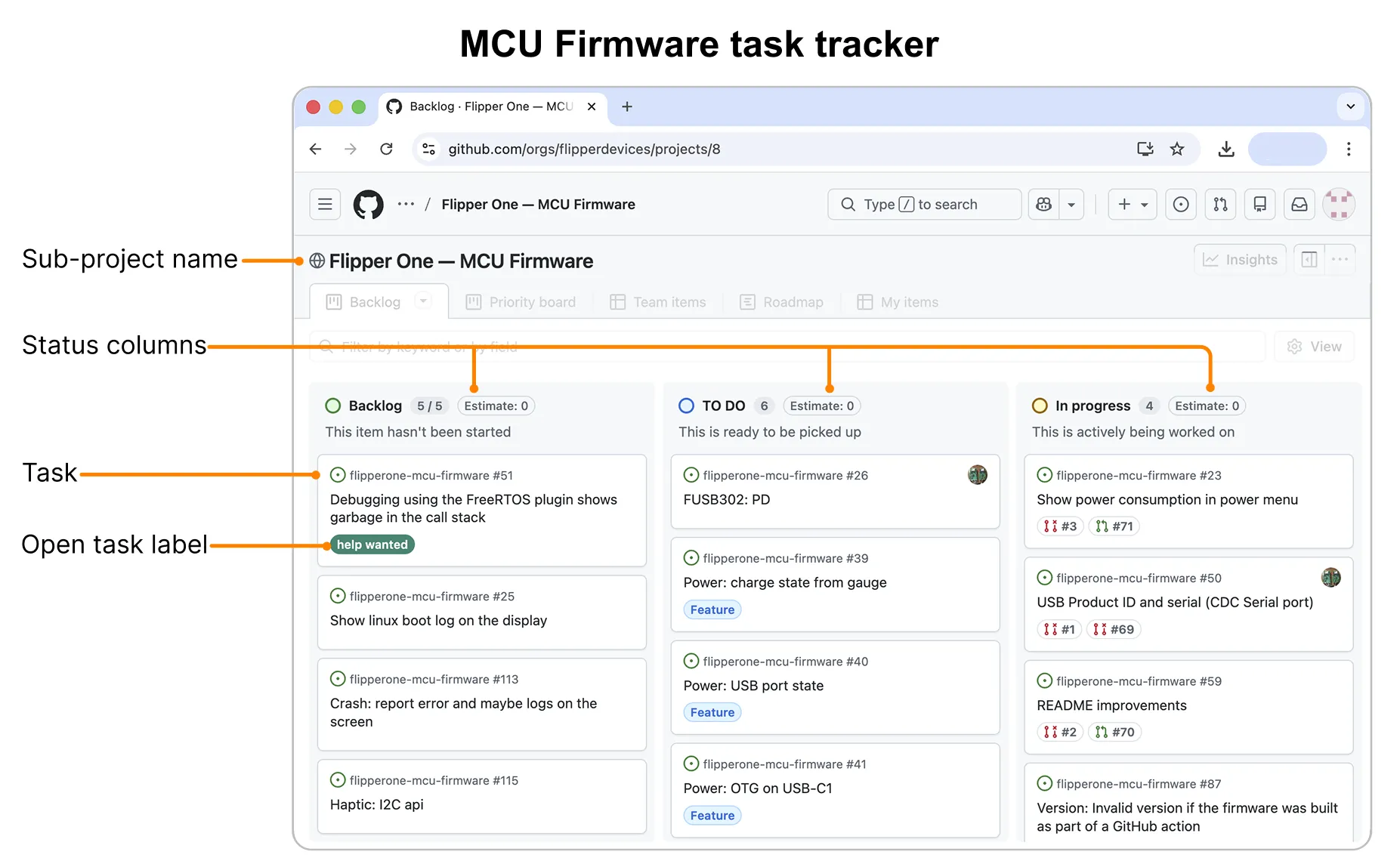
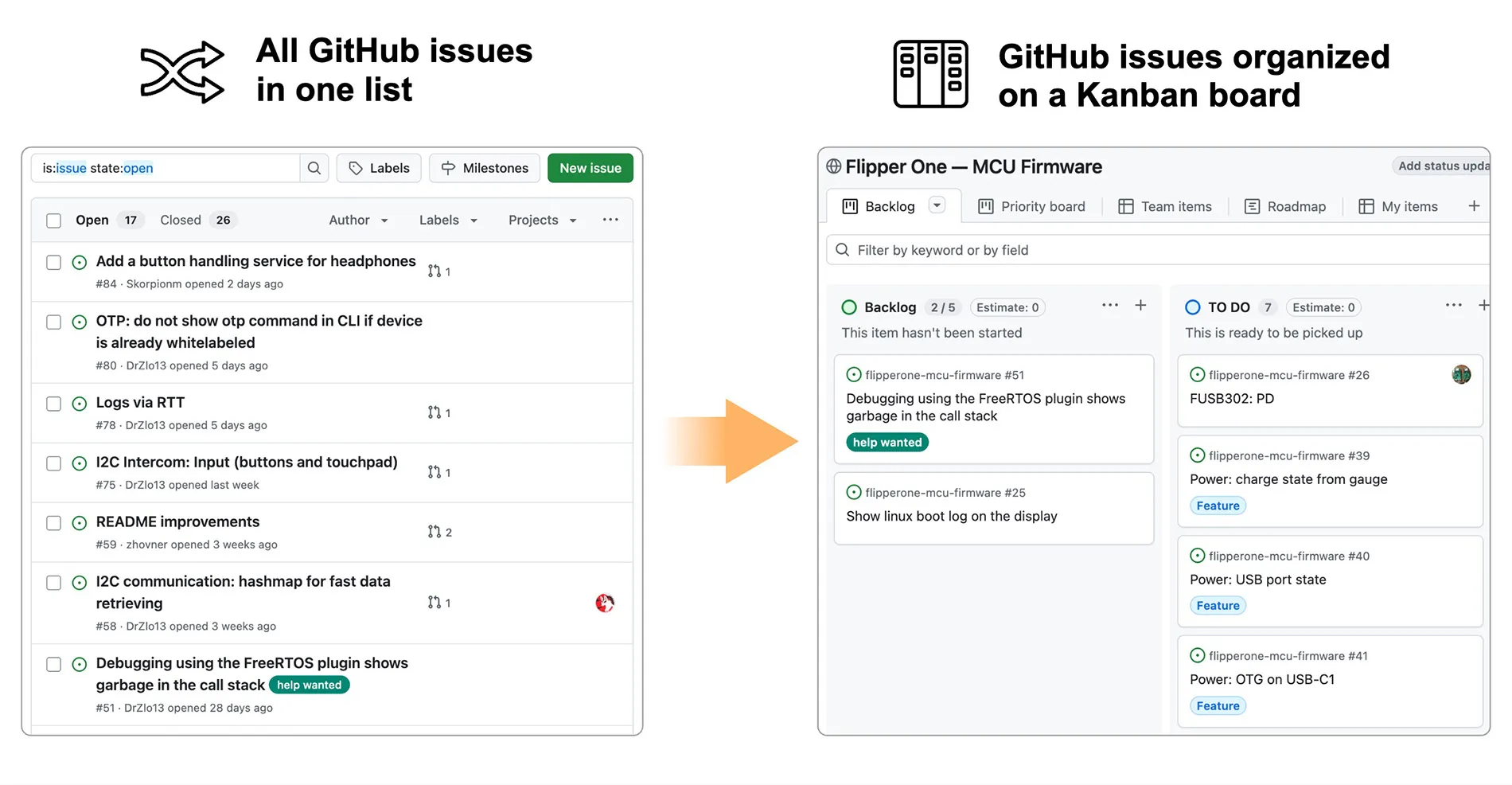
Tasks for each sub-project are managed in a task tracker — a Kanban board on GitHub. Each task on the board is a GitHub issue from the sub-project repository. You can view all task trackers on GitHub.
What’s the difference between GitHub issues and task tracker issues?
There’s no difference. The task tracker simply organizes the existing GitHub issues into a Kanban board. It also allows issues from different repositories to be grouped together in one place and managed as a single large task with sub-tasks.
For example, here is a list of GitHub issues from the MCU Firmware sub-project and how they are organized on the Kanban board.
Open tasks
Some of our tasks are open. This means the community can interact with them just as they would with any issue in a classic GitHub repository — leaving comments, attaching files, and so on. Each task includes a short title and a detailed description, often with links and screenshots to help you understand it.
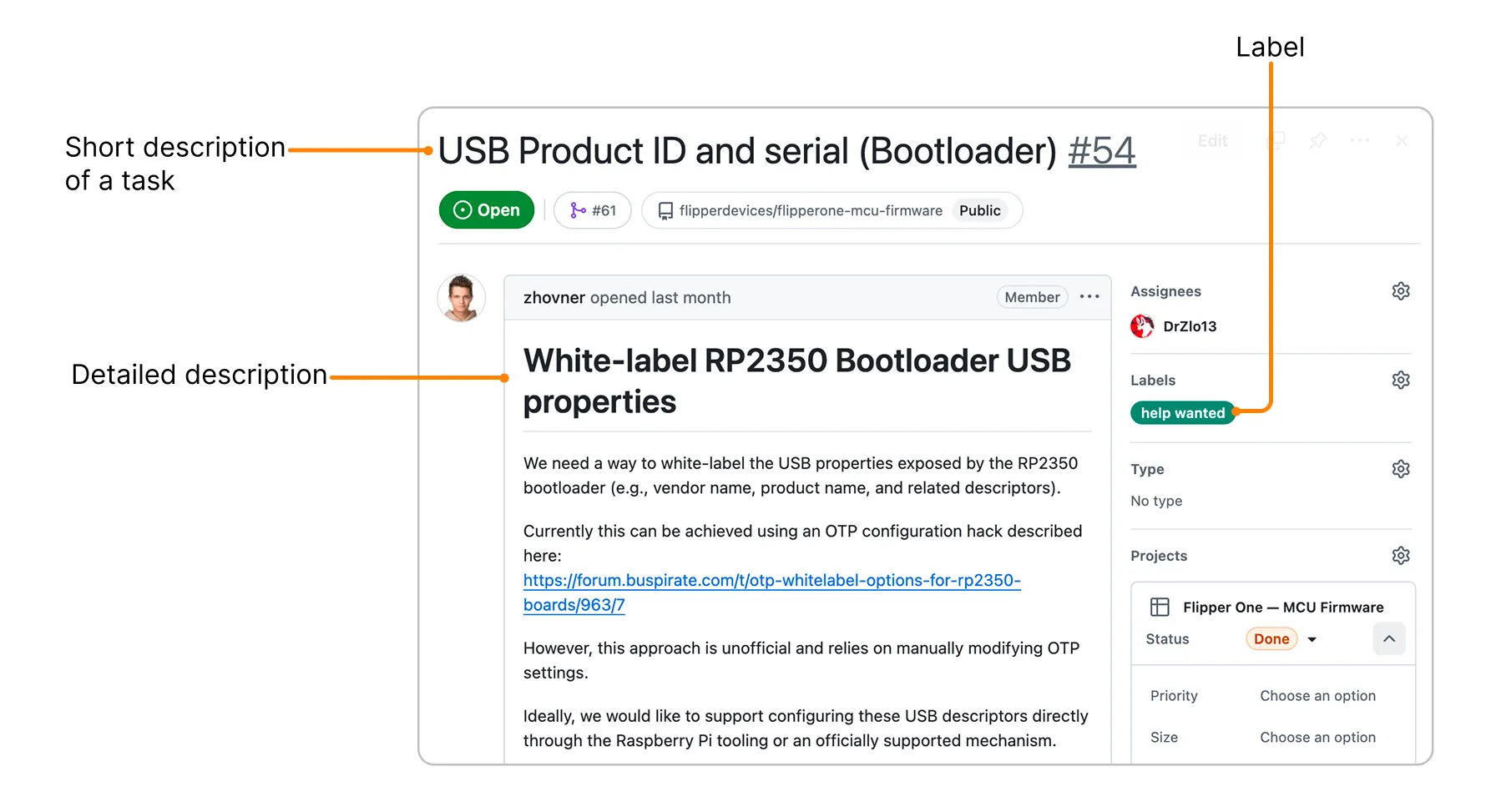
Tasks can be marked with different labels:
- help wanted — tasks where we actively invite the community to participate and contribute to the solution. Example: Operating modes discussion
- locked — tasks that are closed to the community. This means we are not ready to discuss the task or accept feedback. You can still see Flipper team’s internal discussions.
⚠️ Contributions only — no flooding
To keep collaboration productive, please keep comments on-topic. Open tasks are for contribution-related discussion only. If you have an idea or concern, first turn it into a concrete contribution and share it as a comment on a task. For general questions or discussions, you’re always welcome to join the conversation on social media or Discord!
Bad vs good comments:
❌ — I like the green button instead of the orange one 👍 — I think the green button works better. Here's an example I made: mypicture.jpg
📁 Assets & Platforms
Sub-projects may include various assets and platforms for the community to explore. Depending on the sub-project, these can include source code repositories, design files, 3D models, schematics, UI mockups, and more.
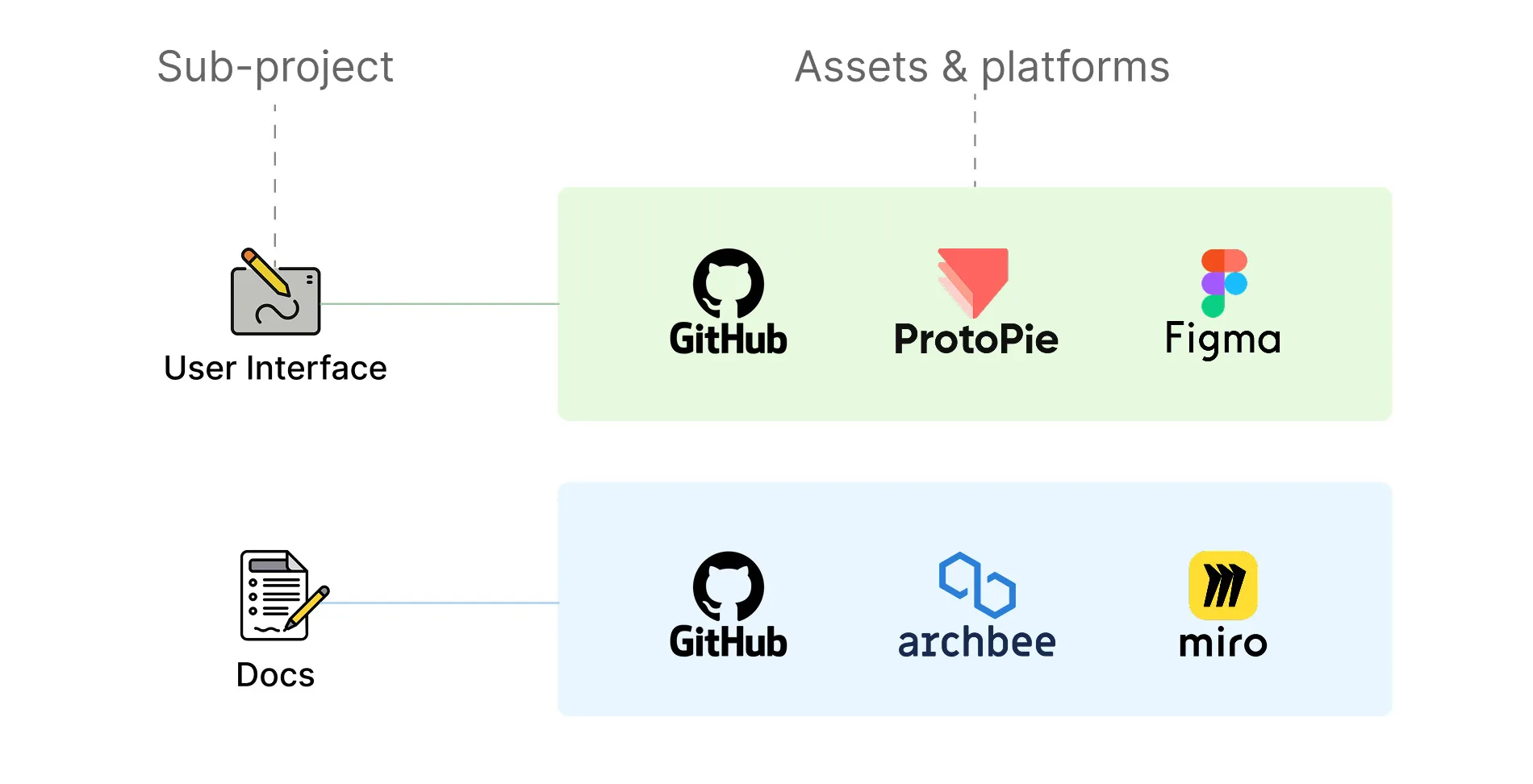
You can view, download, and edit the assets, as well as share your feedback with us. However, each of the Flipper teams defines its own contribution steps — make sure to review them before contributing. You can find contribution guides on the sub-project page.
How to start
Feel free to jump in — you can contribute by joining task discussions, sharing ideas, asking questions, or suggesting improvements. If you have feedback or notice something that could be better, your input is always welcome.
Step 1. Read the sub-project docs
Find a sub-project that interests you. Explore its documentation in this Developer Portal to understand how it works, how it’s structured, and how you can contribute.
Step 2. Check the task tracker
Go to the task tracker of the sub-project you’re interested in to explore current tasks. Open Tasks where your help is welcome are labeled help wanted. Read through a task and follow the contribution guidelines when submitting your input.
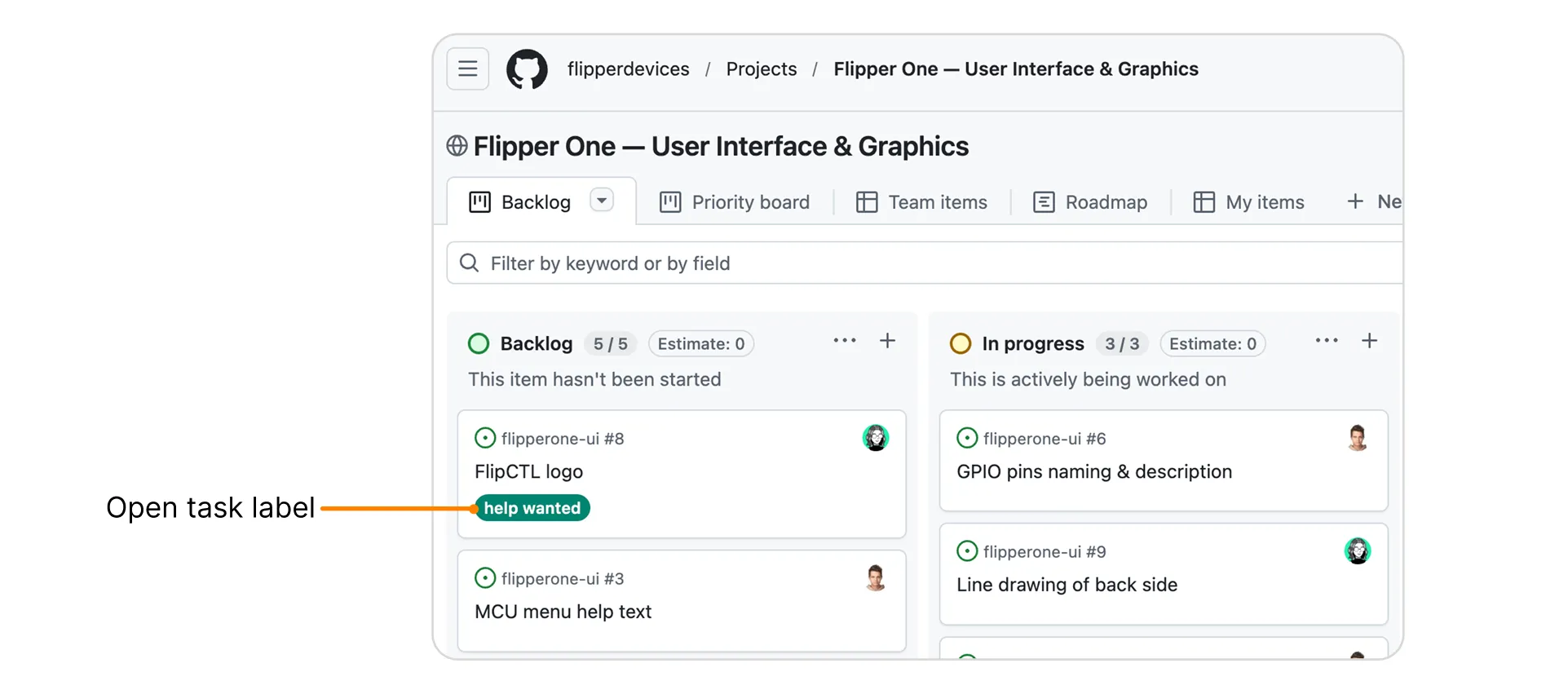
You can also visit the 🚧 Open tasks🚧 Open tasks to find tasks that need community help or feedback.
Step 3. Join discussions in our socials
Follow us on X and join our Discord server to hang out, ask questions, and connect with other contributors.
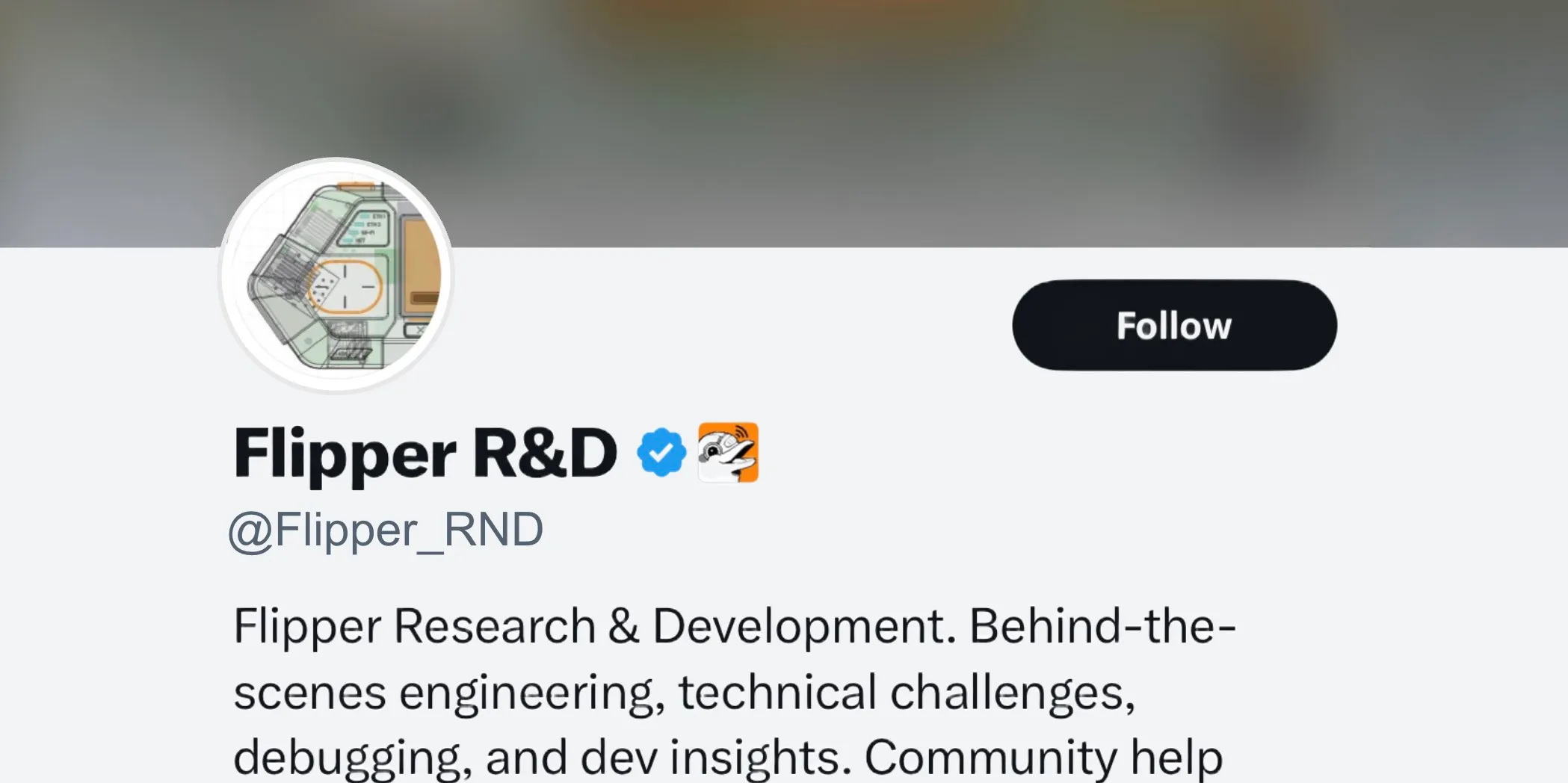
Follow updates and project announcements on X.com

Chat with the community and Flipper team on our Discord server
Step 4. Subscribe to our weekly digest
Each week, we'll share a quick update on how things are coming along and flag any areas where extra help would be welcome. No pressure to jump in right away — you might just spot something in a future update that catches your eye!
⚠️ Nerds Warning: this is a developer-focused, highly technical newsletter.