About MCU Firmware
This page explains the structure of the MCU Firmware sub-project, provides links to all the resources and explains how to contribute to the sub-project.
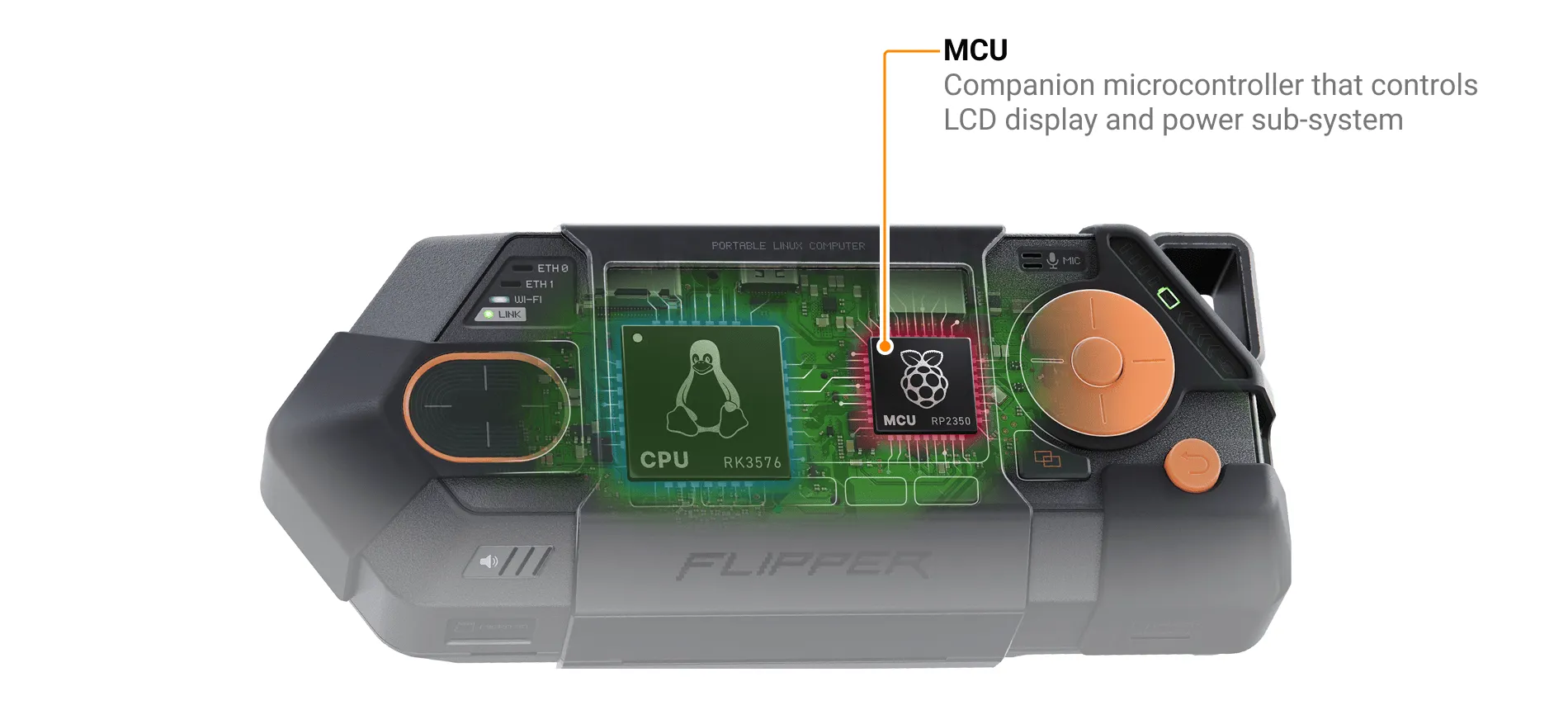
Flipper One has two processors. The low-power MCU (RP2350) manages power, the display, button and touchpad input, and Power Bank mode. The high-performance CPU runs Linux and handles user applications, networking, high-speed peripherals (USB3, PCIe), AI acceleration (NPU), and graphics output (HDMI, DisplayPort).
The MCU Firmware sub-project consists of:
We'd love your feedback — look for tasks tagged help wanted in the task tracker, or contribute directly to the GitHub repository via pull requests.
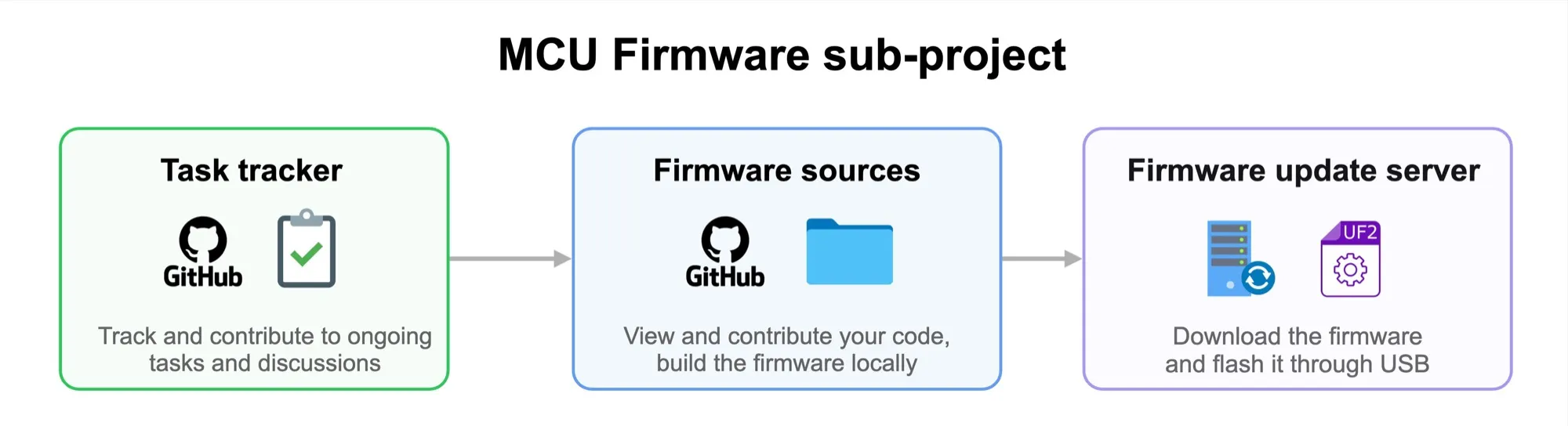
✅ Task tracker
All MCU Firmware team tasks are tracked in the GitHub project Flipper One — MCU Firmware. There, you can see what the engineering team is working on and follow progress and discussions.
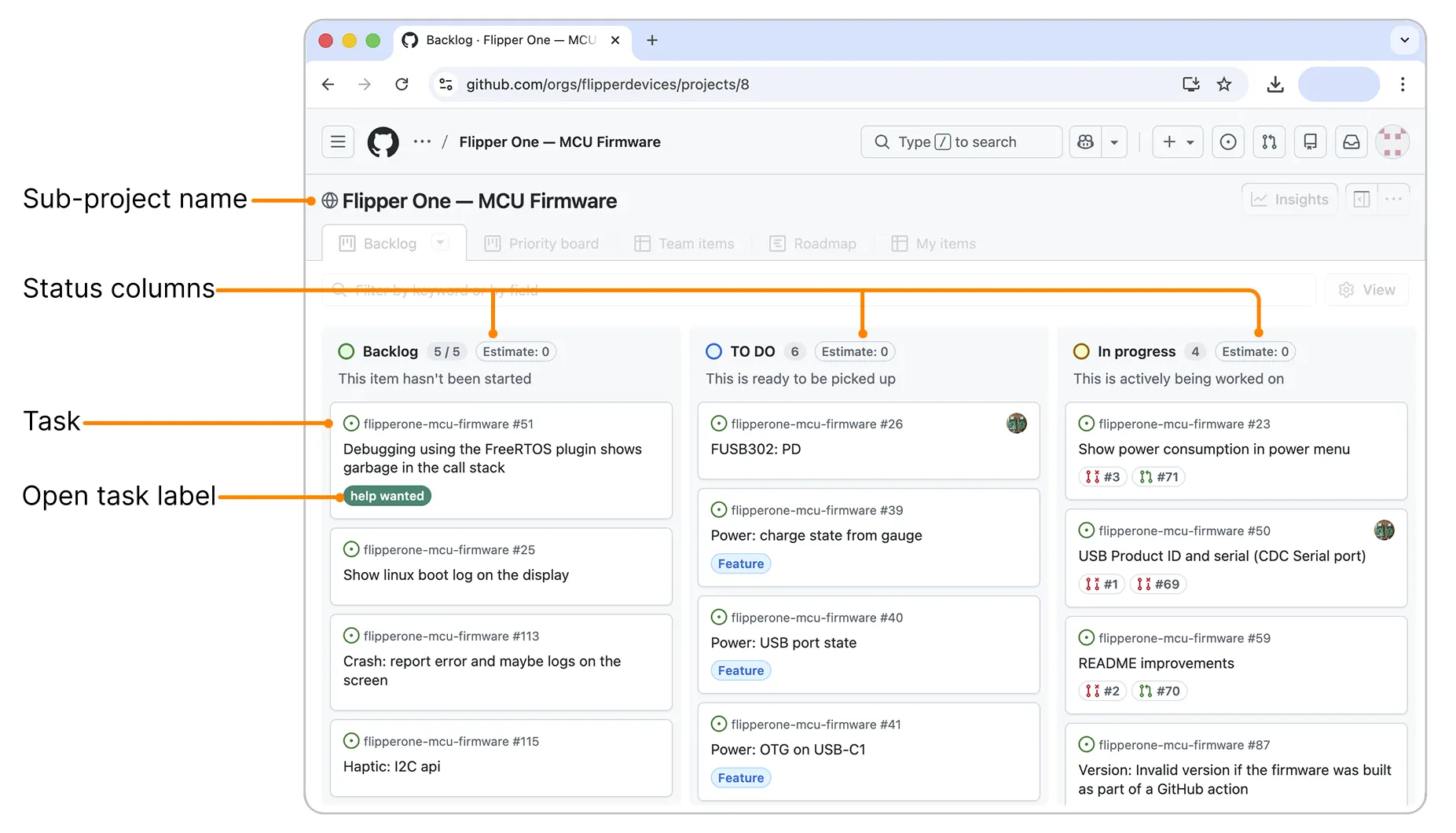
Some tasks are open to the community and marked with a help wanted label. You’re welcome to join the discussion on these tasks or submit your design proposals.
📁 Firmware sources
This sub-project includes a public MCU Firmware GitHub repository containing RP2350 firmware sources. You can build the firmwarebuild the firmware locally from sources. The resulting .UF2 firmware file can be flashed to the MCU via USB by following the instructions in Firmware updateFirmware update.
Learn more about the firmware architecture on the Firmware architectureFirmware architecture page.
🔄 Firmware update server
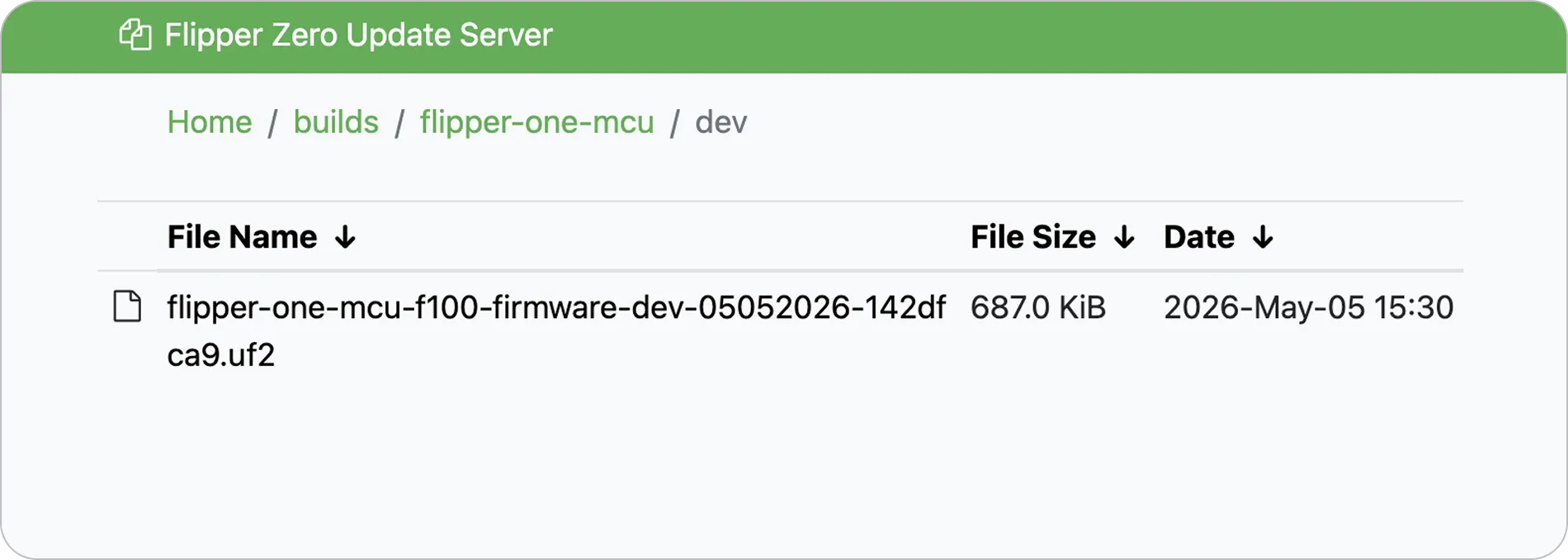
Every merge into the dev branch, as well as every pull request in the firmware repository, triggers an automated build on the firmware build server and uploads .UF2 files to the Firmware Update Server.
How to contribute
The MCU Firmware sub-project accepts contributions in two forms: issues and comments to report bugs, propose features, or share ideas on existing tasks, and pull requests for code changes to the MCU firmware sources. See the Contribution guide in the MCU Firmware repository for the full workflow, including issue handling, AI-assisted development rules, and PR conventions.
Comment on an open task or open a new issue
⚠️ Contributions only — no flooding
To keep collaboration productive, please keep issues and comments on-topic — they are for contribution-related discussion only. If you have an idea or concern, first turn it into a concrete contribution and share it as a comment on an existing task or as a new issue. For general questions or discussions, you're always welcome to join the conversation on social media or Discord!

Comment on an open task
If you have ideas on how to improve the MCU firmware, you can contribute by commenting on a help wanted task and attaching screenshots, videos, code snippets, or links:
Pick a task. In the MCU Firmware GitHub project, browse the open tasks and click the one labeled help wanted that you want to contribute to.
Write your suggestion. In the comments section, clearly describe your suggestion and, if helpful, attach a screenshot, video, code snippet, or link to a draft pull request.
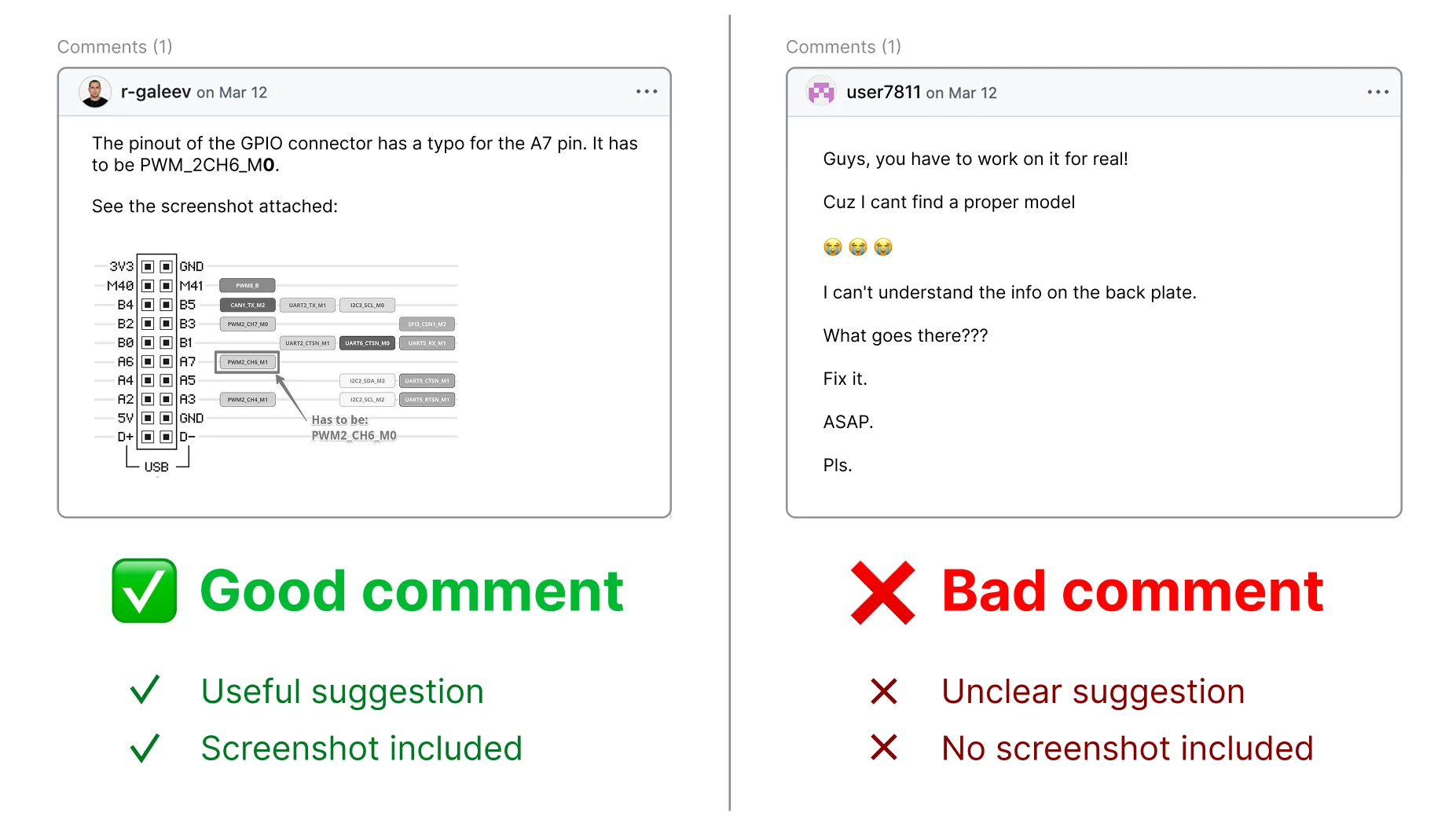
Attachment size limit:
- Images: 10 MB
- Videos: 100 MB
Click Comment to submit.
Open a new issue
If you find a bug or have a feature idea, search the MCU Firmware issues first to confirm it hasn't already been reported, then open a new one.
Search existing issues in the MCU Firmware repository to make sure your bug or proposal hasn't already been reported.
Open a new issue. Click New issue and provide enough detail to reproduce the bug or understand the proposal — steps, expected vs. actual behavior, hardware revision, firmware version, screenshots, or logs where relevant.
Follow the discussion. Watch the issue for notifications — we may ask clarifying questions.
We review all issues and comments carefully! We may ask additional questions in the thread, so please watch for GitHub notifications in your email.
Contribute to MCU Firmware via a pull request
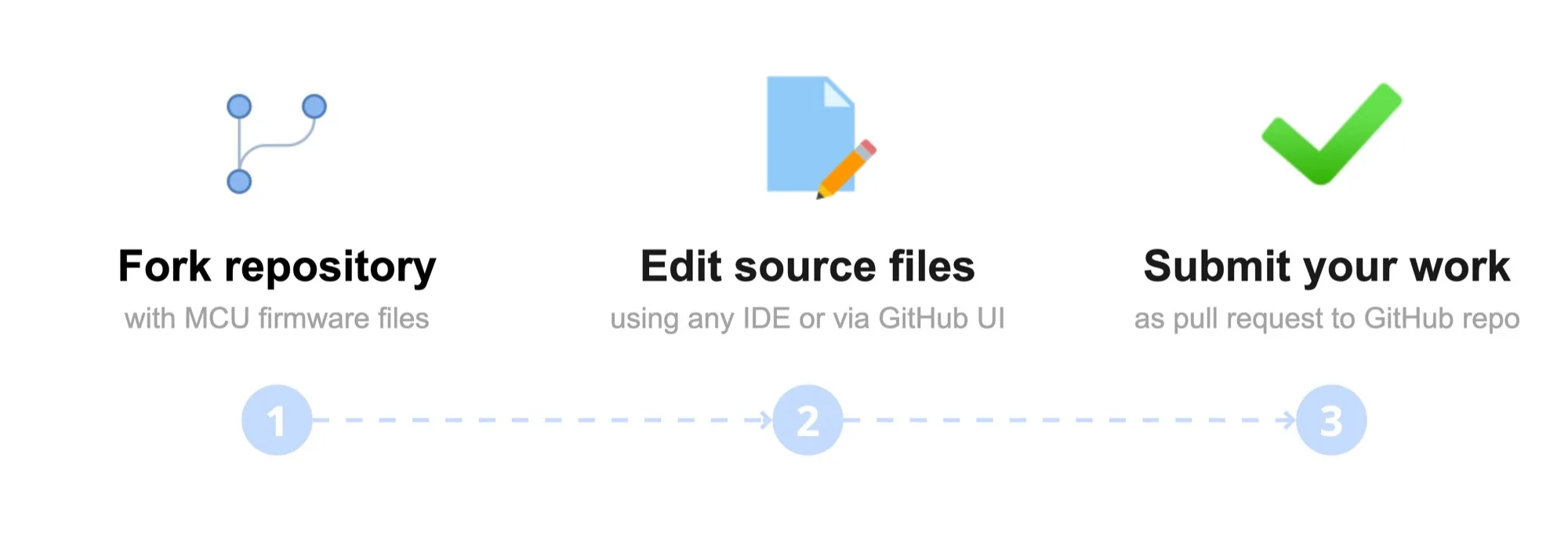
Contributing via pull requests allows anyone to propose changes to the MCU firmware sources. Once a PR is merged, your changes become part of the official MCU firmware builds.
Fork and clone the MCU Firmware repository.
Make your changes in the cloned repository.
Build the firmware locally to make sure the firmware still builds with your changes. Learn more on the How to build firmwareHow to build firmware page.
Open a pull request to the MCU Firmware repository.
We review all pull requests carefully! We may ask additional questions in the PR thread, so please watch for GitHub notifications in your email.