FlipCTL
Flipper's Universal Control Interface
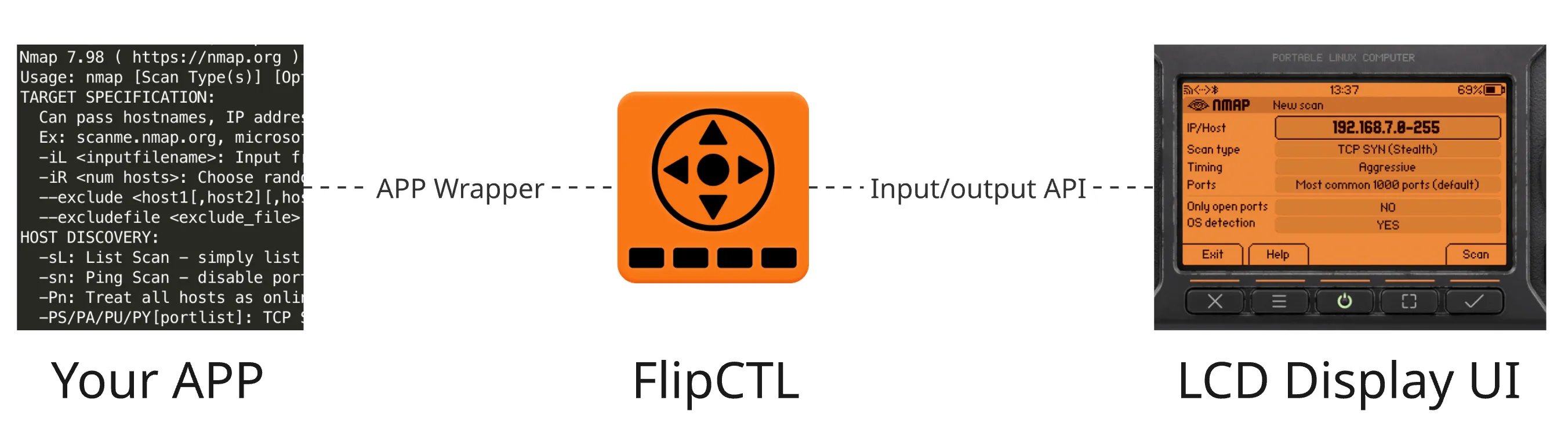
FlipCTL is a lightweight GUI framework for embedded and headless Linux systems, designed as a modern replacement for traditional HMI (Human-Machine Interface) solutions. Originally built for Flipper One, it runs on any Linux system, from servers and routers to single-board computers, with no desktop environment required.
The core idea: instead of running a desktop GUI (GNOME, KDE) on a tiny screen, FlipCTL provides a pixel-rendered, navigation-friendly interface — similar in spirit to nmtui or Midnight Commander, but graphically richer and hardware-aware.
The problem FlipCTL solves
Existing GUI solutions for embedded computers, also known as HMI (Human-Machine Interface), have several pain points:
- Need a graphical desktop (Xorg or Wayland) to run — don't work on headless servers, routers, or embedded devices.
- Desktop UIs are hard to use with a d-pad or joystick.
- CLI tools have no unified wrapper — you need a keyboard and a terminal to run interactive commands like ping or nmap.
- Existing control panels are complex to install and configure.
The FlipCTL concept vision
On any Linux system, with or without a display, FlipCTL should be immediately useful. Plug in the FlipCTL Control Panel via USB, install and run the service, and you instantly have a working interface — no Xorg, no desktop, no configuration.
FlipCTL is installed with a single command. For Debian-based systems:
apt install flipctl — and everything works.
Once installed, FlipCTL provides a default dashboard with system data and actions:
- CPU load & uptime
- Disk usage
- Network configuration
- System reboot / shutdown
Supported frontends
FlipCTL can work with different frontends for input and output:
Frontend | Description |
|---|---|
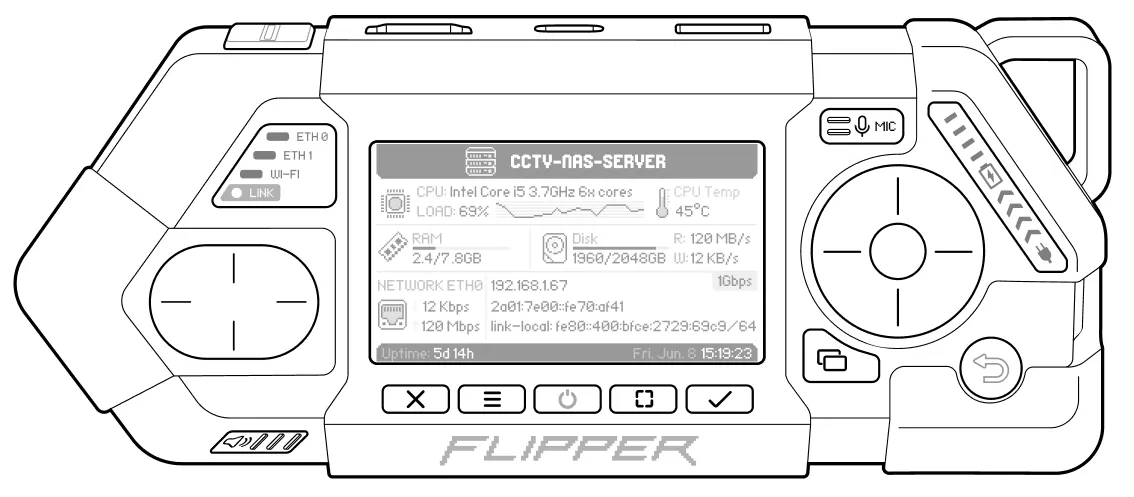 Flipper One | The primary target device is an ARM Linux computer with a built-in 256×144 px LCD and physical controls. Includes boot menu functionality as part of the FlipCTL package |
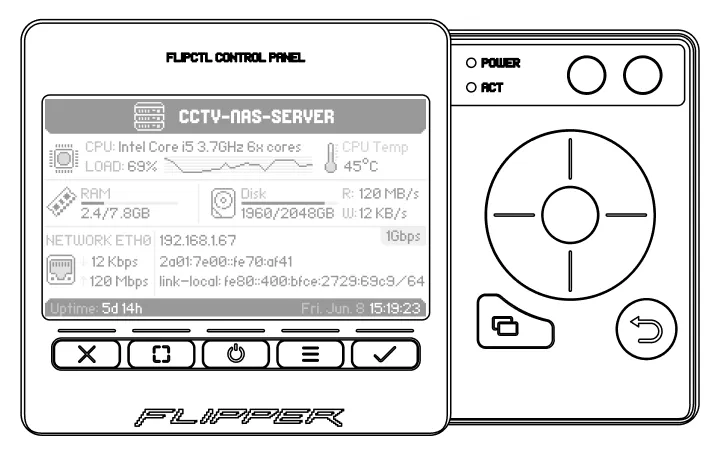 FlipCTL Control Panel | A compact standalone module with a screen and buttons, connecting via USB or SPI — designed to add a physical HMI to any embedded system, server, single-board computer, or router |
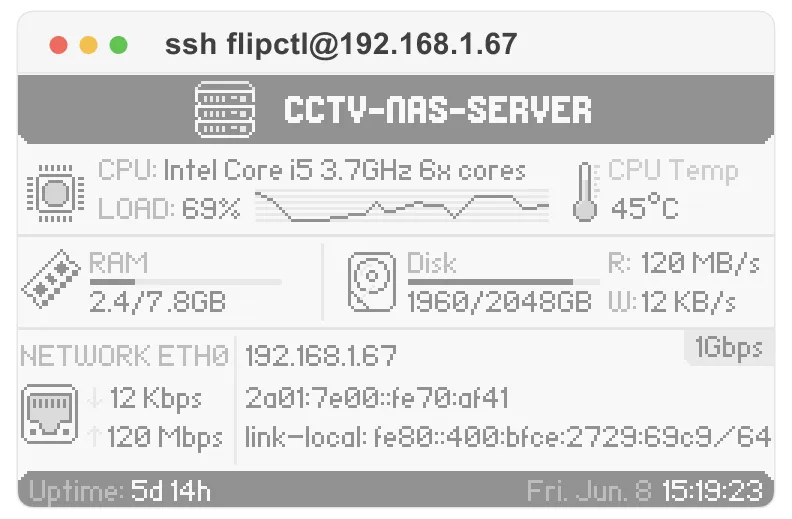 TUI (Text UI) | A pseudo-graphical interface rendered in any Linux terminal — usable locally or over SSH, similar to nmtui or Midnight Commander. |
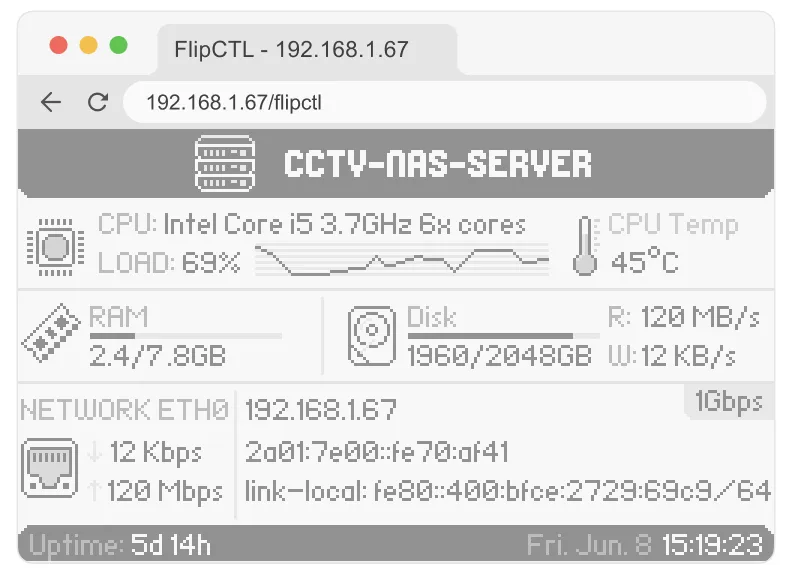 Web UI | A browser-based interface — renders the same layout and navigation accessible from any device on the network. |
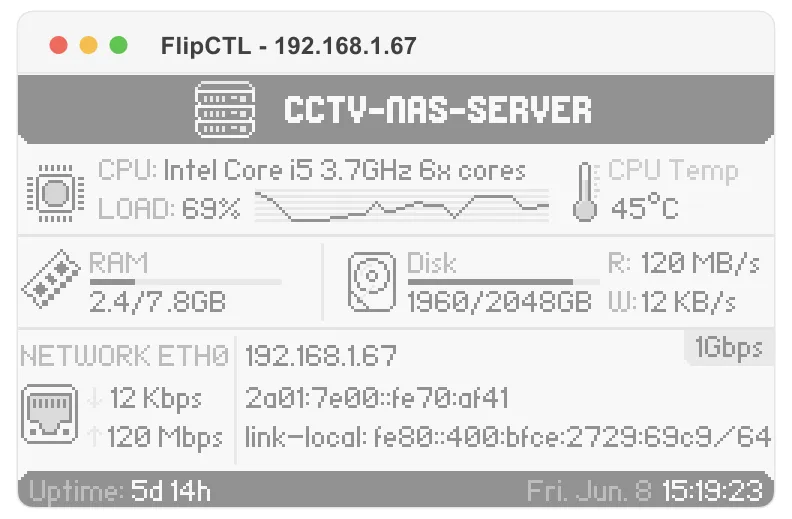 Desktop App | A native desktop application for Linux, useful for development, testing, or general use on a workstation. |
Physical interface
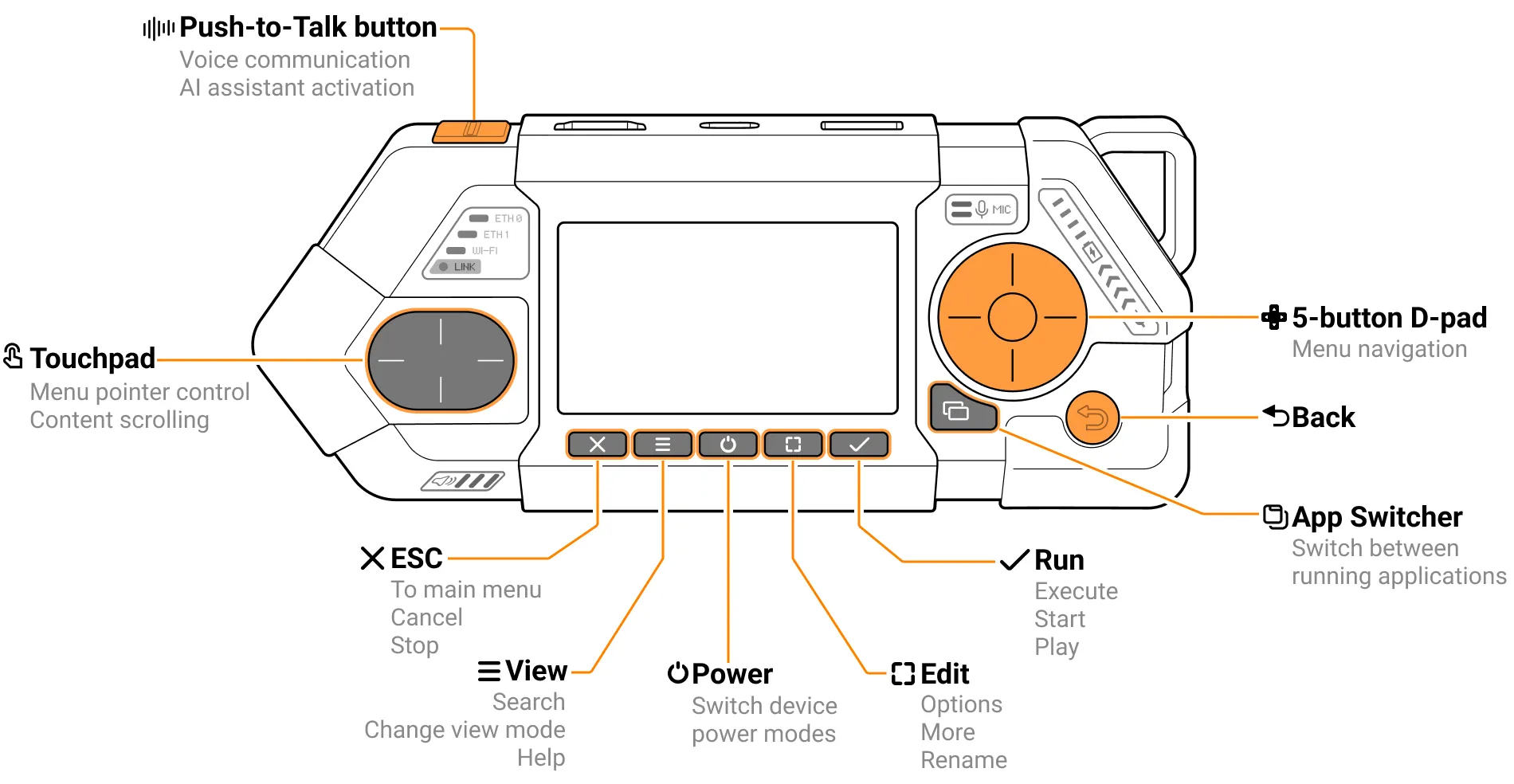
Screen
- Diagonal: 2.39 inch
- Resolution: 256 × 144 px
- Depth: 6-bit grayscale (64 shades)
Soft keys
Flipper One has five app-defined buttons.
Button | Default Role |
|---|---|
Escape | Exit app / cancel / go back |
View | Help, tooltips, toggle view mode |
Power | Opens Power menu overlay (sleep, backlight, reboot); hold = hardware shutdown regardless of system state |
Edit | Edit fields, switch view types |
Run | Confirm / OK / next step / start |
The Power button is intercepted at the MCU level — it works even if the OS is frozen, similar to a hardware power button on a standard PC.
D-Pad + back button
The D-Pad is used for standard directional navigation: up / down / left / right / center (OK). Back button returns to the previous screen; functionally mirrors Escape in most contexts.
App switcher button
The app switcher button shows all running applications and allows switching between them — similar to a double-tap home button on older phones.
Touchpad (optional)
Only exist on Flipper One, completely optional and can be used to speed up scrolling and navigation. It duplicates the functions of the D-pad:
- Scrolling through lists
- Navigating the on-screen keyboard
- Quick directional input (left / right / up / down).
PTT button (optional)
A PTT (Push-to-Talk) button is a programmable button originally designed for walkie-talkie use (press and hold to transmit audio). On Flipper One it may serve secondary UI functions like screen lock.
FlipCTL Control Panel
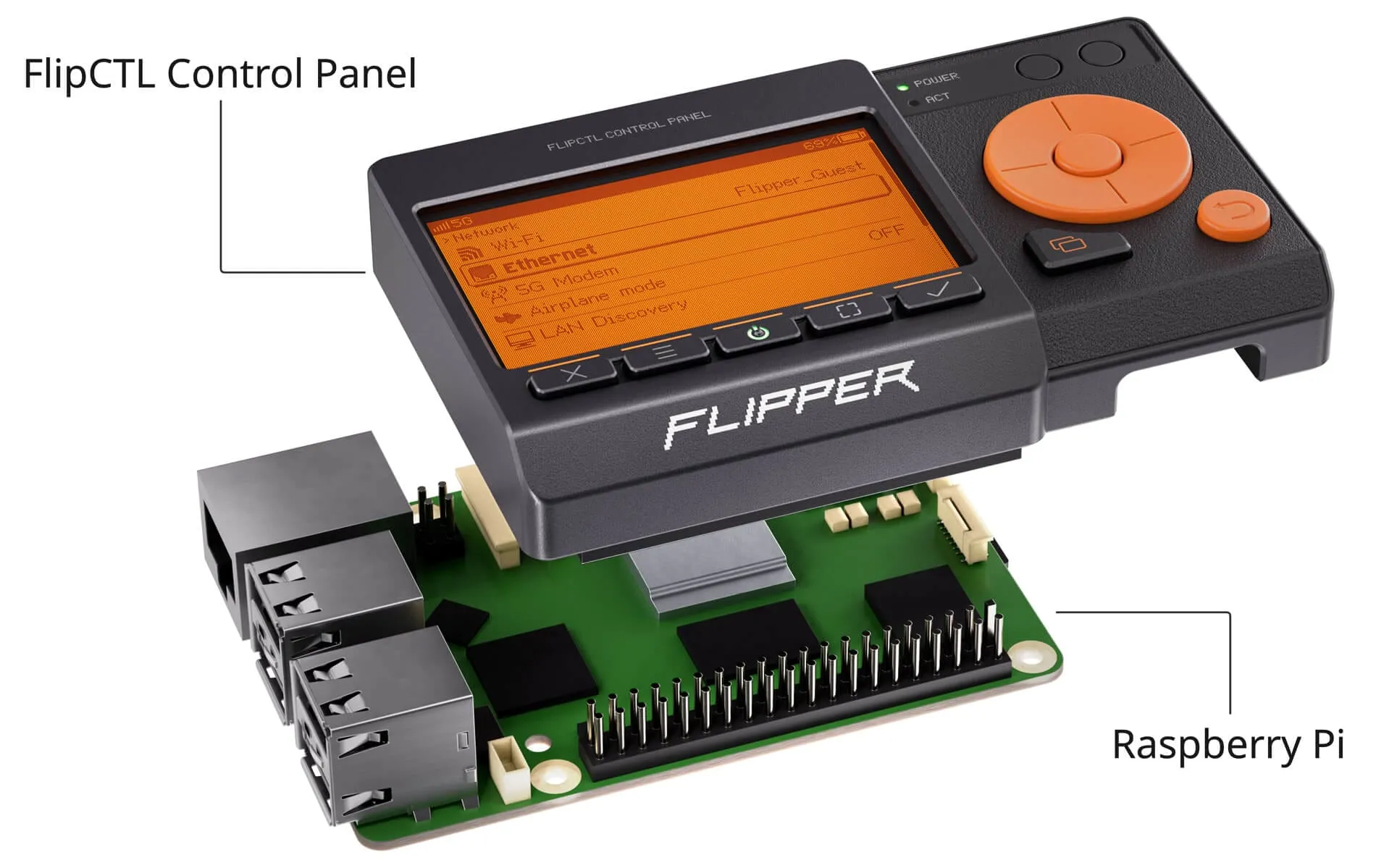
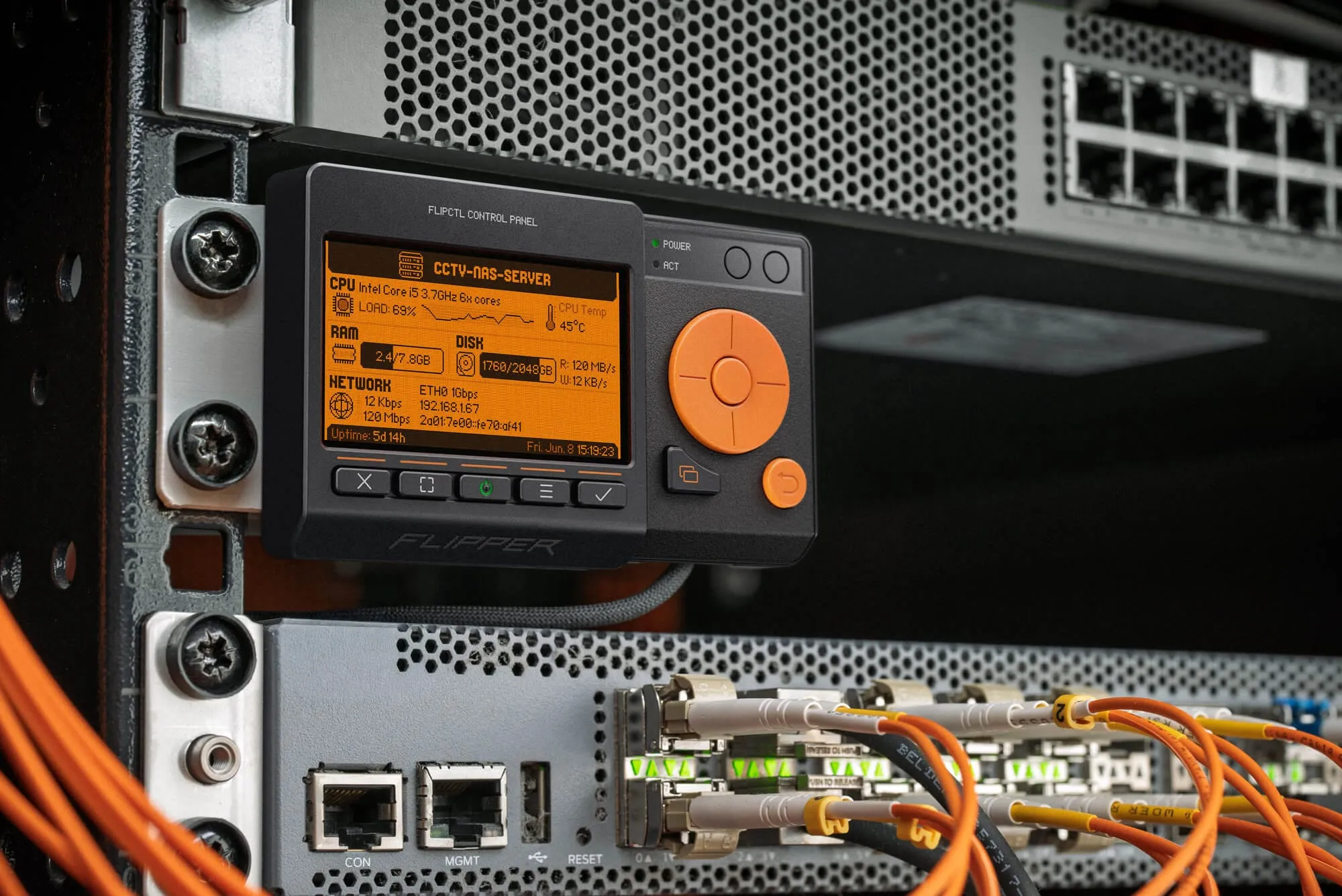
FlipCTL Control Panel - a compact device featuring the same display as the Flipper One and the same set of controls, except for the touchpad and the PTT (Push-to-Talk) button.
FlipCTL Control Panel can be:
- Placed on a desk
- Mounted directly to a single-board computer, such as a Raspberry Pi
- Mounted on a server or server rack
FlipCTL Control Panel connects to any Linux-based system via USB or SPI (or I2C?), providing a physical human–machine interface (HMI) for headless servers, routers, and embedded devices, without requiring a desktop environment. The hardware design for this project hasn't been finalized yet — you can join the open discussion: FlipCTL Control Panel hardware design
FlipCTL Architecture
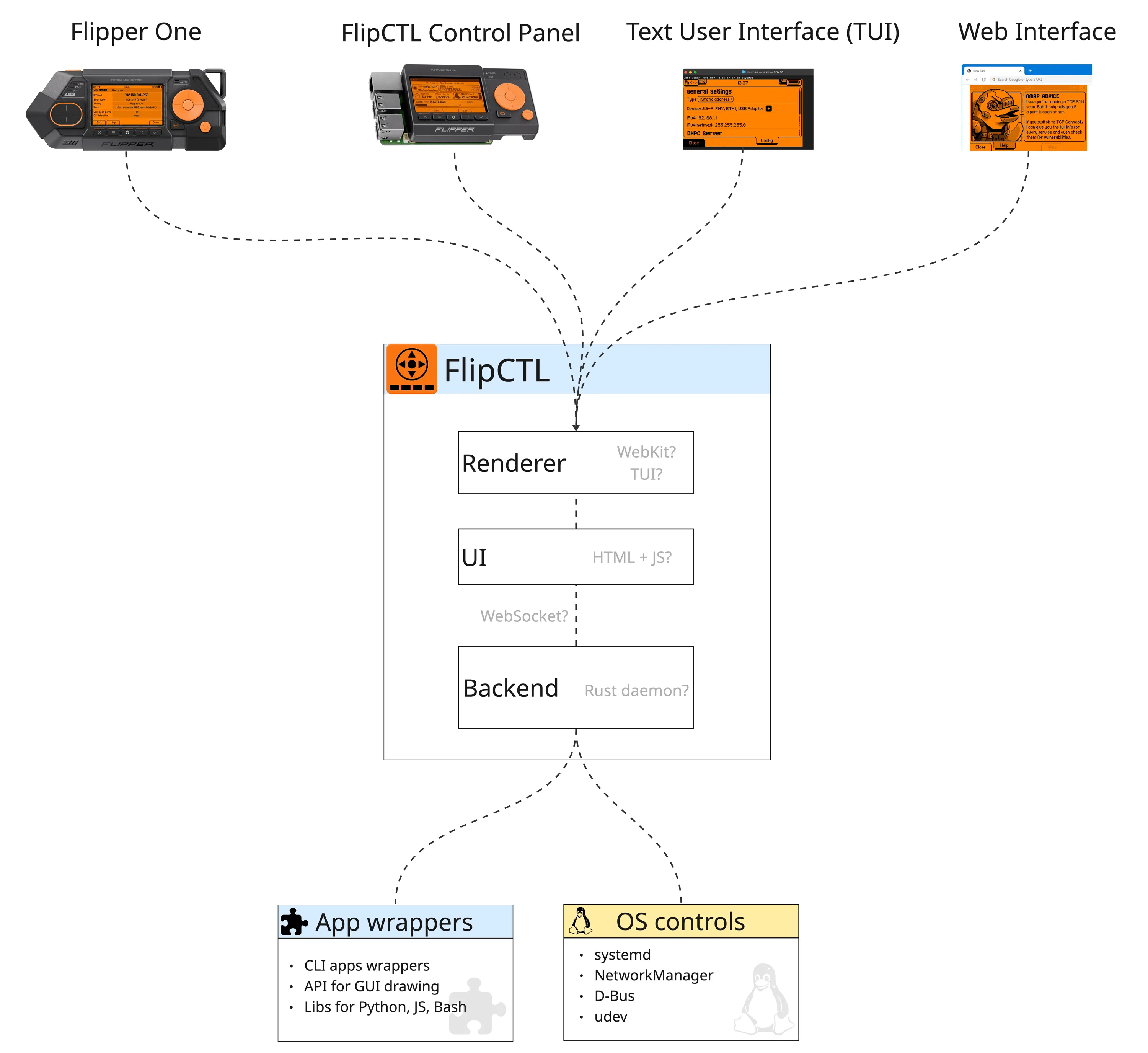
FlipCTL core components:
- Backend is responsible for managing the operating system itself. It can interact with systemd, control OS services, configure networking through NetworkManager or systemd-networkd, and wrap existing command-line utilities such as nmap, ping, and traceroute. The backend exposes these capabilities through APIs that are consumed by the frontend.
- Frontend UI is currently built using HTML and JavaScript. Despite the associated overhead, this approach enables rapid UI development and compact implementation, while avoiding the need for specialized expertise required by many embedded UI frameworks.
- Renderer is a web browser. On Flipper One, we currently use a headless WebKit instance running directly on top of DRM (Direct Rendering Manager), without Xorg or Wayland. We also want to support multiple renderer options — for example, a TUI (Text User Interface) for use directly from the console.
Frontend | Description |
|---|---|
Flipper One | The primary target device is an ARM Linux computer with a built-in 256×144 px LCD and physical controls. Includes boot menu functionality as part of the FlipCTL package |
FlipCTL Control Panel | A compact standalone module with a screen and buttons, connecting via USB, SPI, or UART — designed to add a physical HMI to any embedded system, server, single-board computer, or router |
TUI (Terminal UI) | A pseudo-graphical interface rendered in any Linux terminal — usable locally or over SSH, similar to nmtui or Midnight Commander. May be built using React + Ink for component-based terminal rendering |
Web UI | A browser-based interface served by the FlipCTL daemon — renders the same layout and navigation accessible from any device on the network. Can share the same React codebase as the Desktop App |
Desktop App | A native desktop application for Linux, useful for development, testing, or general use on a full workstation. Can share the same React codebase as the Web UI |
Rendering approach
The 256×144 px screen requires pixel-level rendering, which standard TUI libraries (ncurses, etc.) cannot provide. The proposed solution is an HTML/CSS rendering engine running as a background daemon — a lightweight browser-based renderer that draws menus, popups, and UI components.
The key principle: data and UI logic are separated from the renderer. The same data can be displayed differently depending on the frontend:
- Pixel-rendered on the LCD
- Character-rendered in a terminal (React + Ink)
- HTML in a browser (React)
Backend + plugin system
FlipCTL runs as a system daemon with a plugin architecture:
- The core daemon handles input, routing, rendering communication, and the plugin API
- Plugins are wrappers around CLI tools or services, written in any language
Developers can write wrappers in whatever language they prefer:
- Python — e.g., a wrapper for nmap or nginx stats
- Bash — quick scripts for simple tools
- Rust, Node.js, Go — for performance-critical or complex plugins
Example: a ping plugin presents a menu to enter a host/IP, runs the underlying ping command, and displays live output — all navigable with the d-pad.
Example plugins: ping · nmap · traceroute · nginx status · iptables · disk manager
How to contribute
This page outlines the FlipCTL vision and its architecture at a high level. We believe there are many good ways to bring this architecture to life, and we invite the community to share ideas and propose implementation approaches. Our goal is to collaboratively discover the best solutions for FlipCTL.
We have created a dedicated FlipCTL repository where contributors can submit pull requests, discuss design proposals, and collaborate on implementation ideas.
A Pull Request should include:
- A description of your proposed FlipCTL architecture implementation, including the components you would use and how they would interact with each other.
- A description of your vision for the plugin system and the wrappers for standard command-line utilities like ping or nmap.
- A minimal working FlipCTL prototype capable of driving multiple frontends. One frontend should be a Web UI, while another should be a TUI.