Wi-Fi & Bluetooth
The Flipper One includes a built-in Wi-Fi 6E and Bluetooth 5.2 module. In addition, users can expand connectivity by attaching an external Wi-Fi module via USB or installing one through the M.2 slot using an M.2 E-key to M.2 B-key adapter.
Built-in Wi-Fi/Bluetooth specs:
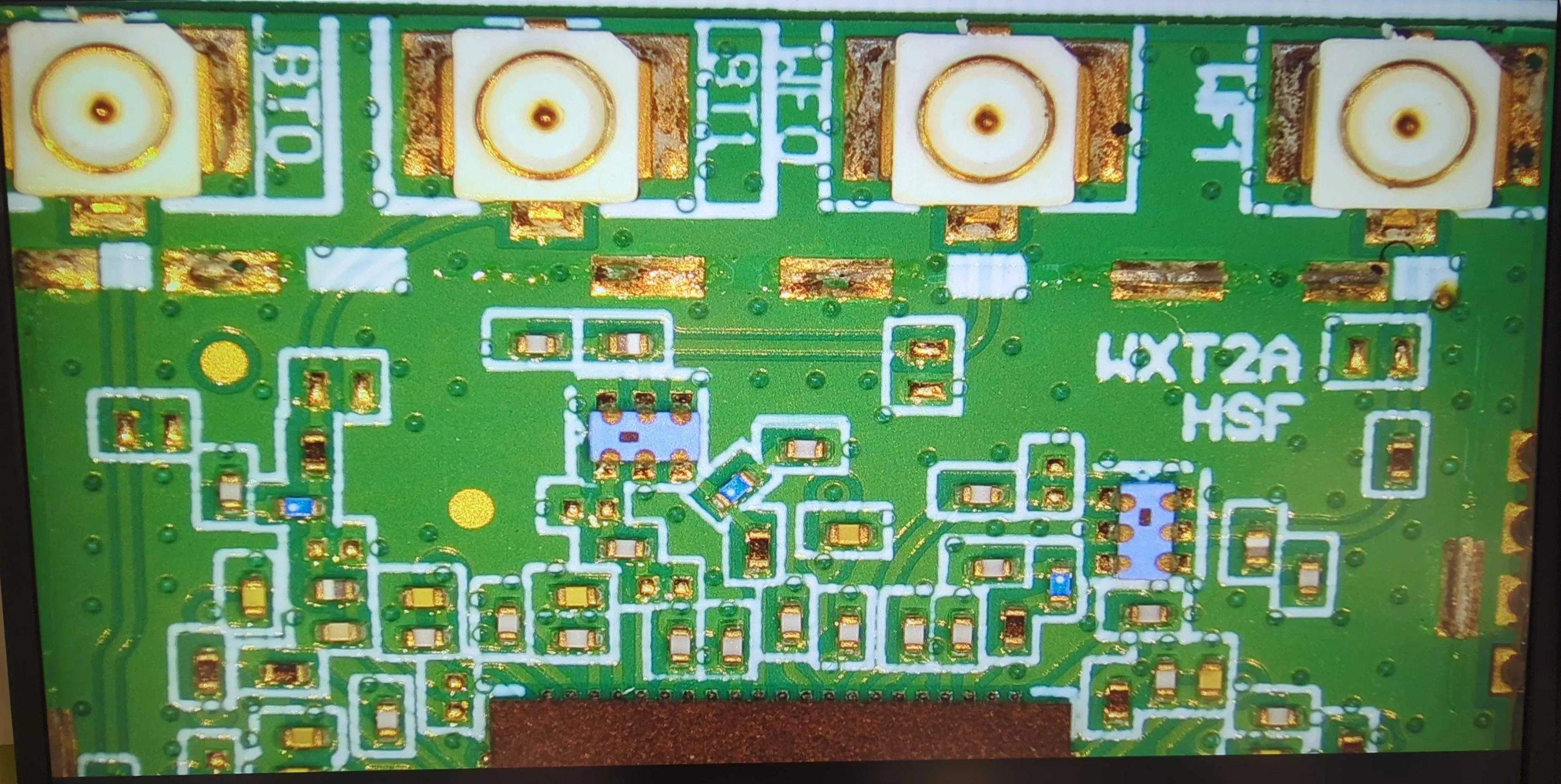
- Module: Hui Zhou Gaoshengda WXT2AM2101
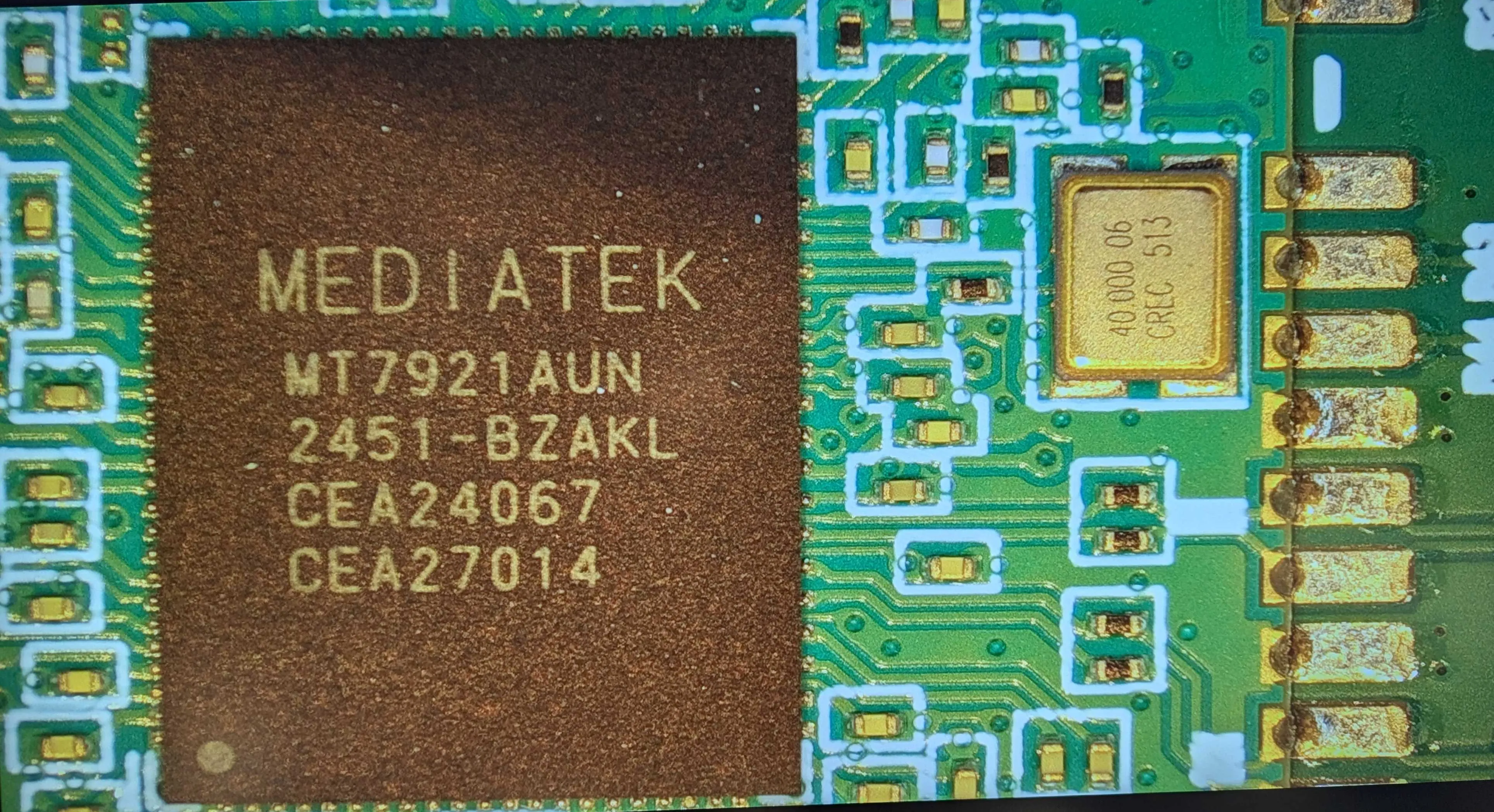
- Chipset: MediaTek MT7921AUN
- Wi-Fi specs: Wi-Fi 6E (802.11ax), 2.4 / 5 / 6 GHz bands, 2×2 MIMO
- Bluetooth specs: Bluetooth 5.2
- Interface: USB 3.0
The MT7921AUN chipset has an open-source and stable Linux driver and supports monitor mode.
Module and antennas placement
The WXT2AM2101 module is soldered on the Main board. It is located beneath the M.2 module and covered by an aluminum heatsink.
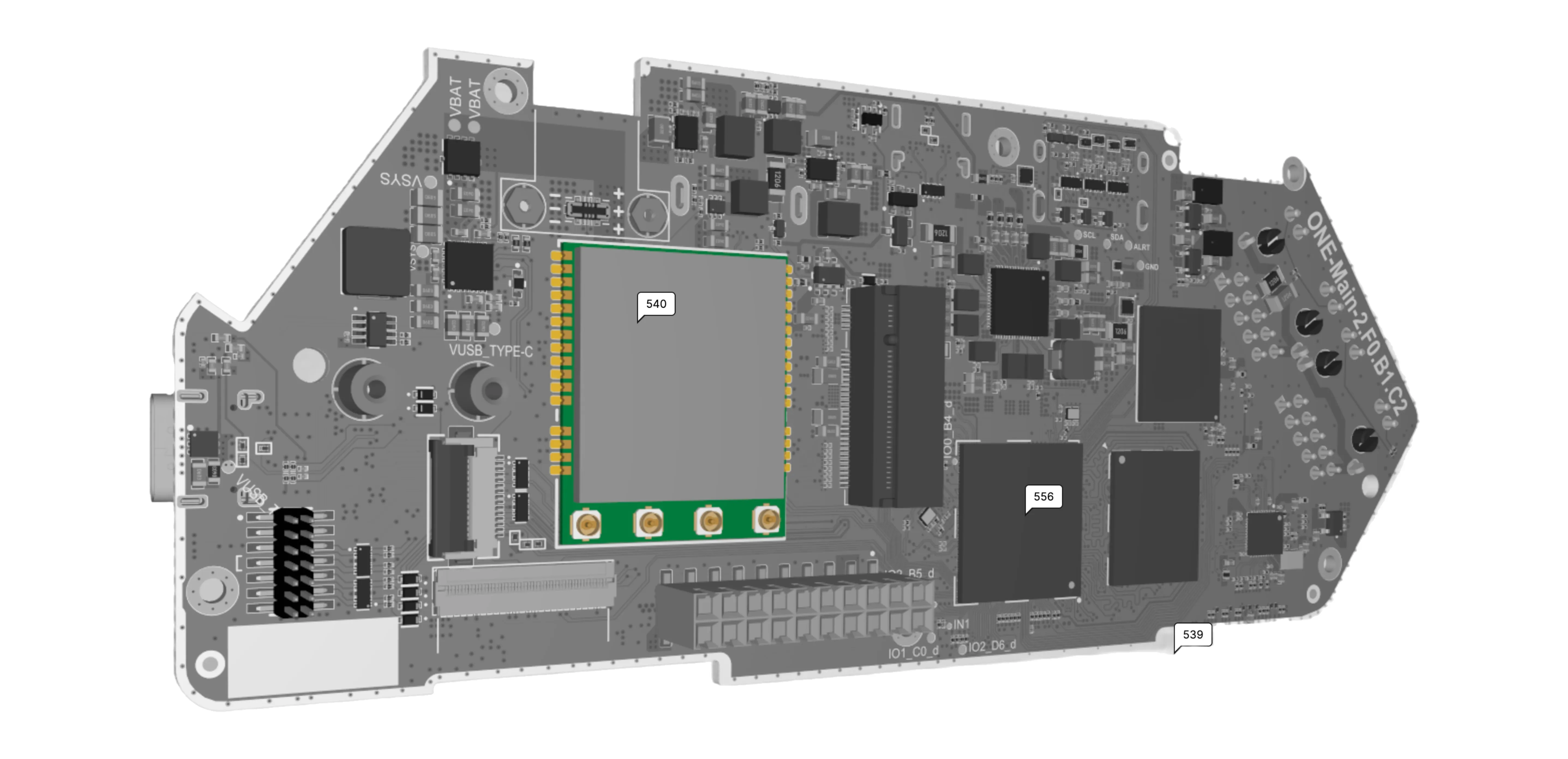
The antennas for the built-in Wi-Fi/BT module are located inside the Flipper One enclosure and connected to the module via coaxial cables with I-PEX connectors.
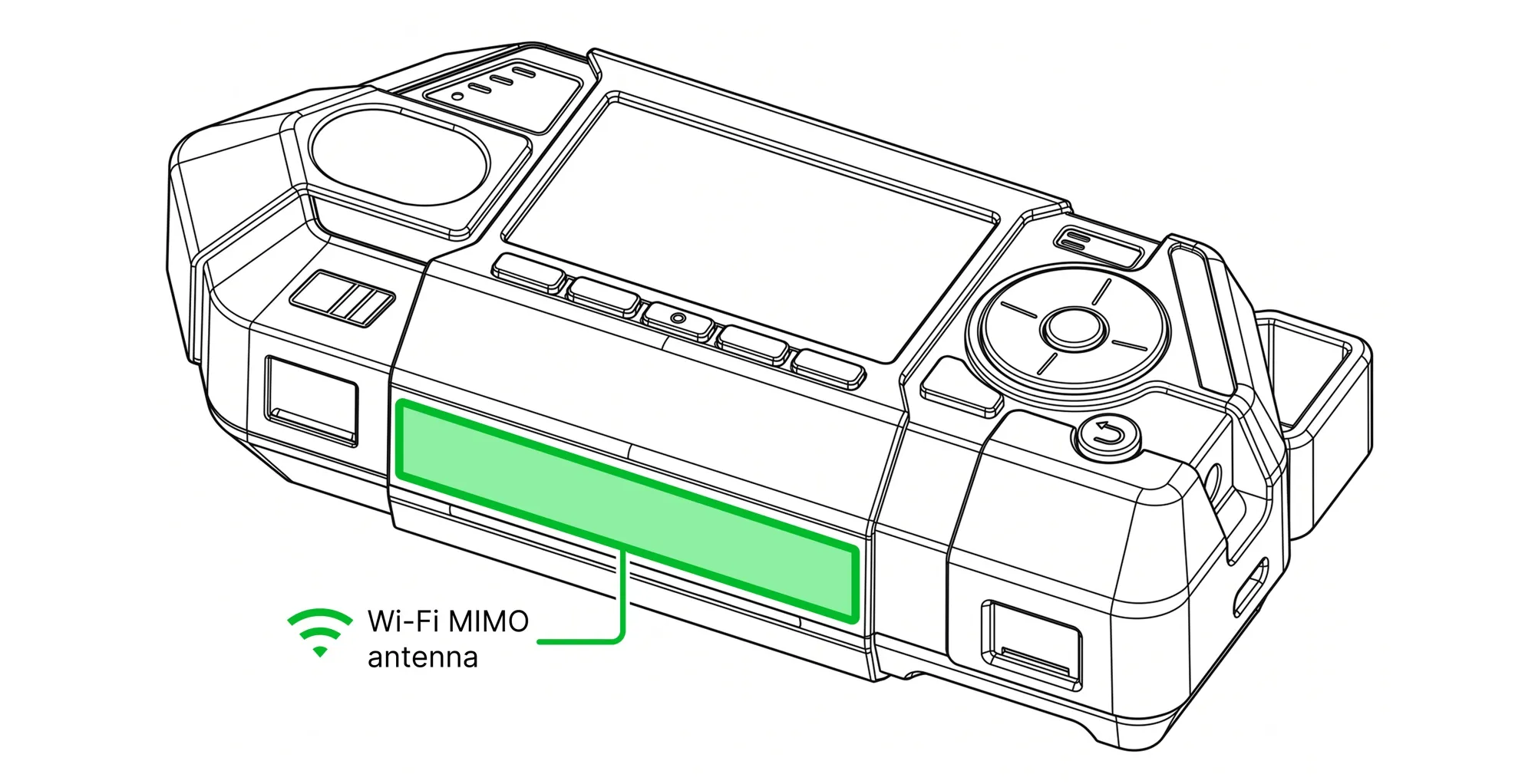
The Wi-Fi antenna is located in the middle of the lower part of the device housing. It is a MIMO (Multiple Input Multiple Output) antenna system, consisting of two separate antenna elements mounted on a single PCB.
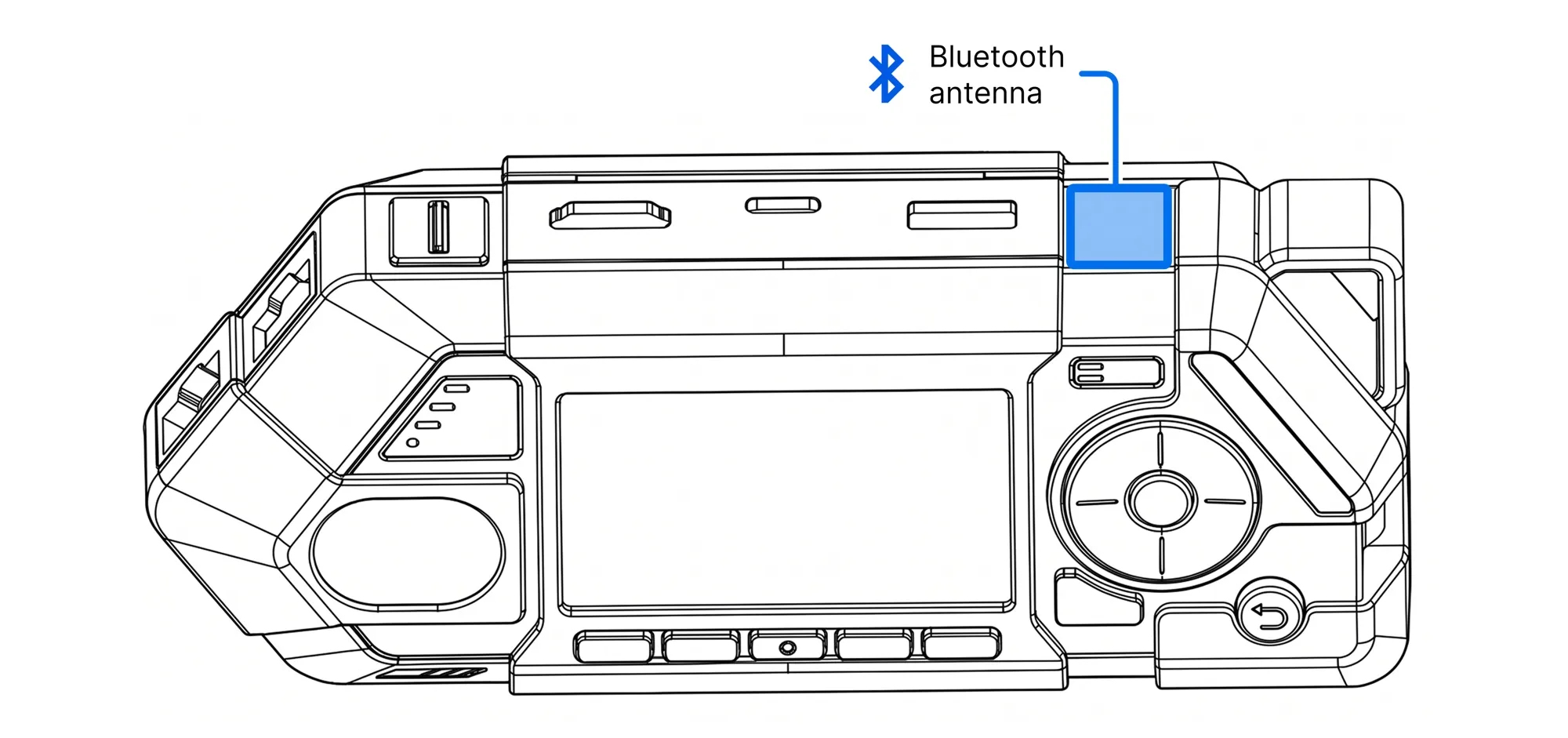
The Bluetooth antenna is located behind the top edge of the device housing, between the lanyard loop and the USB-A port.
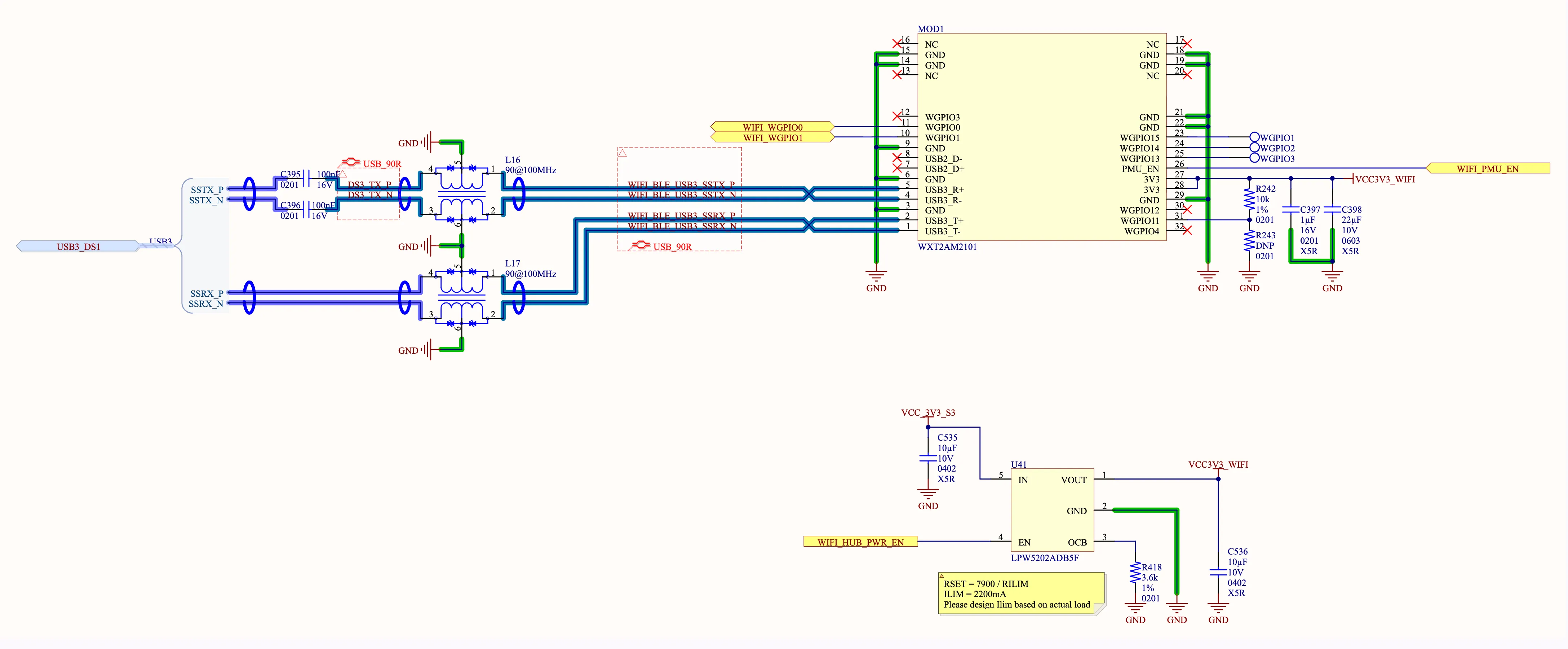
Wi-Fi/Bluetooth module schematics
The Wi-Fi/Bluetooth module is connected to the Rockchip RK3576 via USB 3.0 through a USB hub.
A trick for USB port sharing
The number of internal USB ports in the Flipper One is limited, and we needed one extra USB 2.0 port for the GPIO expansion header. So when connecting the Wi-Fi/Bluetooth module over USB, we used an interesting hardware trick.
A typical USB 3.0 host port includes both USB 2.0 pins and additional USB 3.0 pins. This design ensures backward compatibility, allowing old USB 2.0 devices to operate through modern USB 3.0 ports. However, not all USB devices utilize both interfaces simultaneously.
Since the MT7921AUN chipset can operate using only the USB 3.0 pins and SL6341 USB hub supports independent operation of USB 2.0 and USB 3.0 lanes, we repurposed the USB 2.0 pins of the port used for Wi-Fi/Bluetooth module to provide a separate USB connection via the GPIO expansion connector.
CPU wake-up via Wi-Fi/BT
The WGPIO0 and WGPIO1 pins of the WXT2AM2101 module are connected to two GPIO pins on the RK3576 and are used to wake the RK3576 in response to Wi-Fi and Bluetooth events.
Module power and reset management
The DC-DC converter powering the WXT2AM2101 module can be software-controlled via the WIFI_HUB_PWR_EN signal, which is managed by the MCU through. The PMU_EN pin is also controlled by the MCU, allowing a full hardware reset of the module and ensuring the correct initialization sequence:
- Power on the module.
- Initiate the USB connection.
- Reset the module using the PMU_EN pin.
If this initialization sequence is not followed, the module may not function correctly.
The CPU can instruct the MCU to power the module on or off, or to reset it, via the MCU↔CPU interconnect interfaceMCU↔CPU interconnect interface.