#4: U-Boot menu on Flipper One screen
This is our Dev Log where we share how the development of Flipper One is going.
In this Dev Log: U-Boot menu, ongoing Wi-Fi testing, Flipper One UI in a browser, and an updated fan shield module.
U-Boot menu runs on Flipper One screen
The U-Boot menu now works directly on Flipper One, without the need to plug an external display. You can choose different kernels and systemd targets before the Linux kernel boots.
Our patched U-Boot is based on a slightly modified U-Boot with LCD and button drivers. In the release version of Flipper OS, the boot menu will likely be drawn by a small program compiled into initramfs and executed after the kernel starts.
The cold boot time (from the CPU power-on to a working menu) still has room for improvement:
$ tio --timestamp --timestamp-format 24hour-delta  -b 1500000 /dev/tty.usbmodemflip_one_debug2
...
[00:00:02.788] I/TC: OP-TEE version: 51d99cd (gcc version 14.2.0 (Debian 14.2.0-19)) #1 Wed Jun 24 10:30:06 UTC 2026 aarch64
...
See the full boot log.
Multiple tests of the Wi-Fi chipset
We chose the MediaTek MT7921AU Wi-Fi chipset for Flipper One. On paper, it operates on 2.4/5/6 GHz bands, can be a station and an access point, supports monitor mode and packet injection, and has an open-source driver in the mainline Linux kernel. It looked like a great hacker-friendly chipset, but then the actual tests came in.
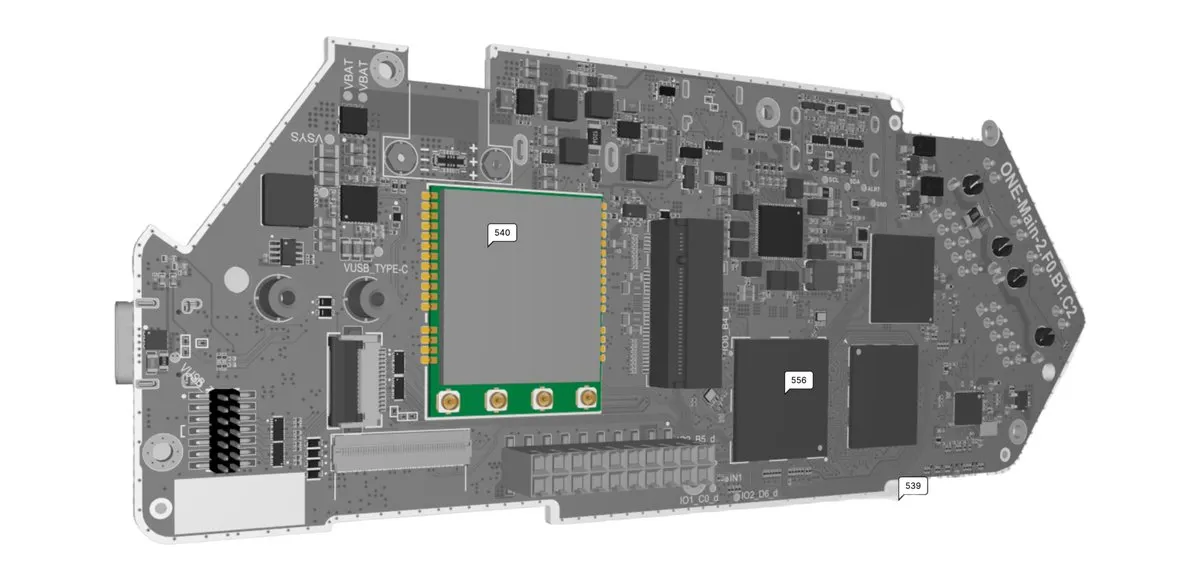
We tested the chip and got the following results:
- ✅ Station mode (STA).
- ✅ Access Point mode (AP).
- ✅ AP+STA Single-Channel Concurrency (SCC) (see report).
- ✅ Monitor mode (see report).
- Dual-band dual-concurrent (DBDC):
- ❌ Dual-band AP+STA (see report).
- ✅ Dual-band AP+STA with a driver patch. Our contributor @germiBest made tests with a simple driver patch and proved that dual-band AP+STA can be fixed (see report).
- ❌ Dual-band AP+AP (see report). This combination wasn't expected to work, and we made a report to prove that.
- Operating on ✅ 2.4 / ✅ 5 / ❌ 6 GHz. Even configured for a region with 6 GHz enabled, the chip didn't allow us to use this band.
Last week, we asked for your help with Wi-Fi testing — thanks for your research and ideas. We've also contacted MediaTek about the issue with dual-band AP+STA, but got no response so far. Besides, there are several driver patches coming to the upstream — although, we can't guarantee they will succeed soon. Wrapping it all up, we can expect that dual-band AP+STA will be enabled, but dual-band AP+AP won't ever work on this chip.
So, with all the confirmed and expected results, do you think it's a good choice of Wi-Fi chip? Will it still do the job for you? Please share what you think in the comments below.
Flipper One Lab for UI testing — the 1st community project
@kalicyh built the Flipper One Lab — a container-based emulator of Flipper One's FlipCTL UI right in a web browser, no physical device needed. Check out this demo (and note that it's a browser tab!):
This is a great example of a Flipper One community project. If you work on something similar, let us know in the comments below!
Fan shield — the 1st module contribution
Remember the fan shield from Developer Log #1? We gave some feedback and @yupych improved the model.
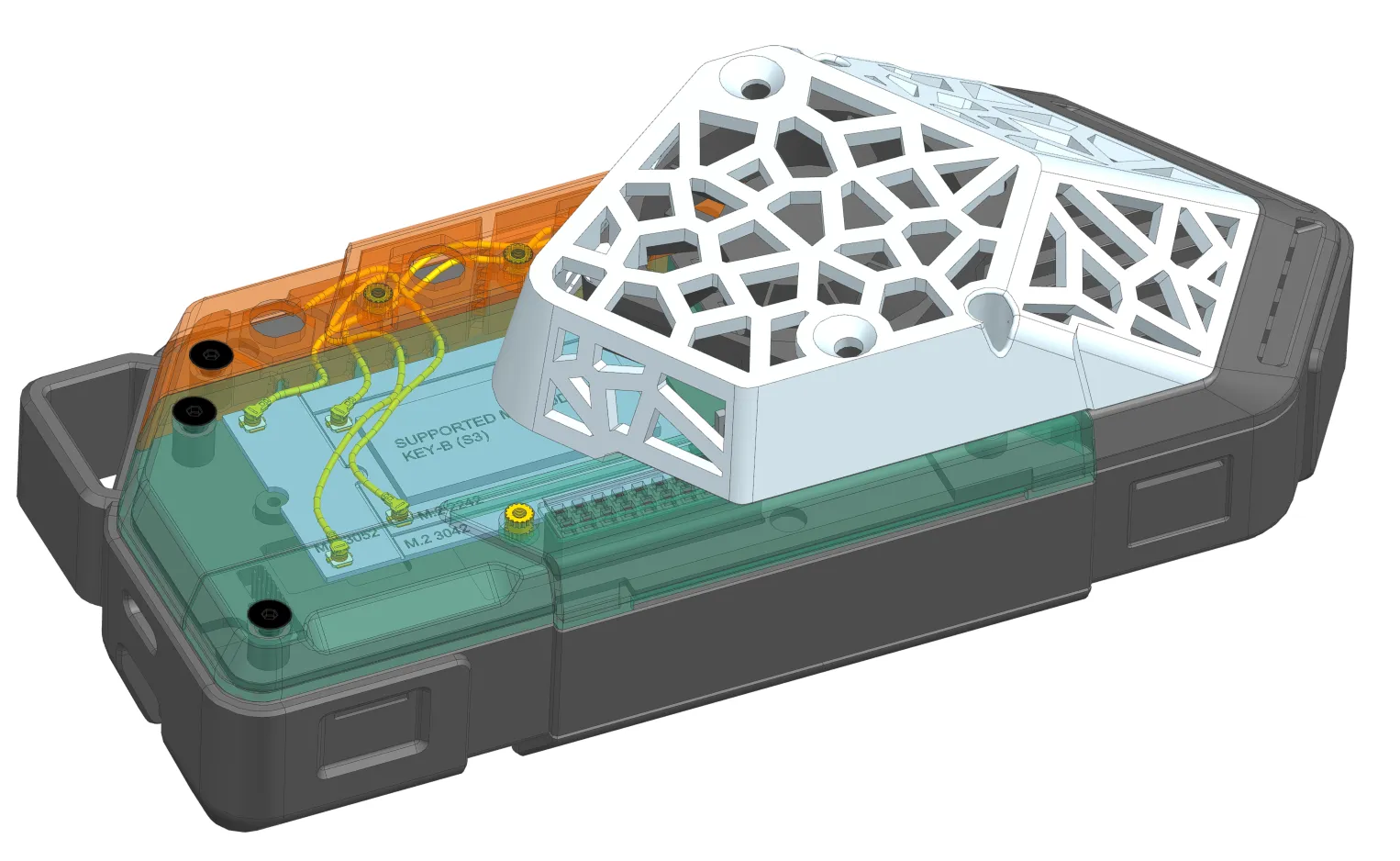
Watch our industrial designer @r-galeev test the fan shield with a Flipper One prototype:
You're welcome to propose your own Flipper One modules. Check out the contribution guide and open a pull request in flipperdevices/flipperone-mechanics.
Join Flipper One development and make your contribution
- We're still looking for a FlipCTL architecture lead. Read the blog post about FlipCTL and propose your vision of its architecture.
- Building a project that helps test and improve Flipper One? Please tell us about it in the comments or add it on the community projects page.
- 3rd-party module contributions are welcome! Check out the contribution guide and open a pull request in flipperdevices/flipperone-mechanics.
- We have many other tasks open to the community! See the full list on the 🚧 Open tasks page.
See you in the next Dev Log!