#5: Testing M.2 in R&D and production
This is our Dev Log where we share how the development of Flipper One is going.
In this Dev Log: our custom M.2 port tester for R&D and mass production, Flipper One's power-on and boot sequence, and three extended pixel fonts for FlipCTL and Flipper One UI.
M.2 port tester for R&D and mass production
As we design Flipper One, part of our job is designing the tools used to test it on the production line. In our R&D lab, we have all the time and tools to check a single device, but mass production requires tests that are reliable, fast, and inexpensive. We built a prototype module to test the Flipper One M.2 port during mass production since there was no off-the-shelf solution that met our needs.
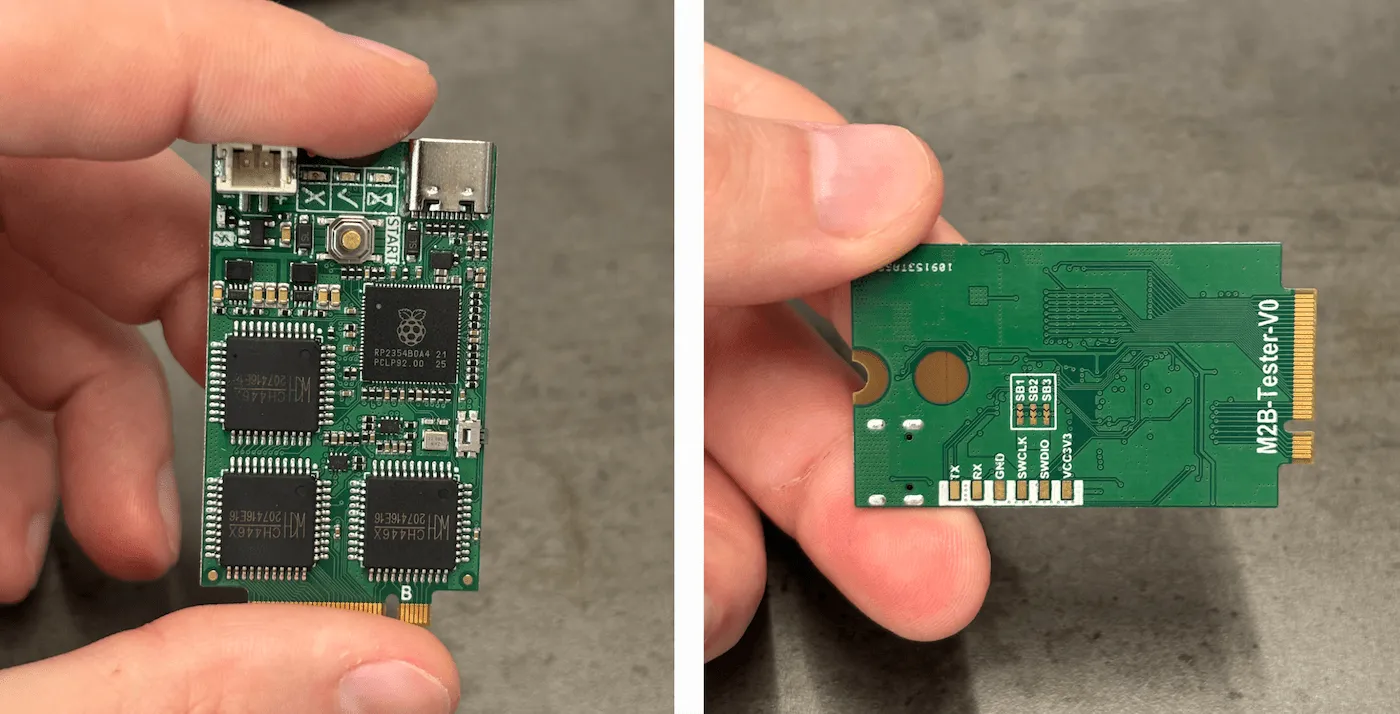
The tester connects to an unpowered Main Board and checks the connections between the M.2 port pins and the components on the board by applying test voltages to each pin and verifying the electrical response. This way, we confirm there are no open circuits, shorts, or other assembly defects.
The video below shows the M.2 tester at the firmware debugging stage:
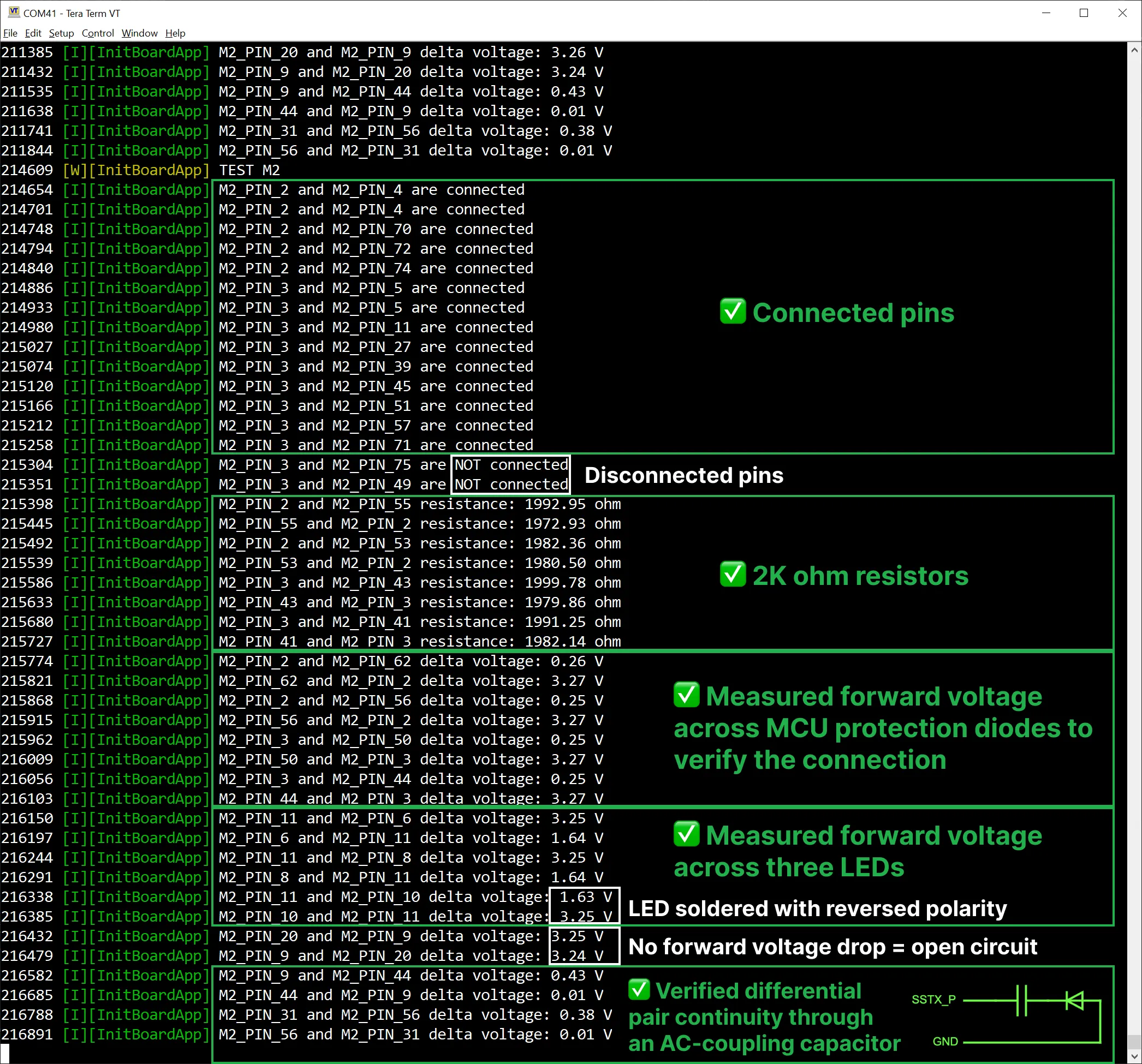
Let's have a closer look at the test logs:
Power and boot modes
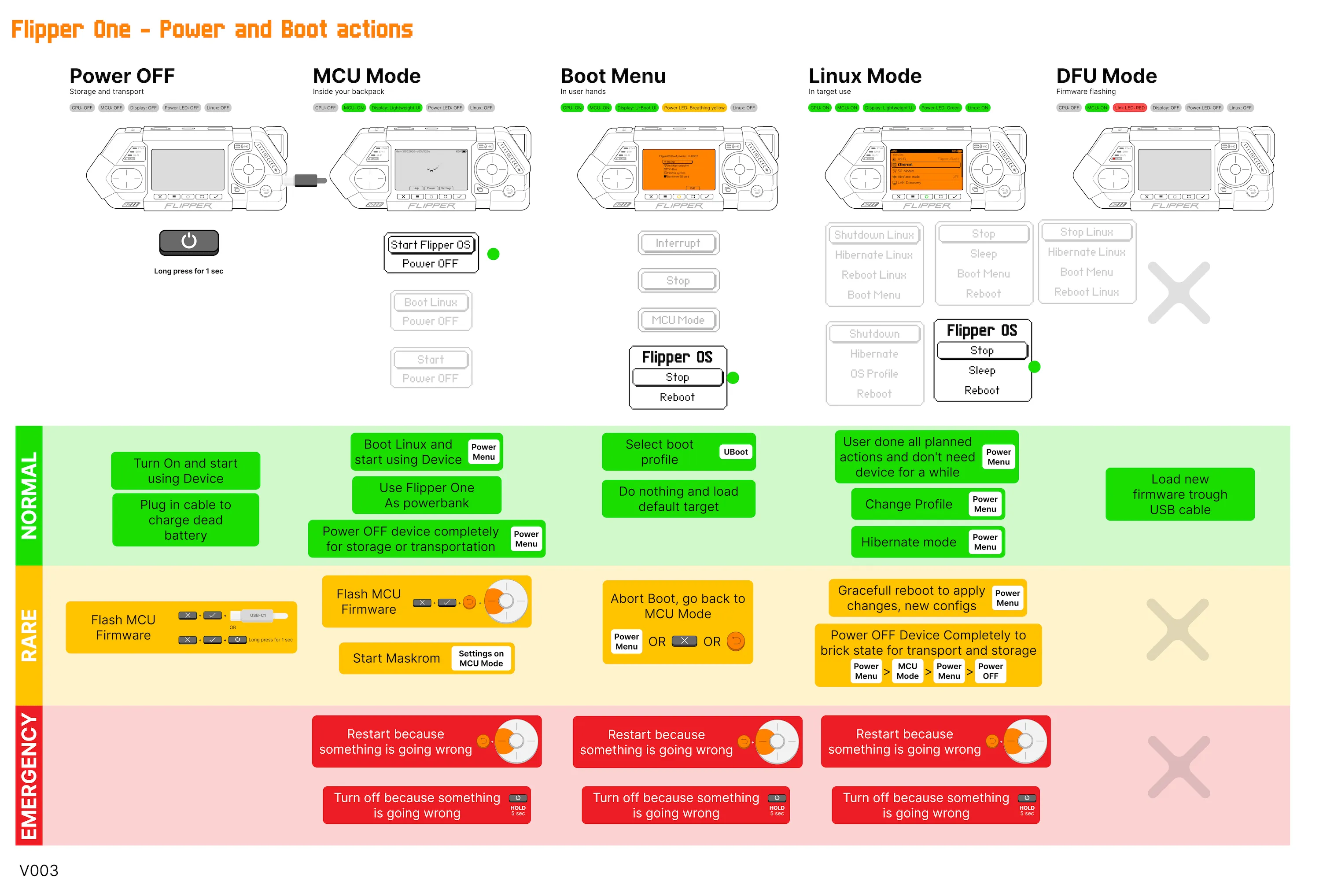
In Dev Log #4, we talked about a boot menu where you can choose between kernels and boot targets. But in fact, this menu is not the first thing that runs when you turn on a Flipper One.
This diagram shows the boot modes and transitions between them. The design isn't final, but it's complete enough to study and discuss. You're welcome to post your questions in the comment section.
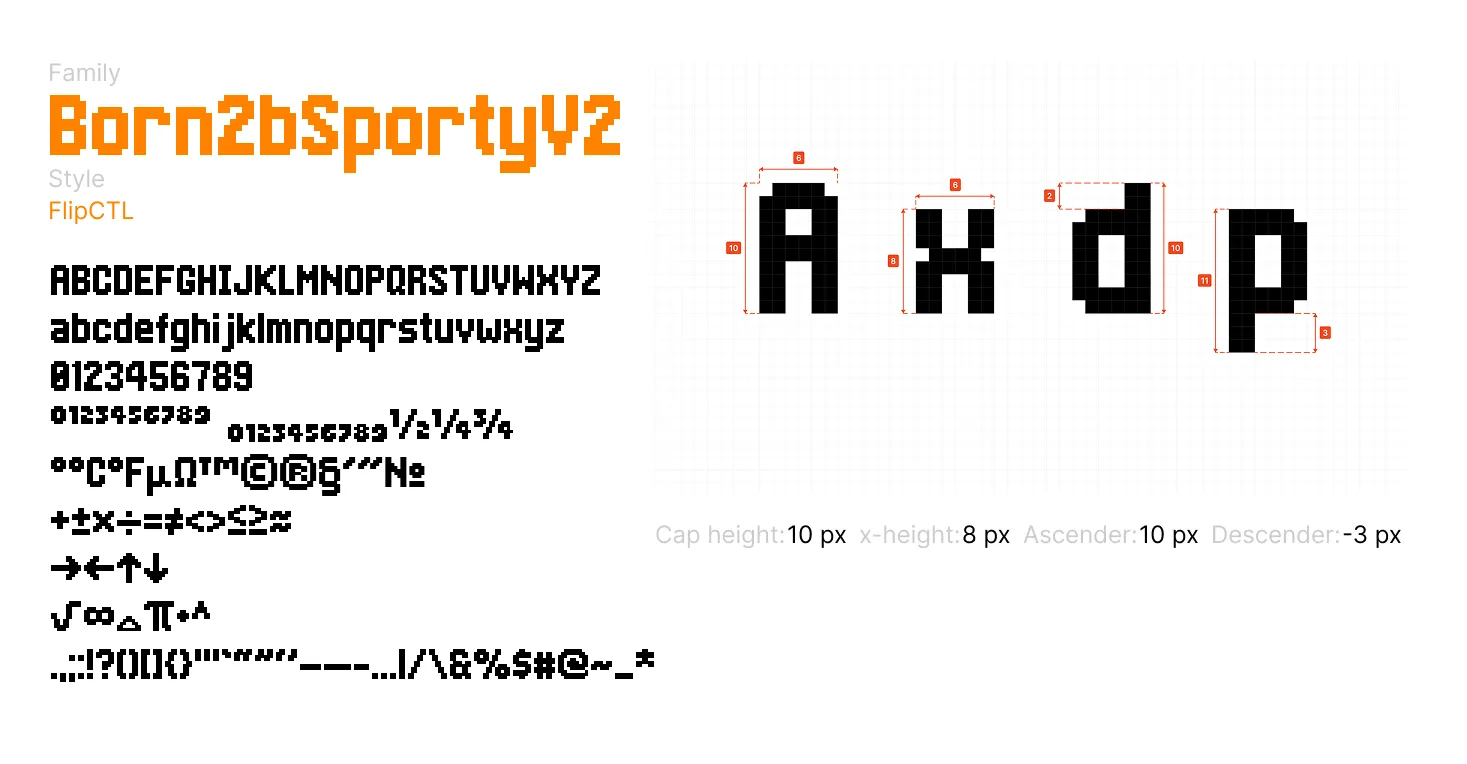
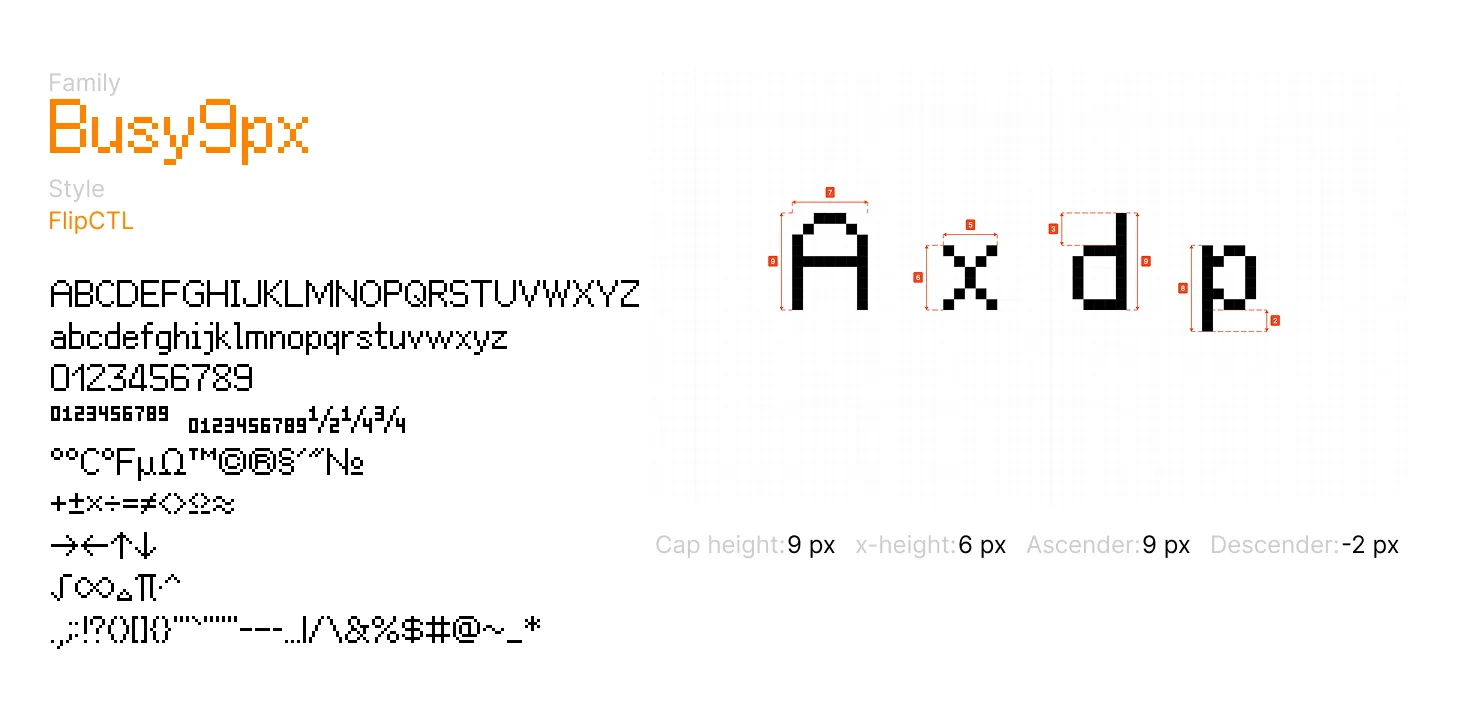
Pixel fonts for Flipper One UI
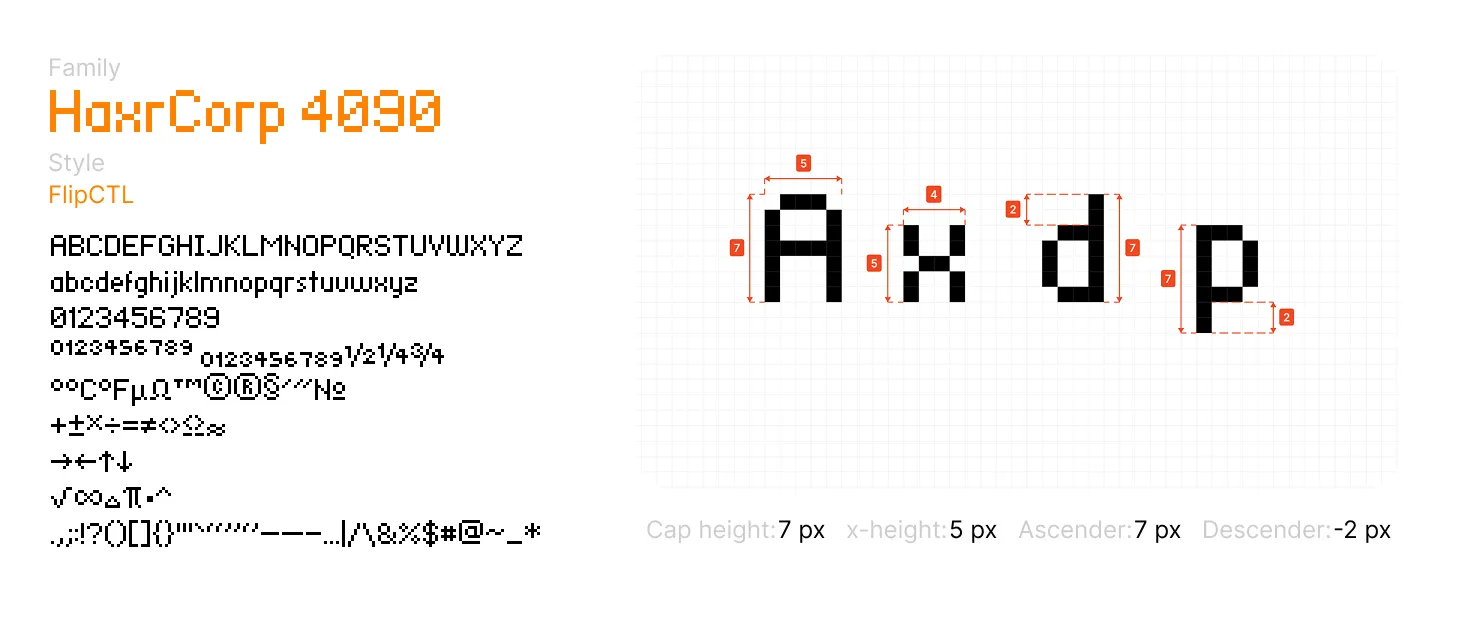
Flipper One UI uses three pixel fonts: HaxrCorp 4090, Born2bSportyV2, and Busy9px. We have extended base fonts with extra glyphs and made sure everything looks neat on the Flipper One screen.
Join Flipper One development and make your contribution
- We're looking for a FlipCTL architecture lead. Learn more in the blog post about FlipCTL.
- Building a project that helps test or improve Flipper One? Add it to the community projects page.
- 3rd-party module contributions are welcome! Check out the contribution guide and open a pull request in flipperdevices/flipperone-mechanics.
- We have many other tasks open to the community! See the full list on the 🚧 Open tasks page.
See you in the next Dev Log!