#6: New PCB revision assembled
This is our Dev Log where we share how the development of Flipper One is going.
In this Dev Log: new PCB revision assembled, Flipper One DevKit and rack unit, OS profiles prototype, multifunctional device over USB-C1, and installing Flipper OS from the boot menu.
New PCB revision assembled
We've released the Flipper One PCB revision 2.F0B1C2.
Check out the photo from the factory where the new Main PCBs were assembled:
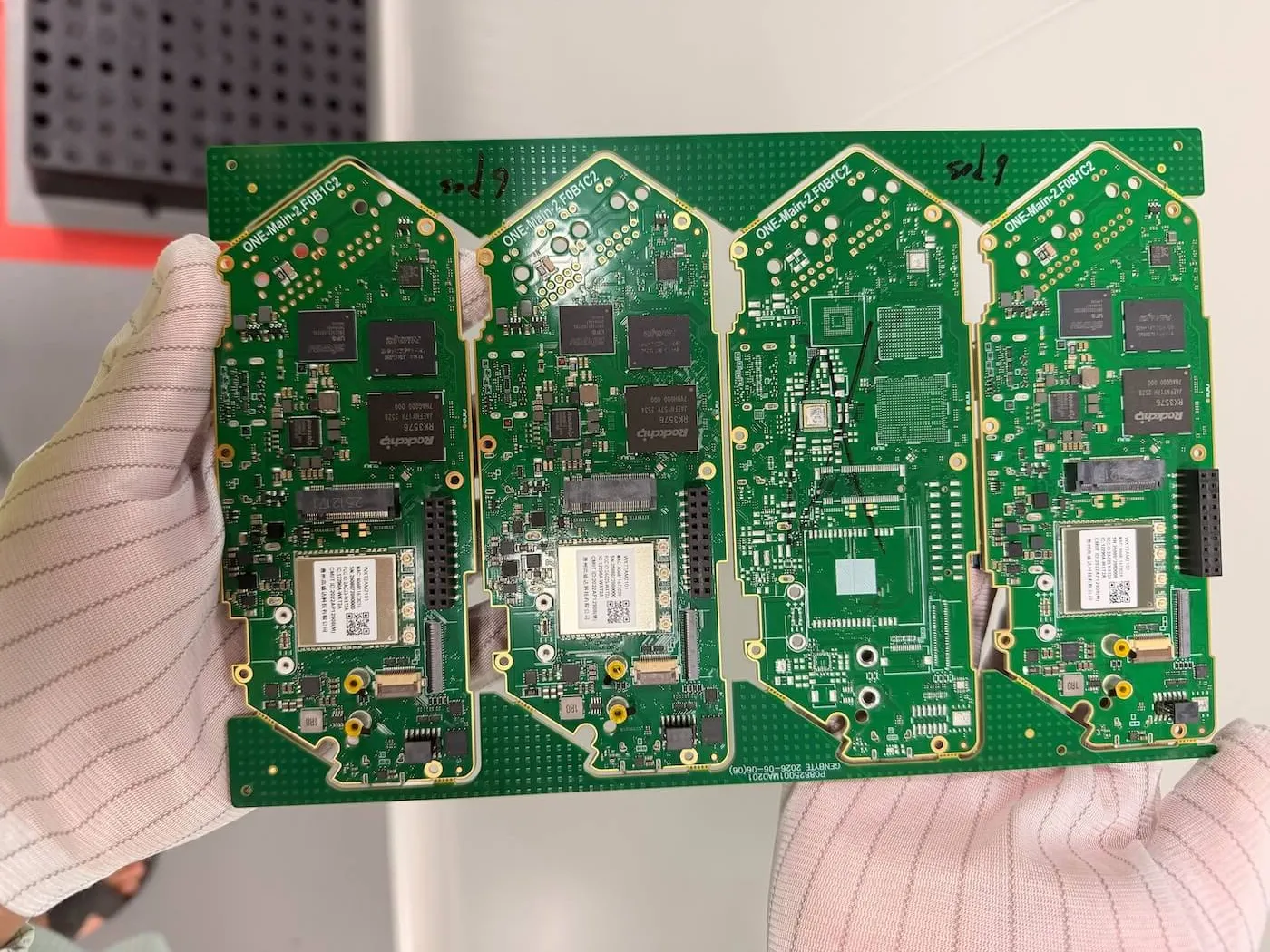
The new PCB revision fixes a number of problems found since the previous release and includes the new haptic motor and eSIM chip, improved battery connector, changes for the microSD slot, and all the other features we mentioned in our DevLogs.
Developer kit and 10-inch rack unit
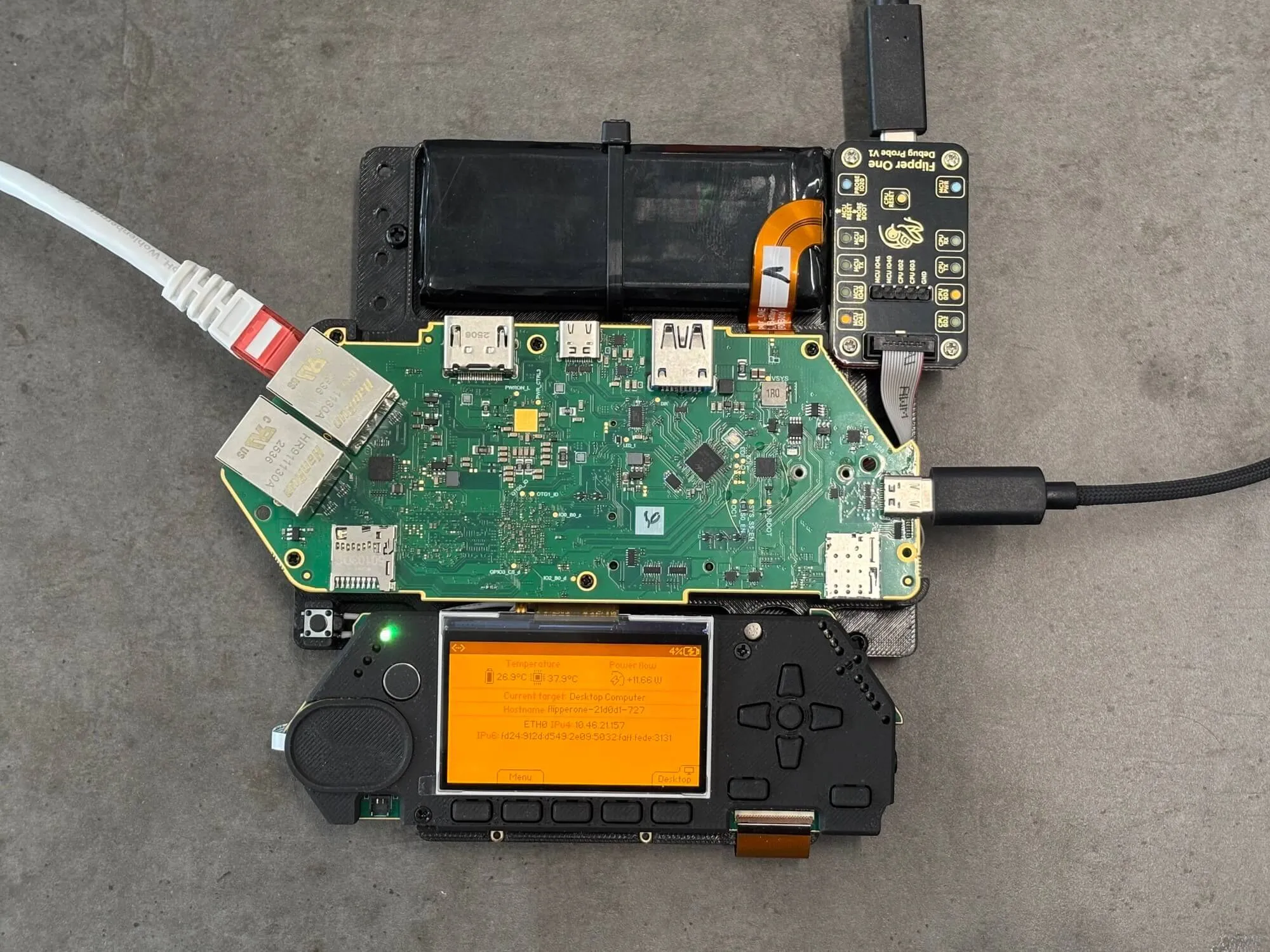
When the PCBs and other components arrive in our lab, we assemble them into developer kits. Such kits securely hold the parts together and allow our engineers access each board from either side.
On the photo you can see Flipper One assembled: both the Control and Main PCBs, battery pack, and a Flipper One debug probe connected:
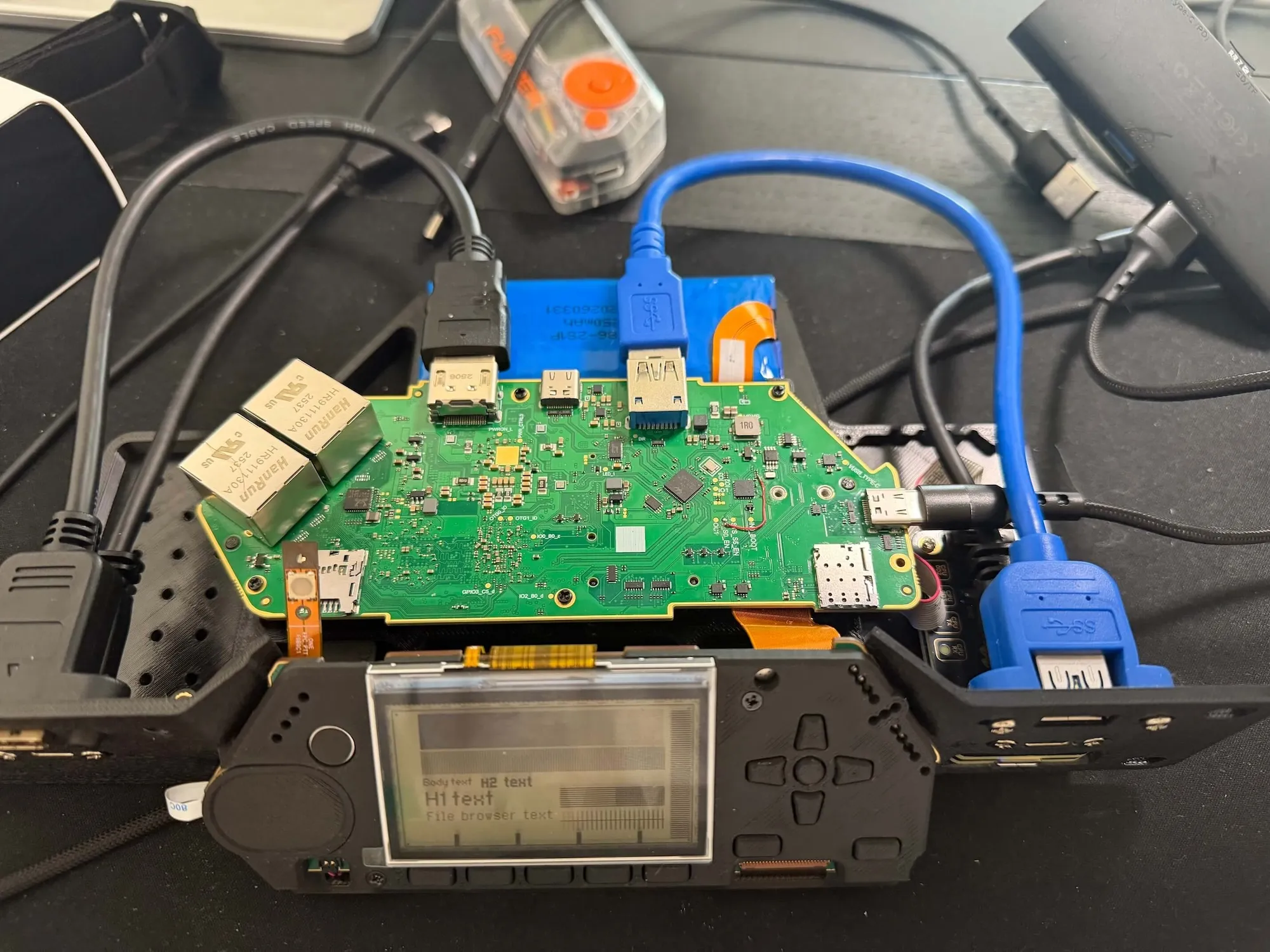
We've also designed a 10-inch rack unit that exposes all the ports on the front panel. In the future, we'll use rack units to build a device farm for automated testing of Flipper One.
We know a lot of you would like to get a prototype into your own hands. We don't have a community testing program at the moment, but if and when that changes, you'll read about it in our Dev Log. Subscribe so you don't miss the news.
Flipper OS profiles prototype
We're working on OS profiles, which are standalone system setups specialized for different tasks. You may have already seen two examples: the TV Media Box and Wi-Fi Router boot targets. Those are all OS profiles.
Here's the U-Boot boot menu running on a real Flipper One, listing the built-in OS profiles with two kernel versions each.
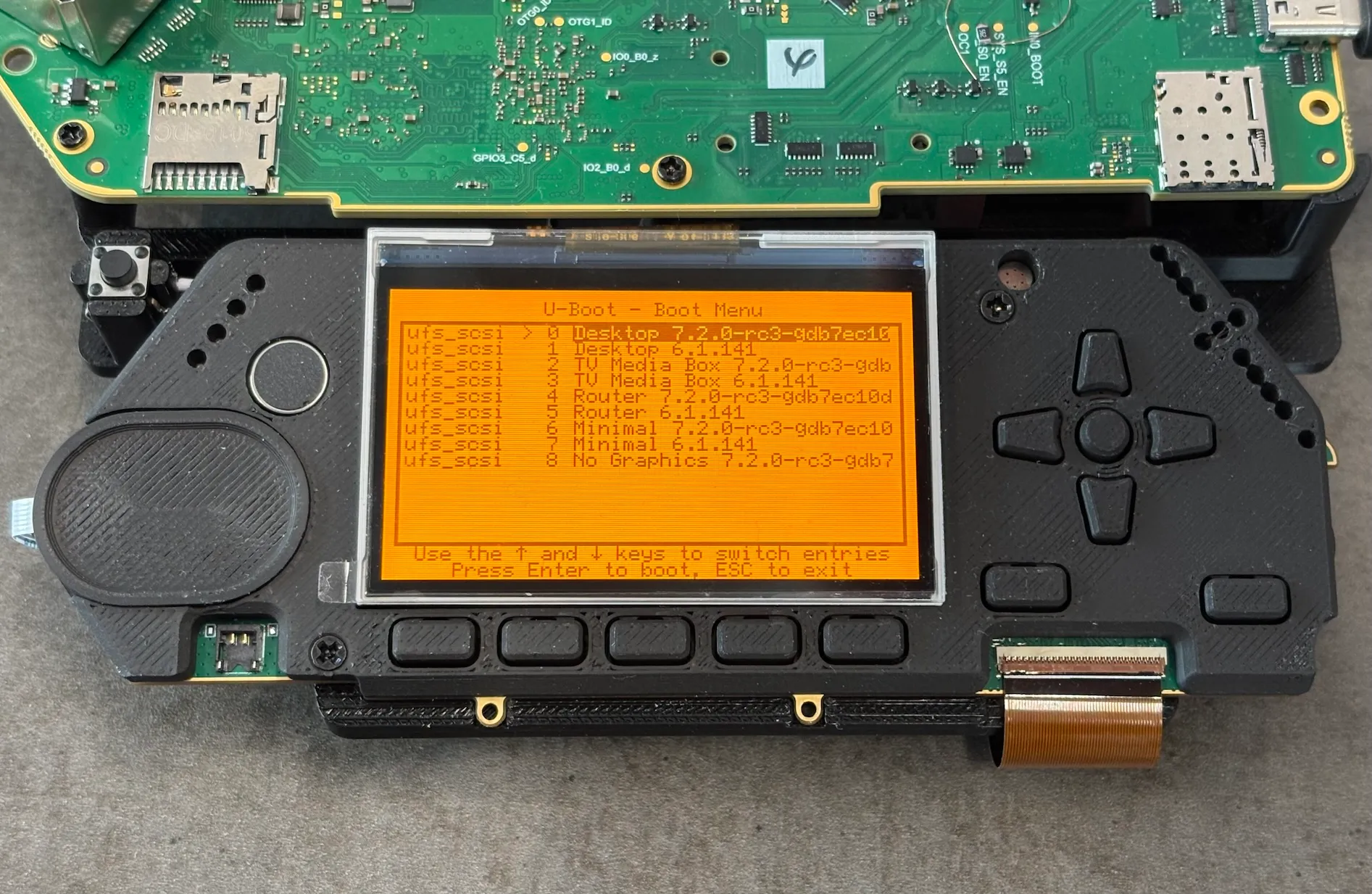
While you use an OS profile, you can save its current state at any time, then return to this saved state or make it a new entry in the boot menu. For example, "Travel router stable" and "Lab before update" are derived from the same "Router" OS profile, just at different points in time.
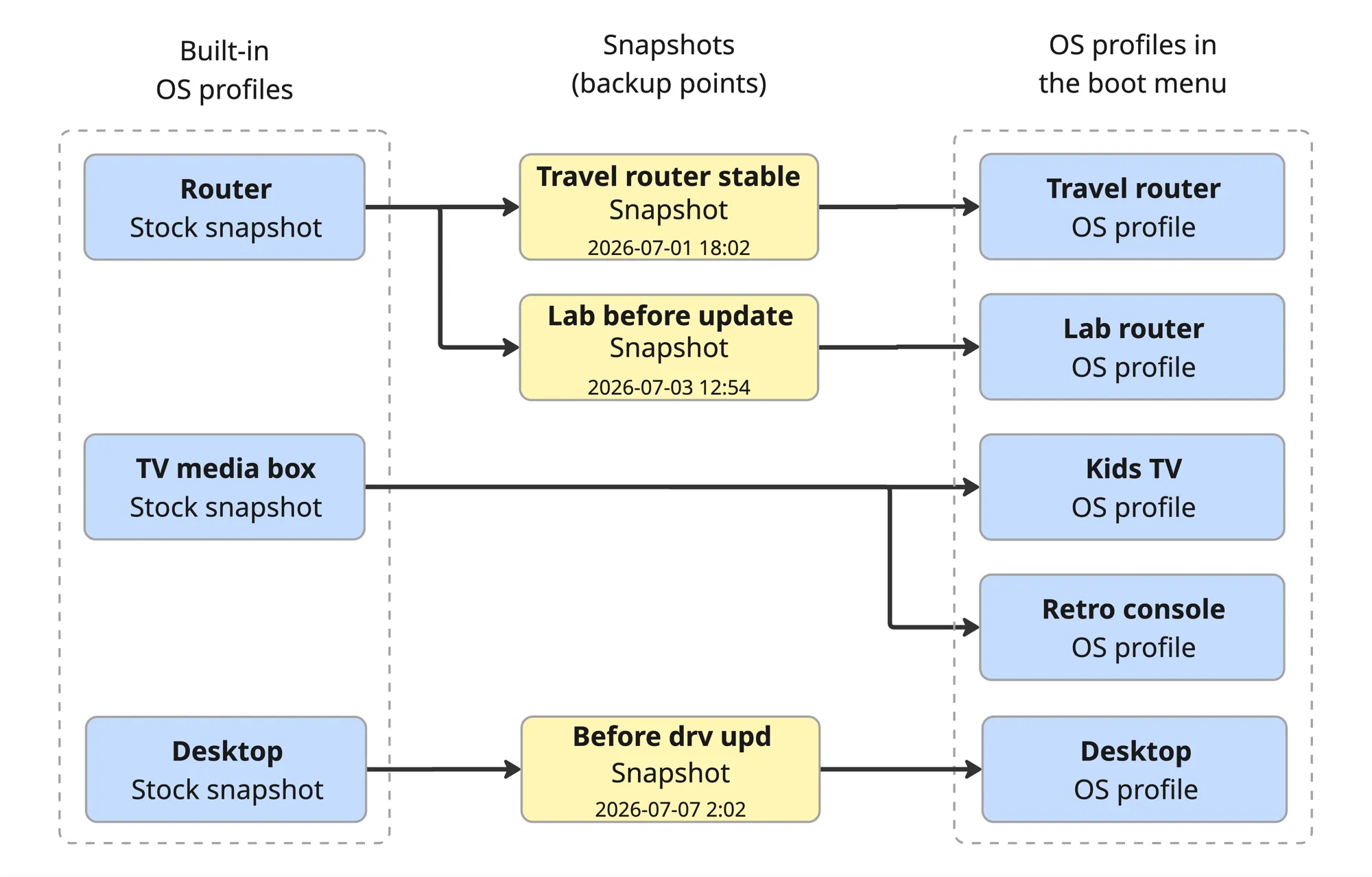
Users are shared between OS profiles, so you won't have to create a user and password for each profile. At the same time, sharing users is a technical challenge which we'll tell you about in a future Dev Log.
Learn more from the docs: OS profiles.
Multifunctional device on the USB-C1 port
When you connect Flipper One to a PC over the USB-C1 port, it can now show up as a composite device including:
- A virtual LAN adapter to Flipper One.
- A virtual serial port (CDC-ACM).
- A mass storage device — empty by default and can be used to mount an SD card or other storage.
- An MTP (Media Transfer Protocol) device sharing the /home directory.
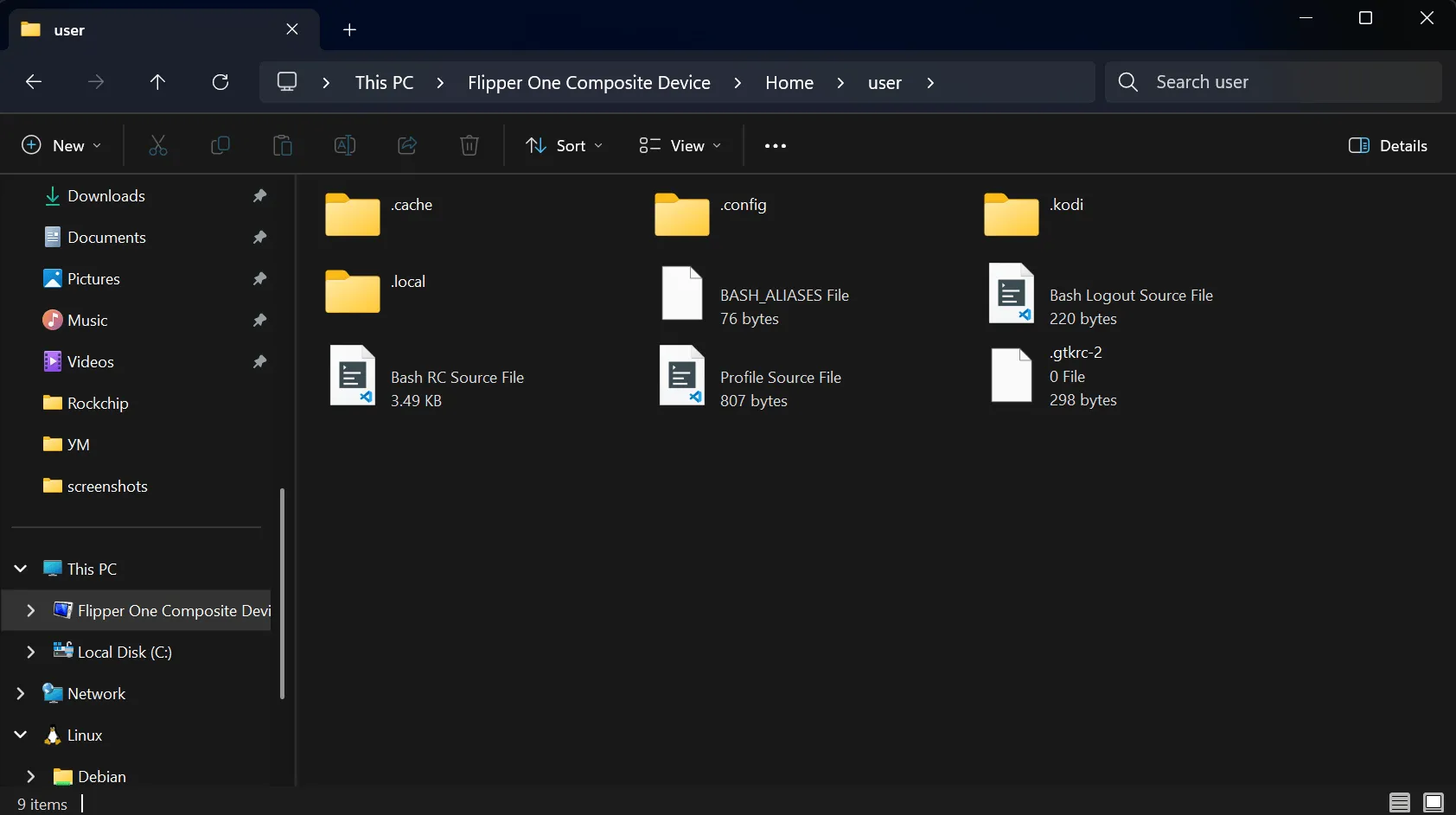
For more details, see flipperone-linux-build-scripts#133.
Flipper OS installer
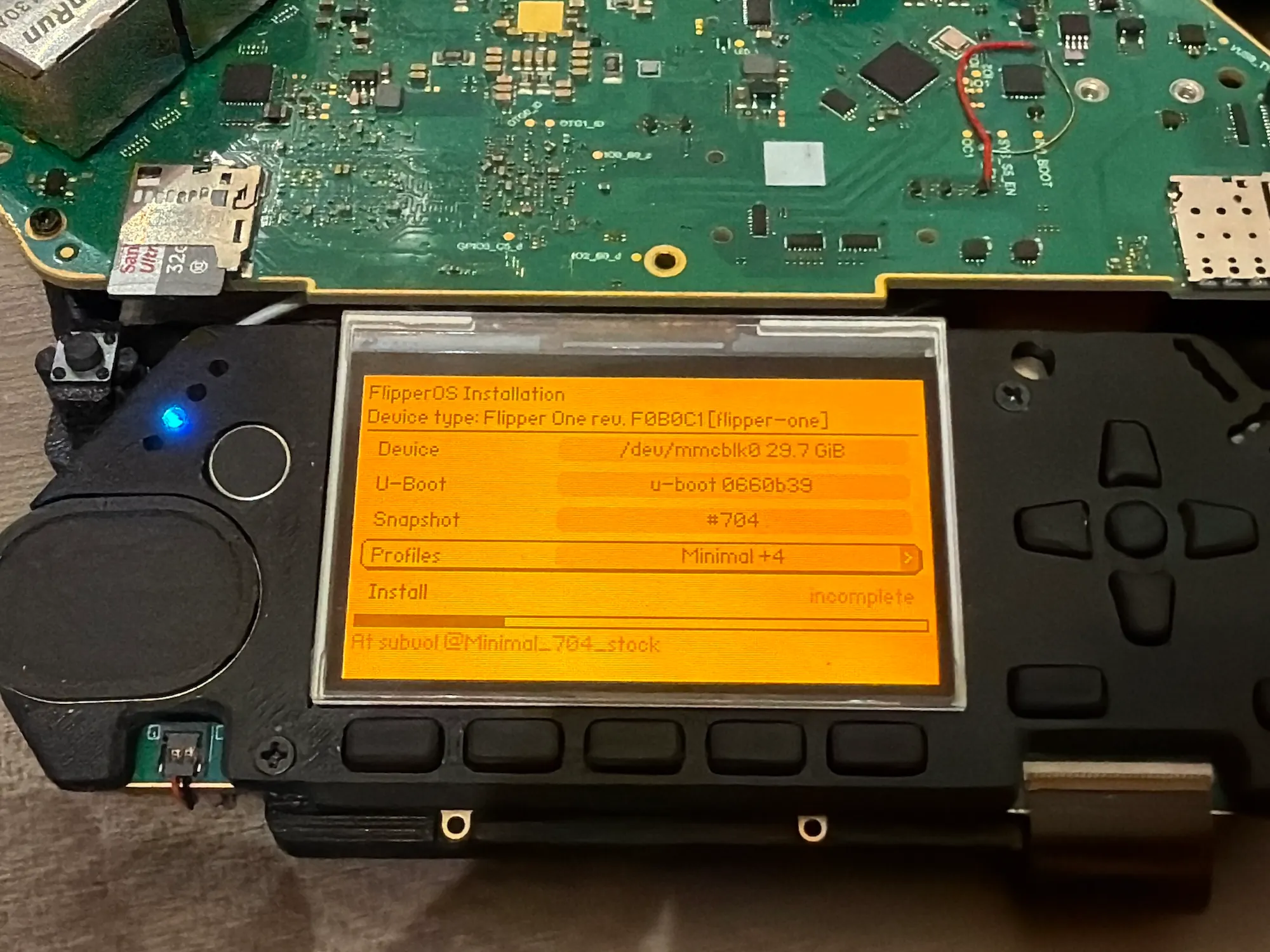
We made a new Flipper OS installer tool available directly in the boot menu. Before, we had to install Flipper OS over USB using the rockUSB tool or write an OS image to the microSD card.
The new installer allows selecting the U-boot and OS versions, and which OS profiles to install:
U-Boot menu upstream progress
At Flipper Devices, we strive to push our changes upstream and use unpatched mainline software whenever possible.
In Dev Log #4, we showed our custom boot menu running directly on the Flipper One screen. A few weeks ago, mainline U-Boot gained support for generic directory listing on Btrfs filesystems, which is a prerequisite for upstreaming our boot menu changes.
USB3 regression on RK3576 fixed upstream
After a recent kernel update, we found that USB had stopped working on our RK3576 SoC. We tracked the regression down to an upstream refactoring of the spread-spectrum programming in the Naneng combo PHY, merged during the Linux 7.2 merge window, which broke the USB3 link on RK3576.
We fixed it, and the fix has been accepted upstream.
Join Flipper One development and make your contribution
- Building a project that helps test or improve Flipper One? Add it to the community projects page.
- 3rd-party module contributions are welcome! Check out the contribution guide and open a pull request in flipperdevices/flipperone-mechanics.
- We have many other tasks open to the community! See the full list on the 🚧 Open tasks page.
See you in the next Dev Log!