#8: New Flipper One body design
This is our Dev Log where we share how the development of Flipper One is going.
In this Dev Log: New Flipper One body design, key & touch events injection CLI for UI testing automation, and fixes in upstream U-Boot.
New Flipper One body design
We've released a new Flipper One body design (revision B.1). It brings multiple UX improvements and adjustments to support the latest PCB revision. Check out the 3D models:
- Onshape — the latest model of Flipper One body viewable directly in your browser
- GitHub — the latest model in STP format
We announced some of these changes before, as soon as we added them to the future design revision. Now, with revision B.1 released, we'd like to reiterate on them. Let's take a deeper look at everything that was improved.
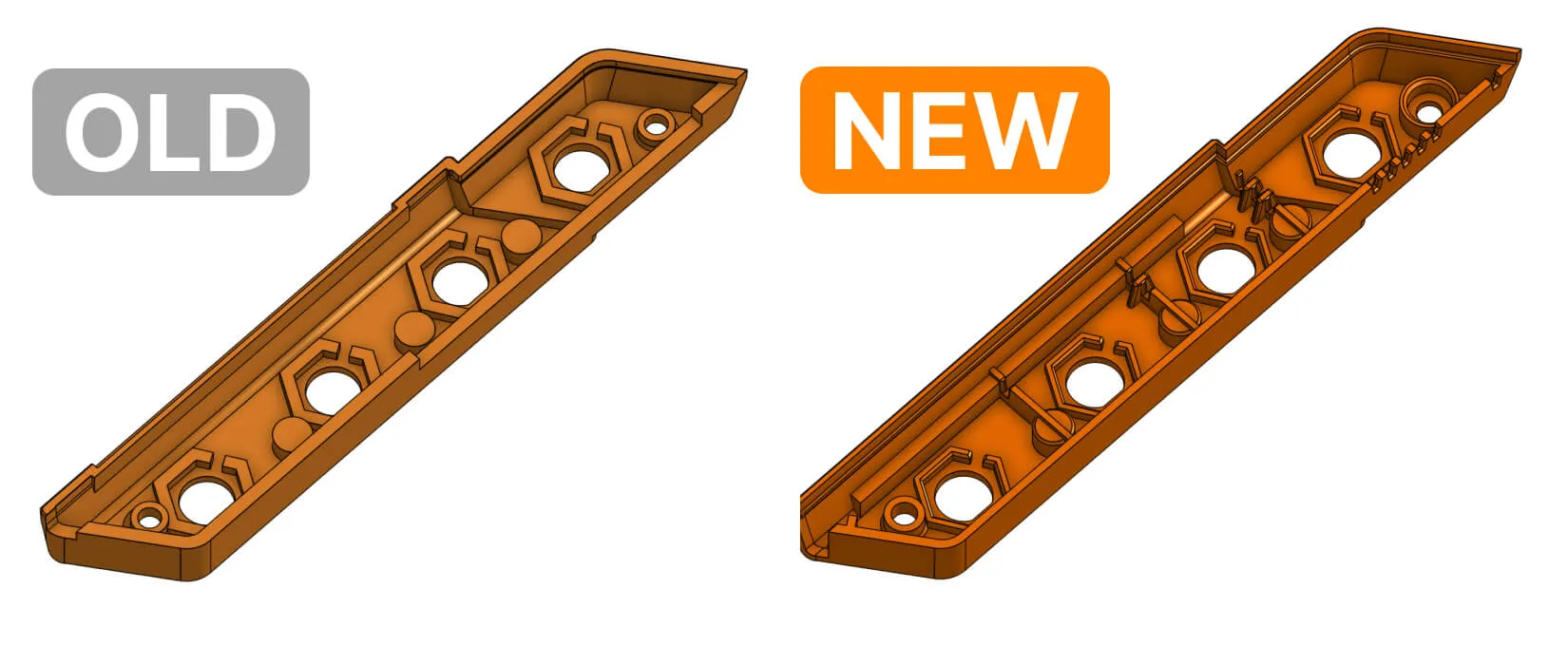
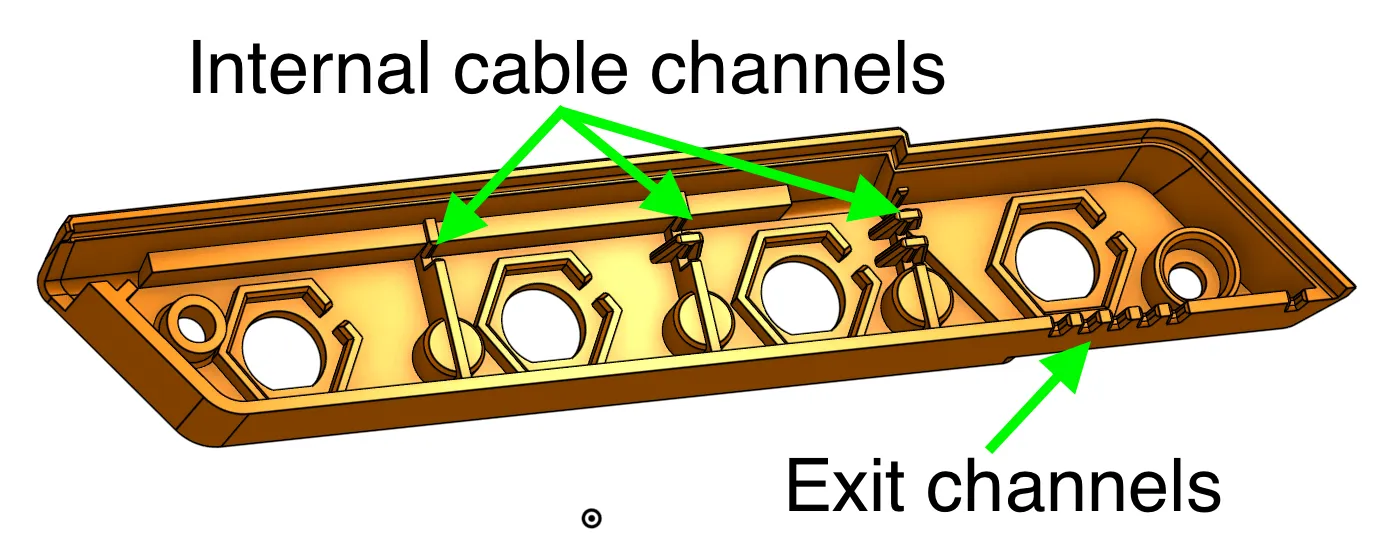
Cable channels added to the antenna rail
The antenna rail now has cable management channels for routing SMA cables. The initial idea was proposed by our community contributor, and we've further improved it:
Snap-fit notches moved to improve durability
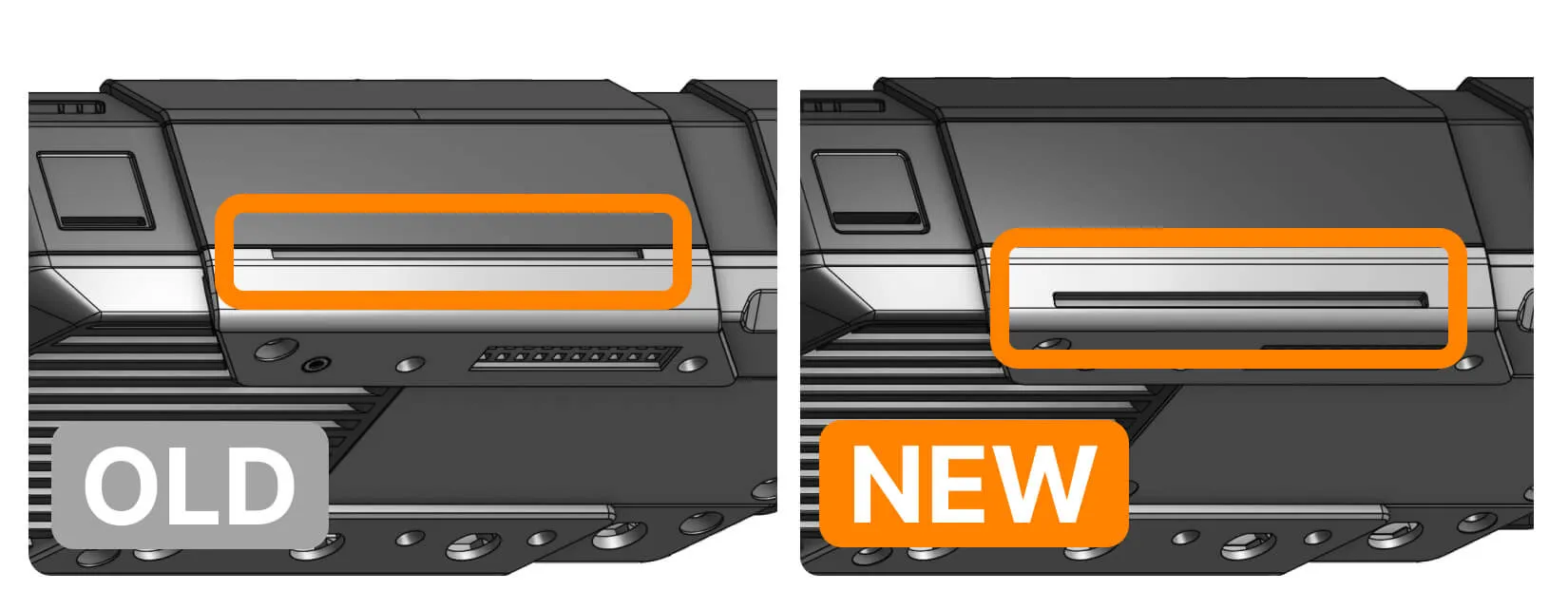
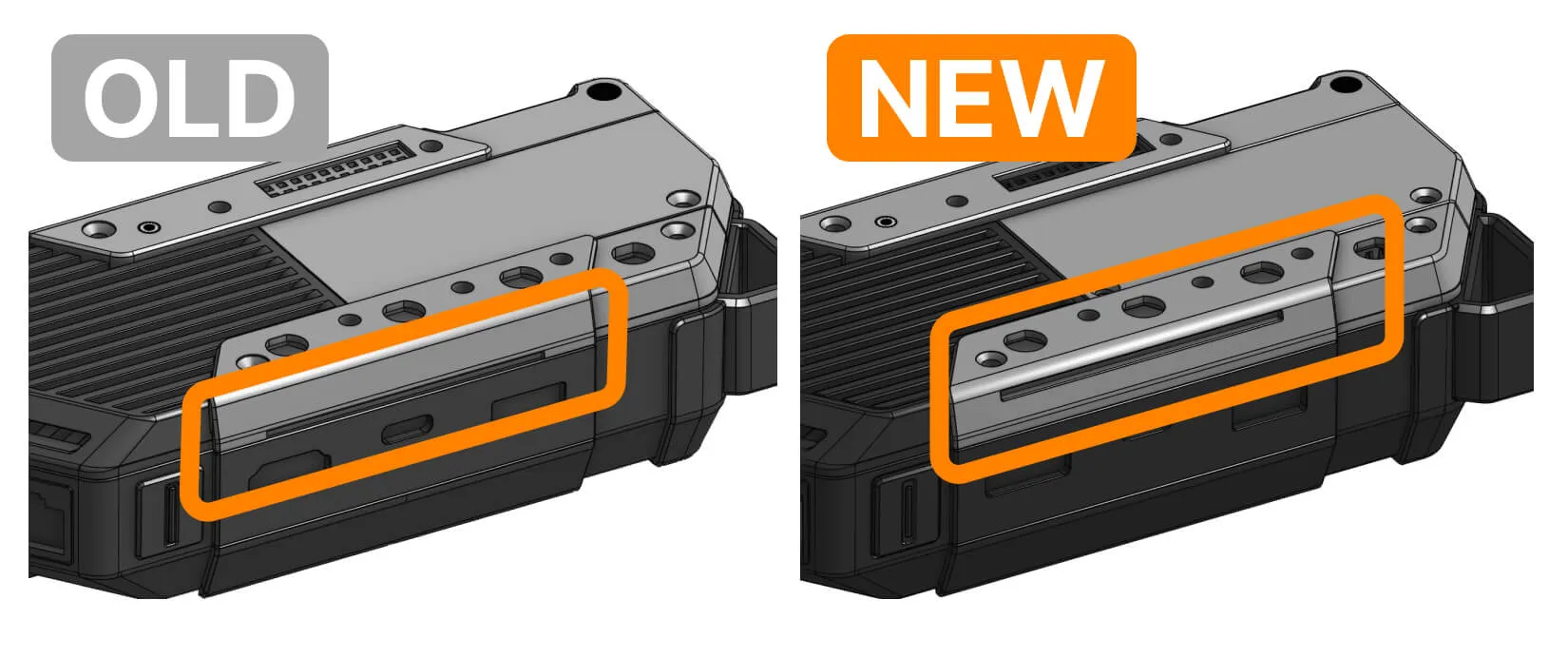
Flipper One has snap-fit notches to attach external module covers. In revision A.2, the notches were located on the edges of the back cover and antenna rail, adjacent to the main body. We moved the notches further from the edges to reduce stress on the back cover and antenna rail when force is applied to a module cover.
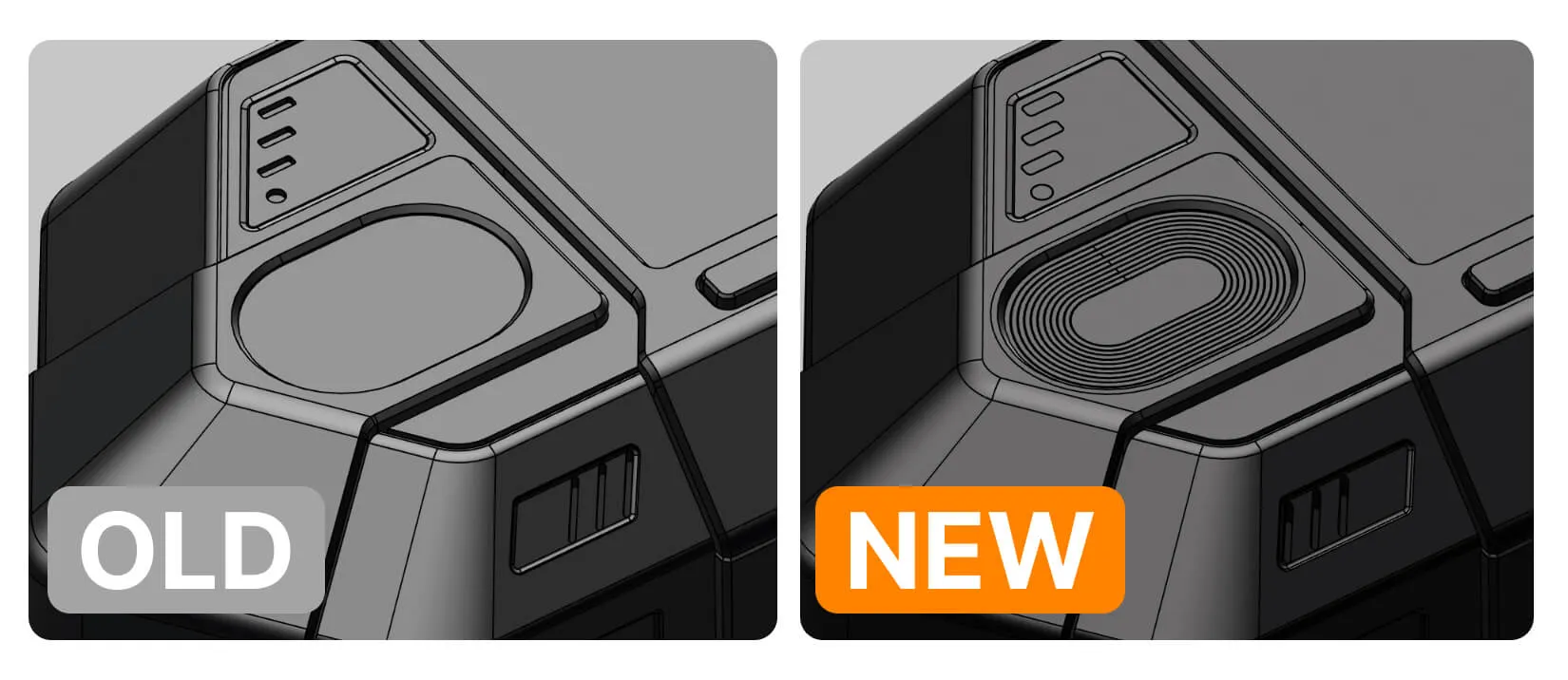
Physical concentric circles on the touchpad
The touchpad was just flat in revision A.1. We've added concentric circles that are nice to the touch and just look good.
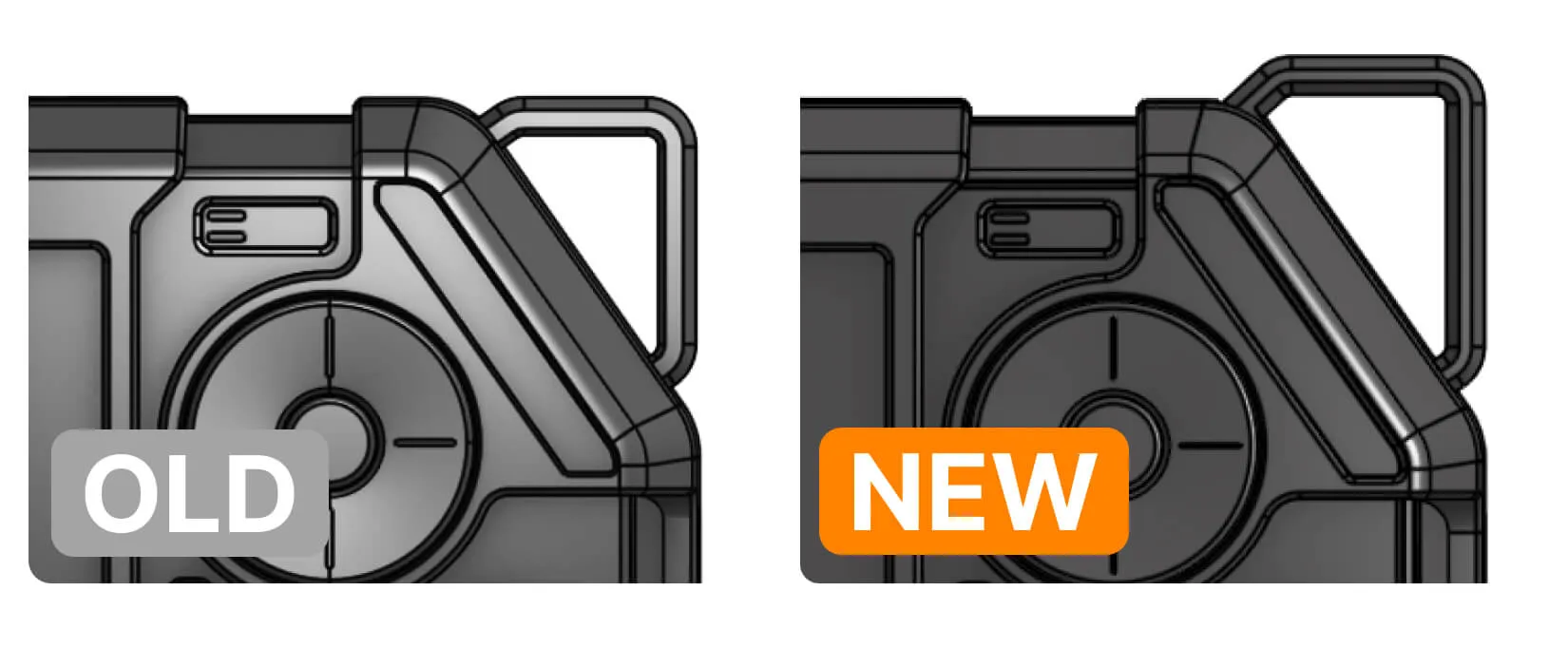
Loop enlarged to fit Ethernet and other cables
The loop in the top-right corner was enlarged, so you can now push Ethernet, HDMI, and USB-A cables through it more easily. Note that the loop doesn't extend to the right, so you can still place Flipper One vertically, like a walkie-talkie.
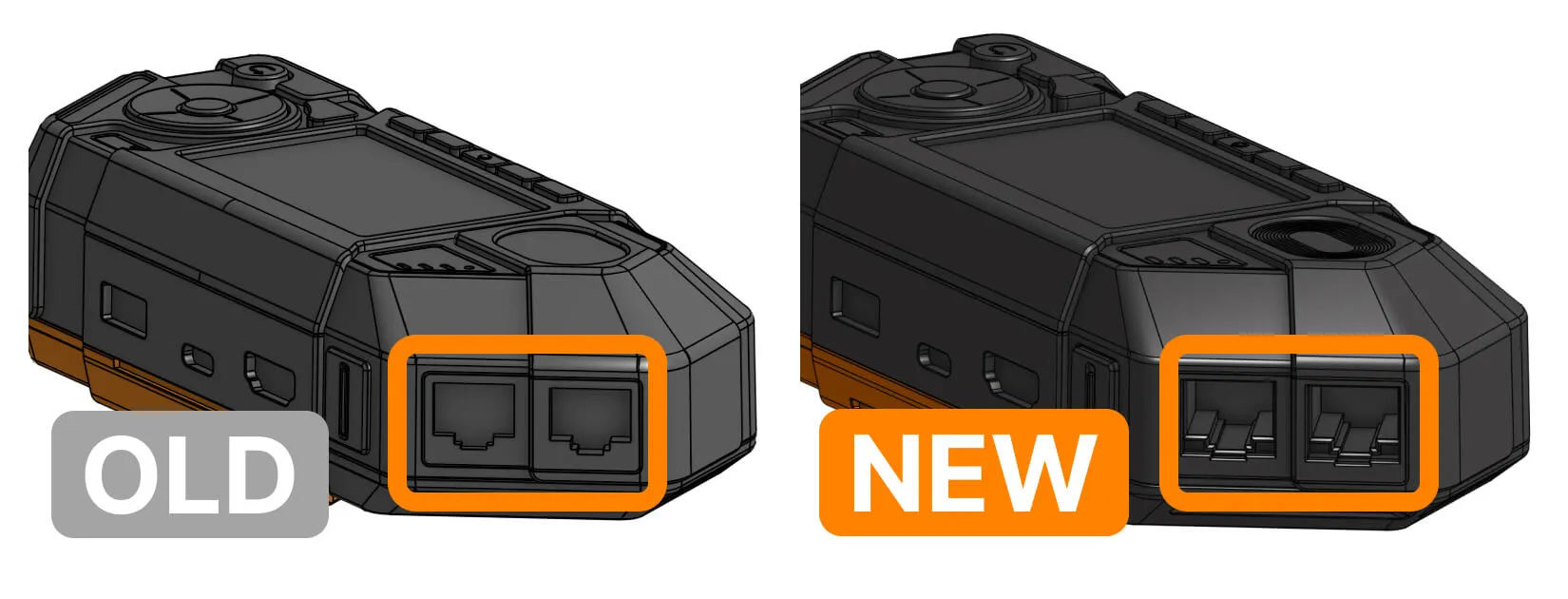
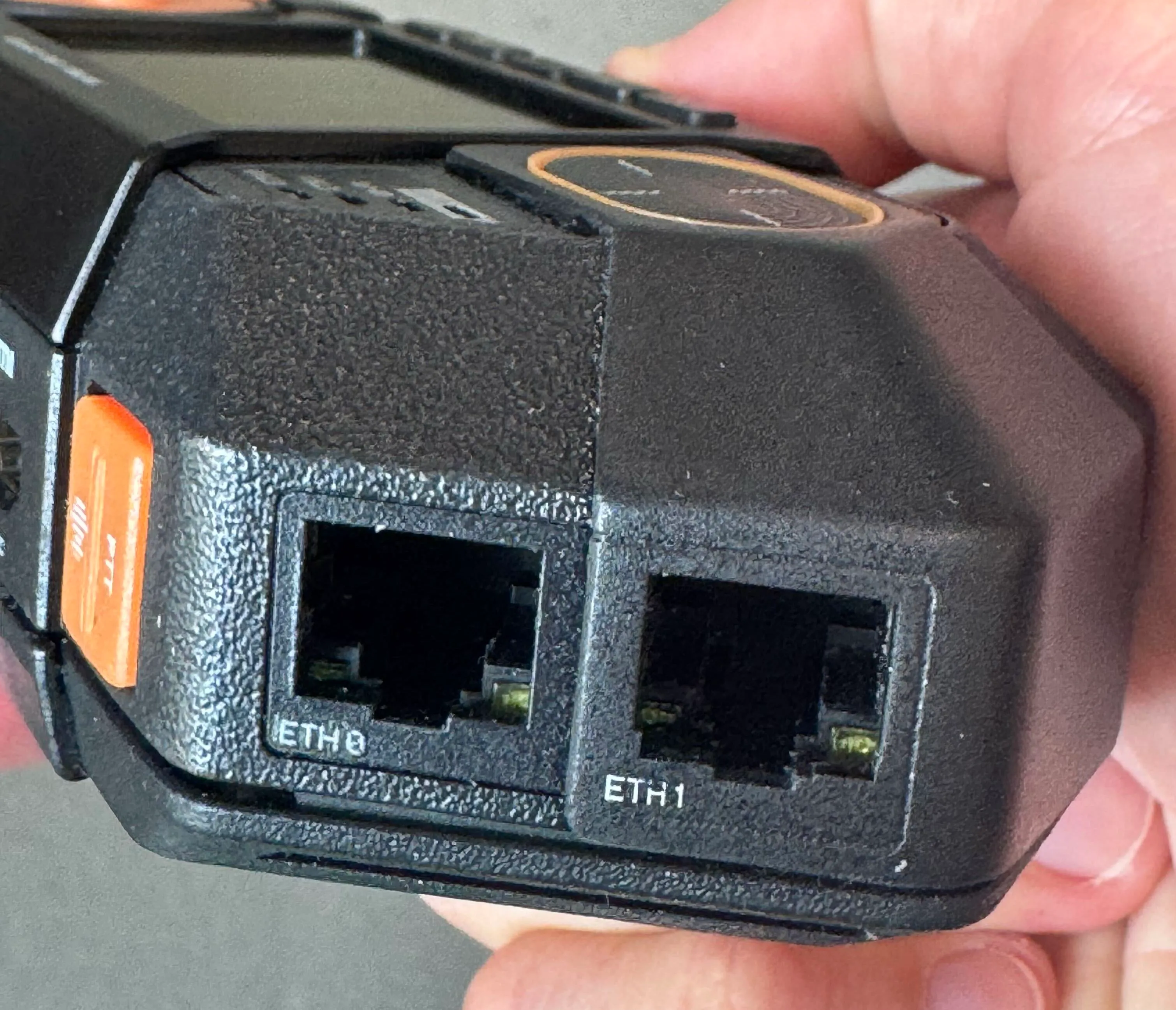
LAN port LEDs made visible
We've redesigned the LAN port openings so that the connector LEDs are now visible.
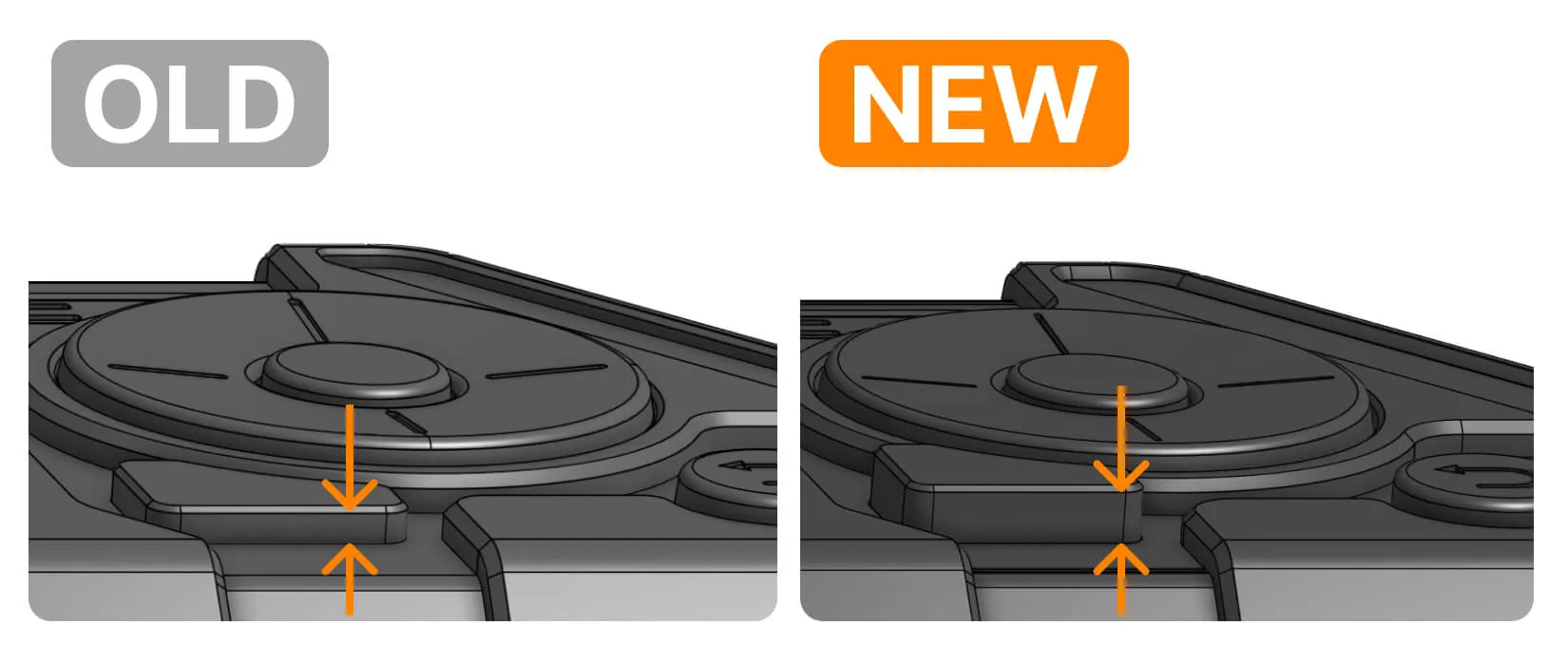
Increased the App switcher button height
As we were using the previous version prototypes, we realized that the App switcher button was set too deep and inconvenient to press. We've raised it for 0.25mm, so it's on the same level as the other buttons.
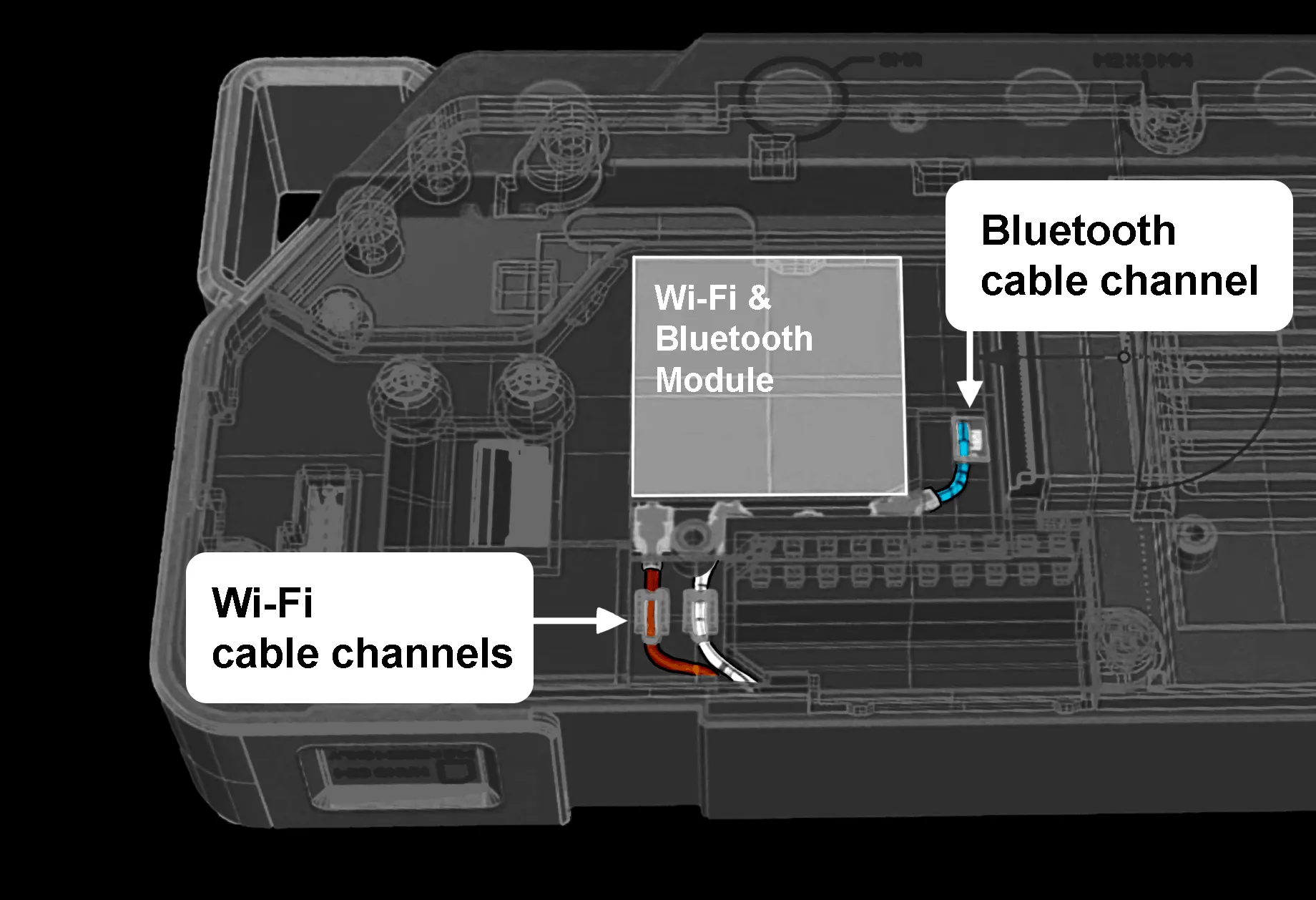
Cable channels for the Wi-Fi and BLE cables
The area above the Wi-Fi module now has dedicated channels for Wi-Fi and BLE antenna cables going from the module.
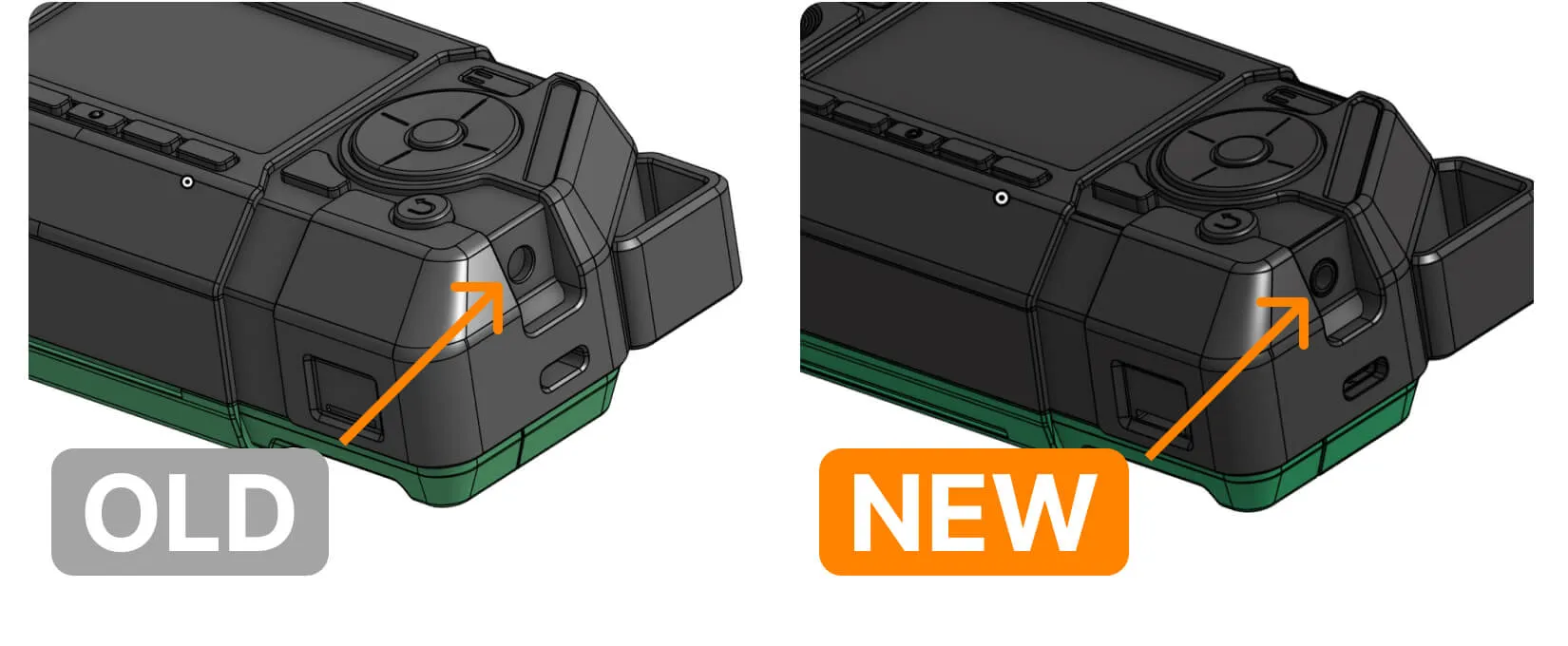
Audio jack port moved outwards
In the A.2 design revision, the audio jack 3.5 mm port was too deep in the enclosure, so that some plugs could not be fully inserted. We've discovered and fixed this issue, moving the port around 1.5 mm outwards.
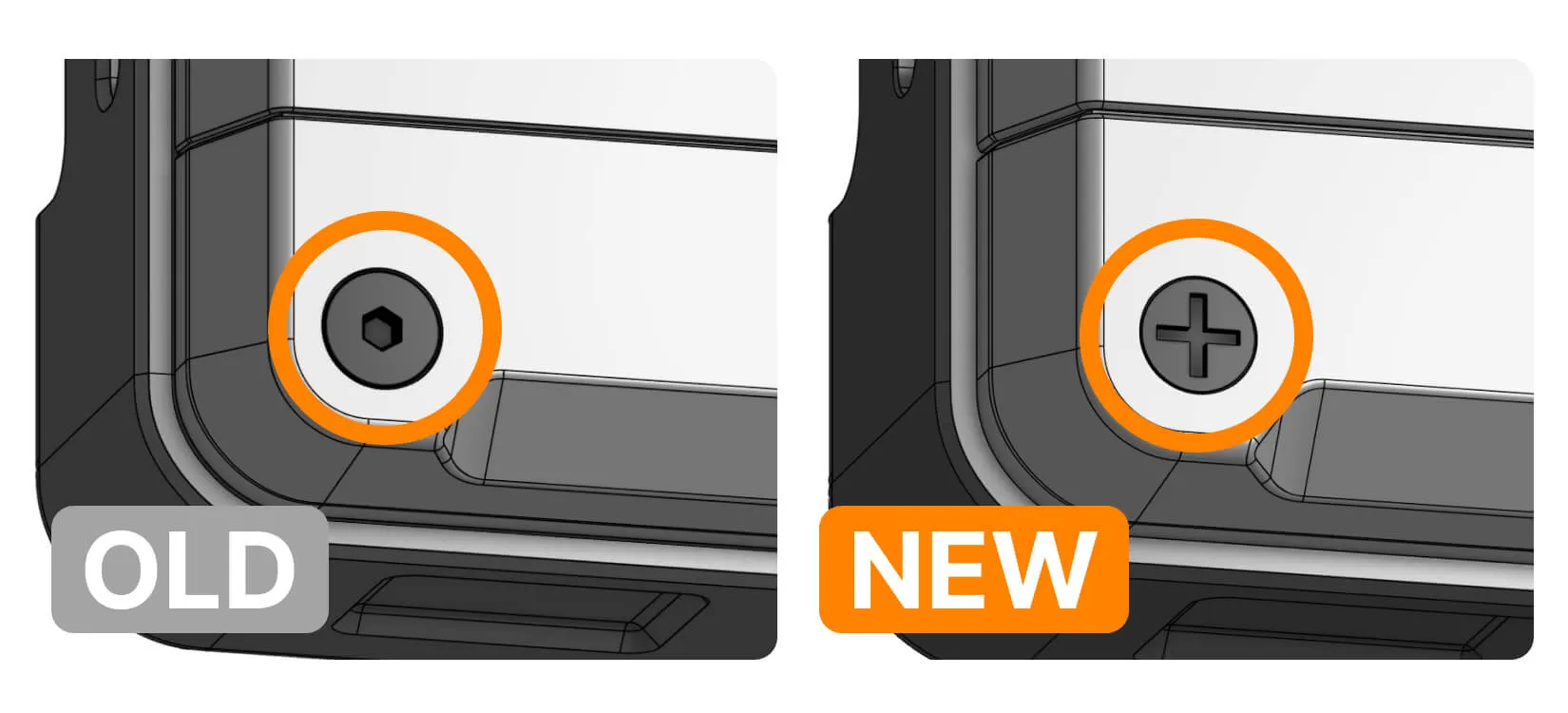
PH screws instead of hexagonal
We've changed the screws used with the Back plate and Antenna rail to PH (DIN 965H M2.5 × 6 mm). Now you won't need a hexagonal screwdriver to open the back plate and install a module.
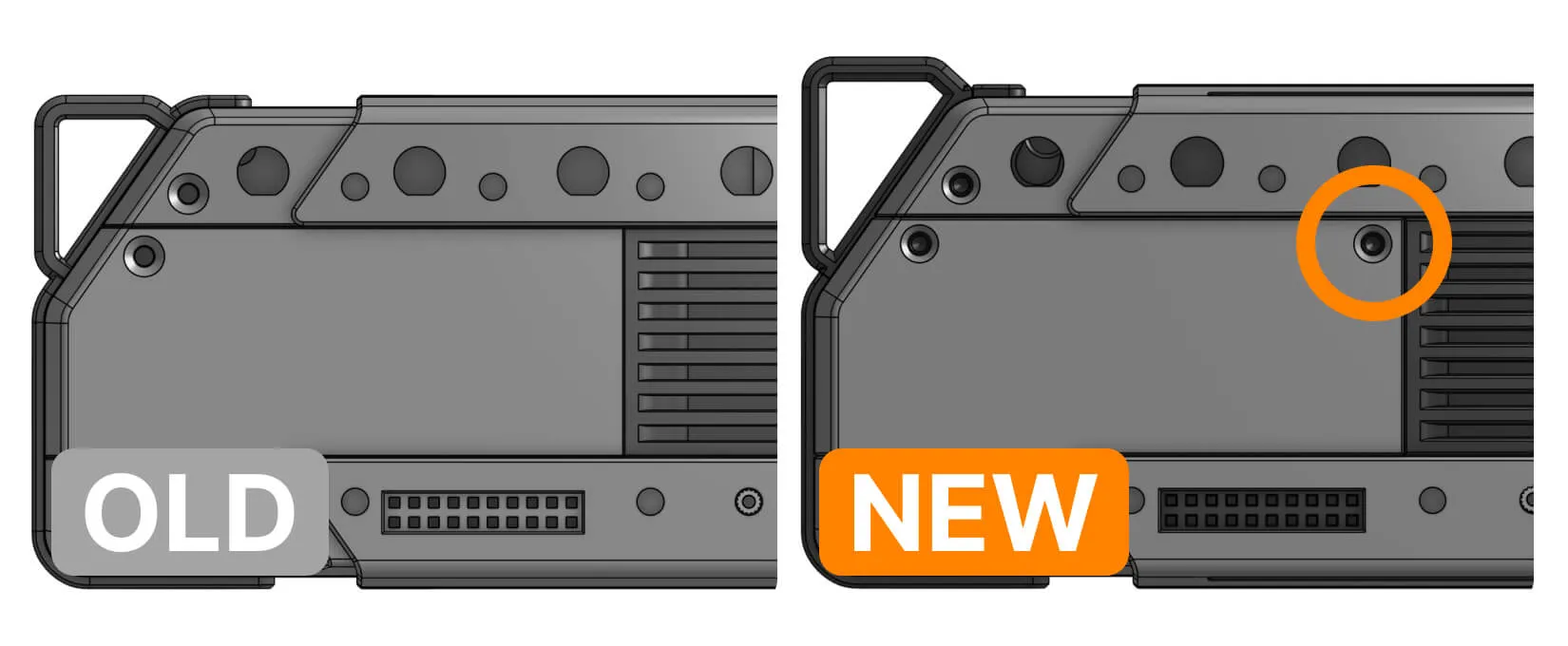
Additional back plate screw
This one is simple. One of the back plate's corners was not entirely secured, so we decided to add another screw.
Input emulation CLI for automated testing
A new Flipper CLI command injects key and touch events directly over the debug console, without touching the physical buttons or screen. This means we'll be able to script input for automated tests, instead of relying on someone physically pressing buttons or touching the screen for every test run.
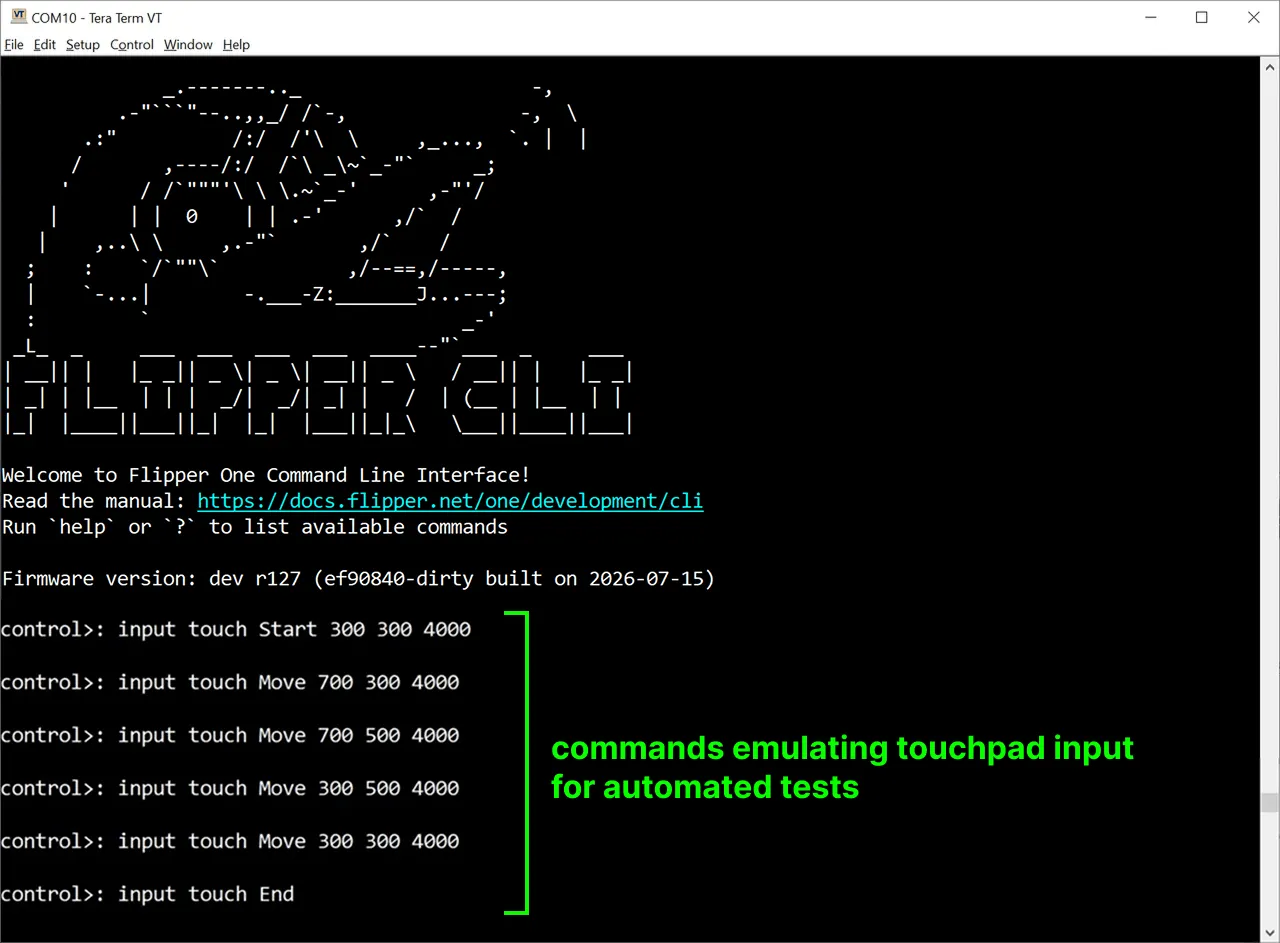
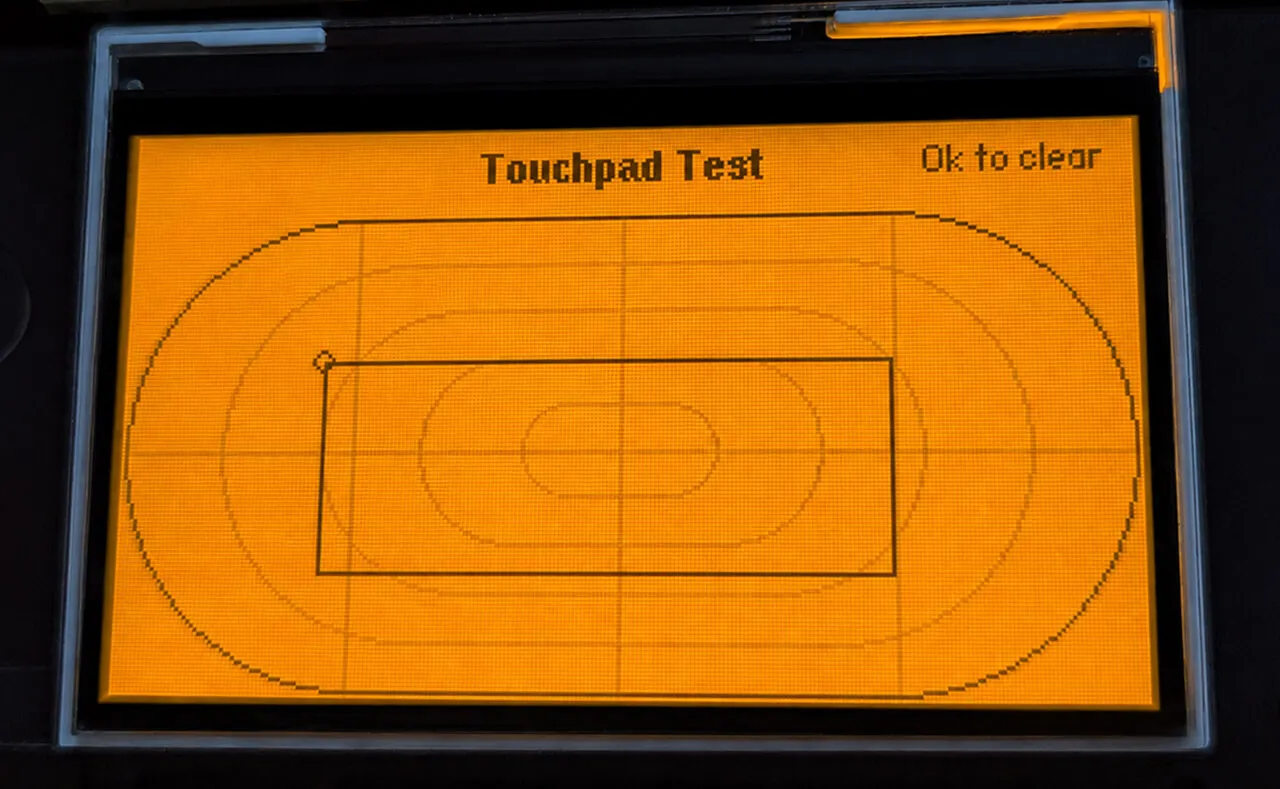
The input command can inject button presses (send <key> <type>) and touch events (touch <type> <x> <y> <pressure>). In the log above, a sequence of touch Start/Move/End commands traces out a rectangle — and that same rectangle shows up on the Flipper One screen, in the on-device touchpad test tool:
Fixing Btrfs-related issues in upstream U-Boot
Contributor @munzzyy helped us fix two Btrfs related issues in upstream U-Boot:
Inline extents compressed with Zstd now correctly decompress in U-Boot without hitting an error of destination buffer being too small. This enables us to keep the per-profile devicetrees directory compressed on-disk with the same settings as the rest of the root filesystem without breaking the boot and application of DT overlays.
Generic readdir calls now correctly fill in the size information for each regular file listed on Btrfs. This helps visually inspect the contents of Btrfs directories with the ls command in U-Boot, and also ensures the EFI boot method doesn't think all files in the filesystem are empty.
Join Flipper One development and make your contribution
- We have tasks open to the community! See the full list on the 🚧 Open tasks page.
- Building a project that helps test or improve Flipper One? Add it to the community projects page.
- 3rd-party module contributions are welcome! Check out the contribution guide and open a pull request in flipperdevices/flipperone-mechanics.
See you in the next Dev Log!