#7: Screen streaming and input injection
This is our Dev Log where we share how the development of Flipper One is going.
In this Dev Log: Screen streaming and input injection, terminal-based screen viewer, Recovery OS, fuel gauge calibration, 3D-printed PCB fit-checks, and more kernel patches going upstream. We've also found a USB teardown bug we'd love help investigating.
Screen streaming and input injection
This week, we've enabled screen streaming and input-signal injection, allowing us to build automated tests for Flipper One's UI. See how it works!
Screen streaming runs over USB or a Flipper One debug probe and uses RPC (Remote Procedure Call), the same protobuf-based protocol as on Flipper Zero. Streaming over a debug probe is available both in the MCU mode (low power consumption) and the CPU mode (running boot menu and Linux), while USB only works in the MCU mode (as the CPU takes control of USB when it starts).
The debug probe connection uses UART, which limits speed to around 1.5 MBd (146 KB/s). With a frame size of 37 KB (255px × 144px × 1 byte for grayscale), it allows a frame rate of 3.9 FPS, which reduces to 3.2 FPS in practice, due to the data processing lag. That's not a lot, but more than enough for UI testing.
Terminal-based screen viewer
Our community contributor @HobbitTheCat added a screen command to the Flipper One CLI. This command streams the Flipper One display straight into a terminal over the same VCP/UART CLI pipeline, and lets you control the device from there — arrow keys or WASD to navigate, number keys for the bottom buttons, and Enter/Backspace to confirm or go back.
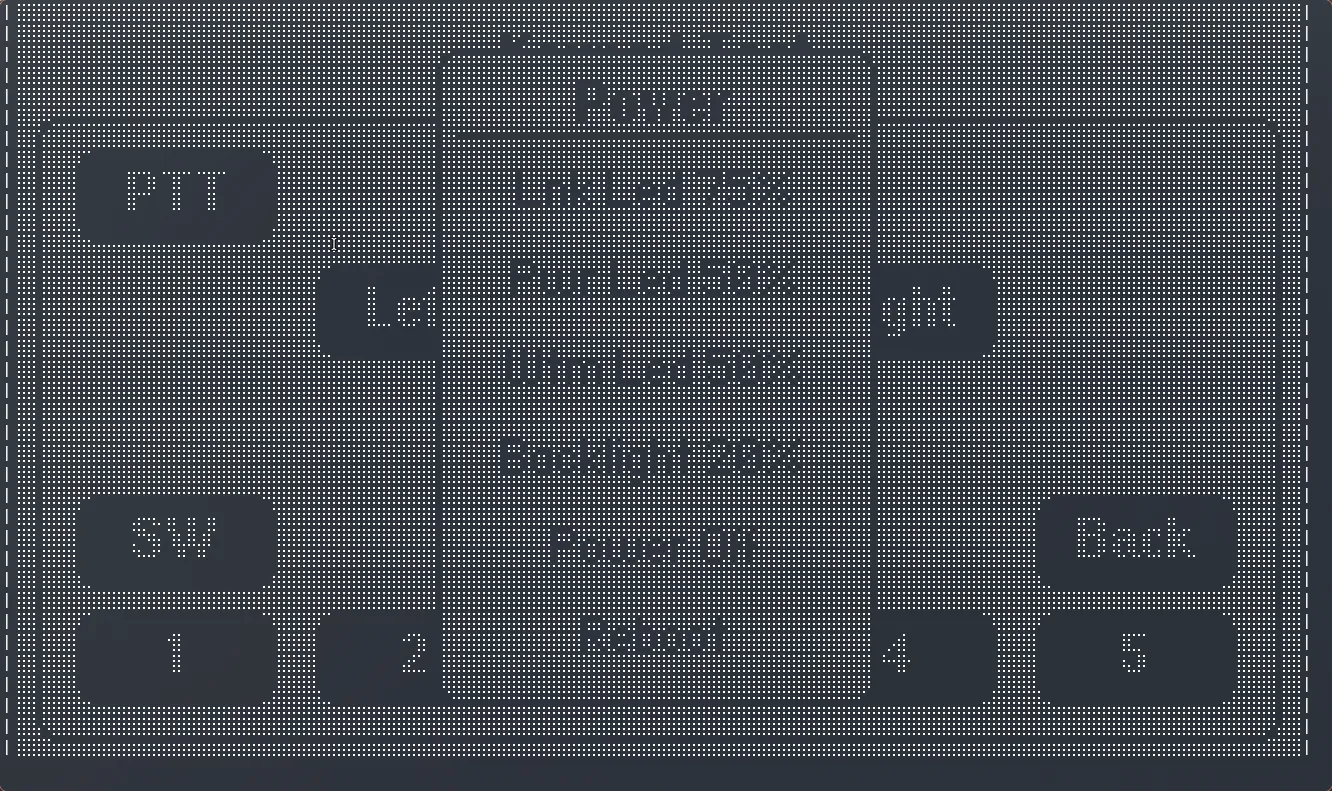
Frames are rendered using Unicode Braille patterns. We also tried a one-character-per-pixel grayscale approach, but it needed the terminal font shrunk so much that the UI's fine text became unreadable — Braille encoding keeps pixel accuracy without touching the font size.
Recovery OS
You can now boot into Recovery OS on Flipper One. Recovery OS is a minimal Linux build whose job is to help you get a broken Flipper One to work again.
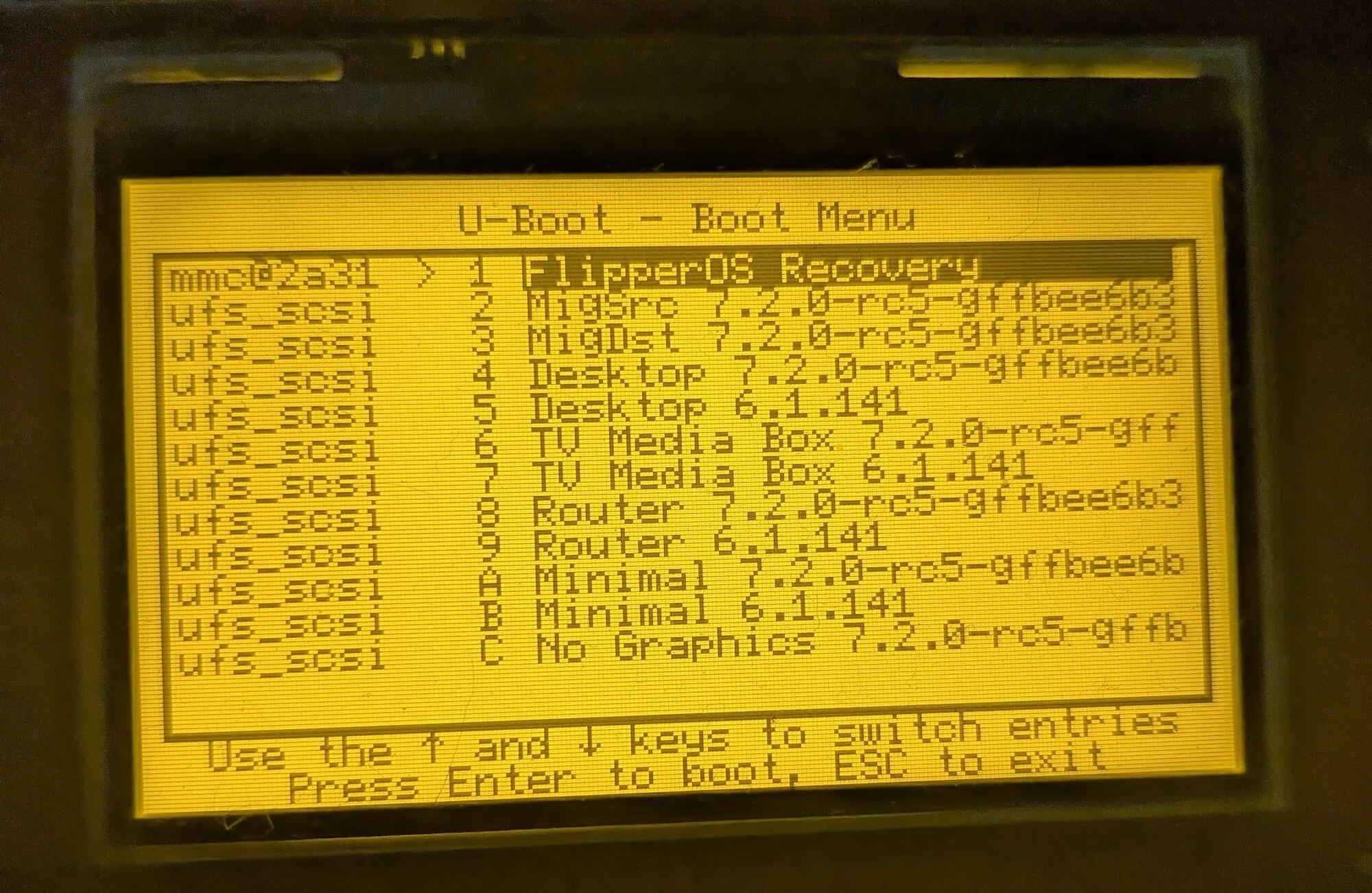
Recovery OS image is stored in Flipper One's persistent storage (UFS), separately from the boot record and OS profiles.
It boots into RAM and then creates and exposes a RAM disk (using half of the available RAM). You can use this disk to upload the latest Flipper OS installer or your backed-up profiles. We're now working on adding the Flipper OS installer and profile management tools straight into Recovery OS.
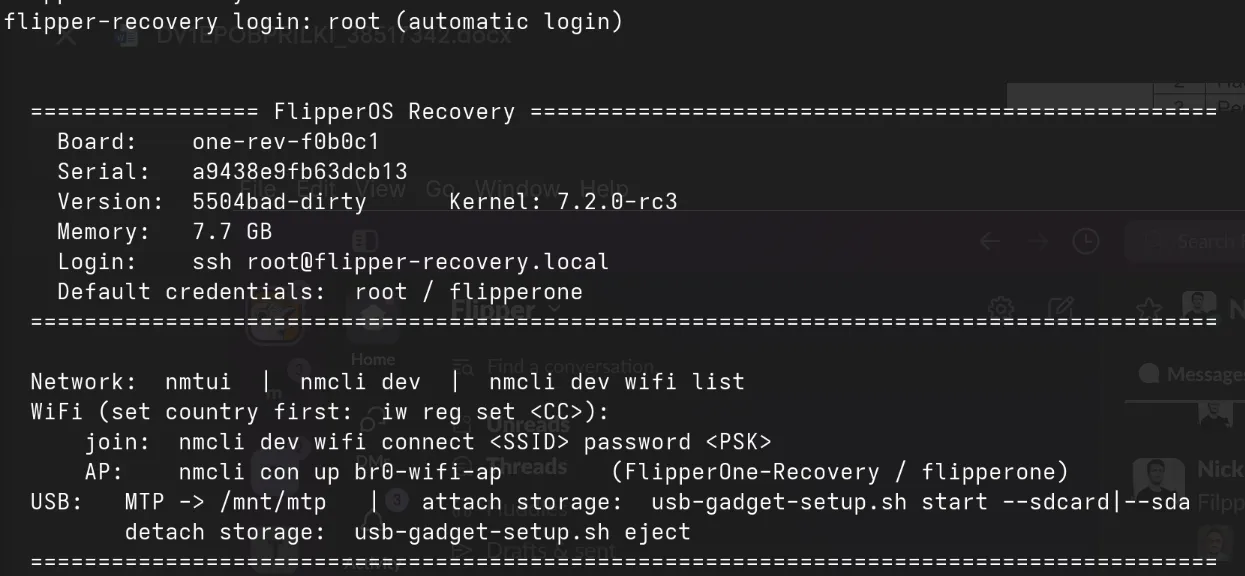
Recovery OS is currently available as a boot menu option, but we're working to make it reachable from an MCU-level menu, even before the boot menu starts. Once that's in place, even if the boot record is damaged and the boot menu doesn't start, you'll still be able to run Recovery OS and reinstall the system. This method skips U-Boot entirely: the MCU will use Falcon Mode to tell the CPU which partition to boot from directly.
Tracking remaining battery level
Flipper One has a 2-cell battery pack with a capacity of 3250 mAh at 8.9V (however, it's charged only up to 8.6V for longer life). But how does Flipper One know how much battery charge is left? The dedicated chip called a fuel gauge does the job. There it is on the battery's own board:
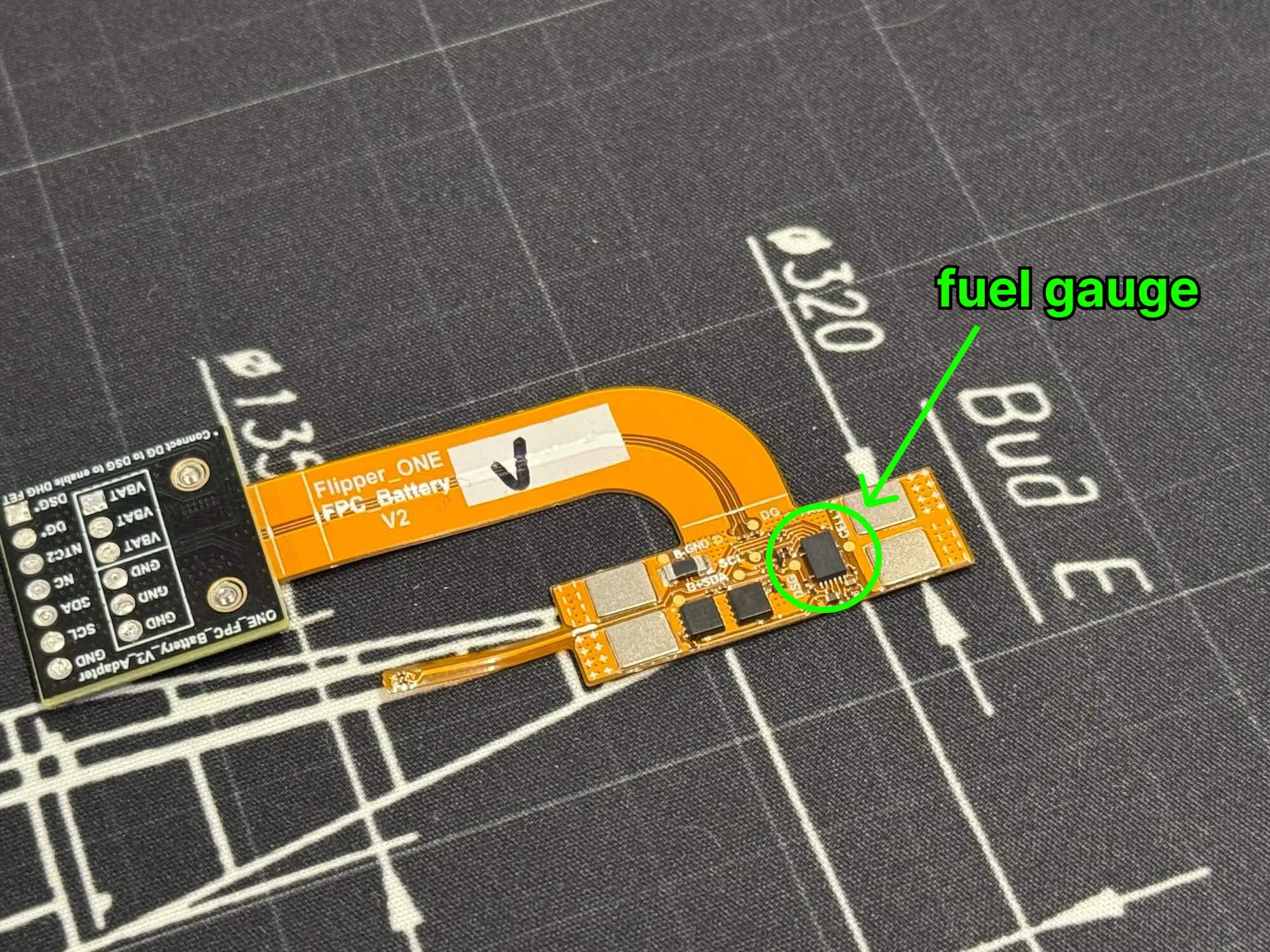
The fuel gauge continuously measures the battery voltage, current, and temperature data, and calculates remaining charge. But all batteries behave differently, so the fuel gauge needs to be calibrated with a battery chemistry ID.
This week we ran a series of battery discharge tests and fed the logged data into TI's Impedance Track chemistry ID selection tool to find the closest chemistry match. Below is a part of the tool's output:
Chemistry ID selection tool, rev=2.57

Configuration used in present fit:
ProcessingType = 2
NumCellSeries = 2
ElapsedTimeColumn = 0
VoltageColumn = 1
CurrentColumn = 2
TemperatureColumn = 3

Best chemical ID : 3702	Best chemical ID max. deviation, % : 1.39
...
Max. deviations for best ID is within recommended range. Chosen best chemical ID is suitable for programming the gauge.
The best match is chemistry ID 3702, with a maximum depth-of-discharge deviation of just 1.39%. You can view the deviation as a measure of confidence: a number like 1–2% (our winning ID is at 1.39%) is a very close match, while something like 10% means that the fuel gauge would make mistakes if calibrated with this chemistry ID.
The work doesn't stop on the fuel gauge calibration. As a next step, we're going to check how the battery degrades over multiple recharge cycles. We'll keep you updated on this research.
3D-printed PCB fit-checks
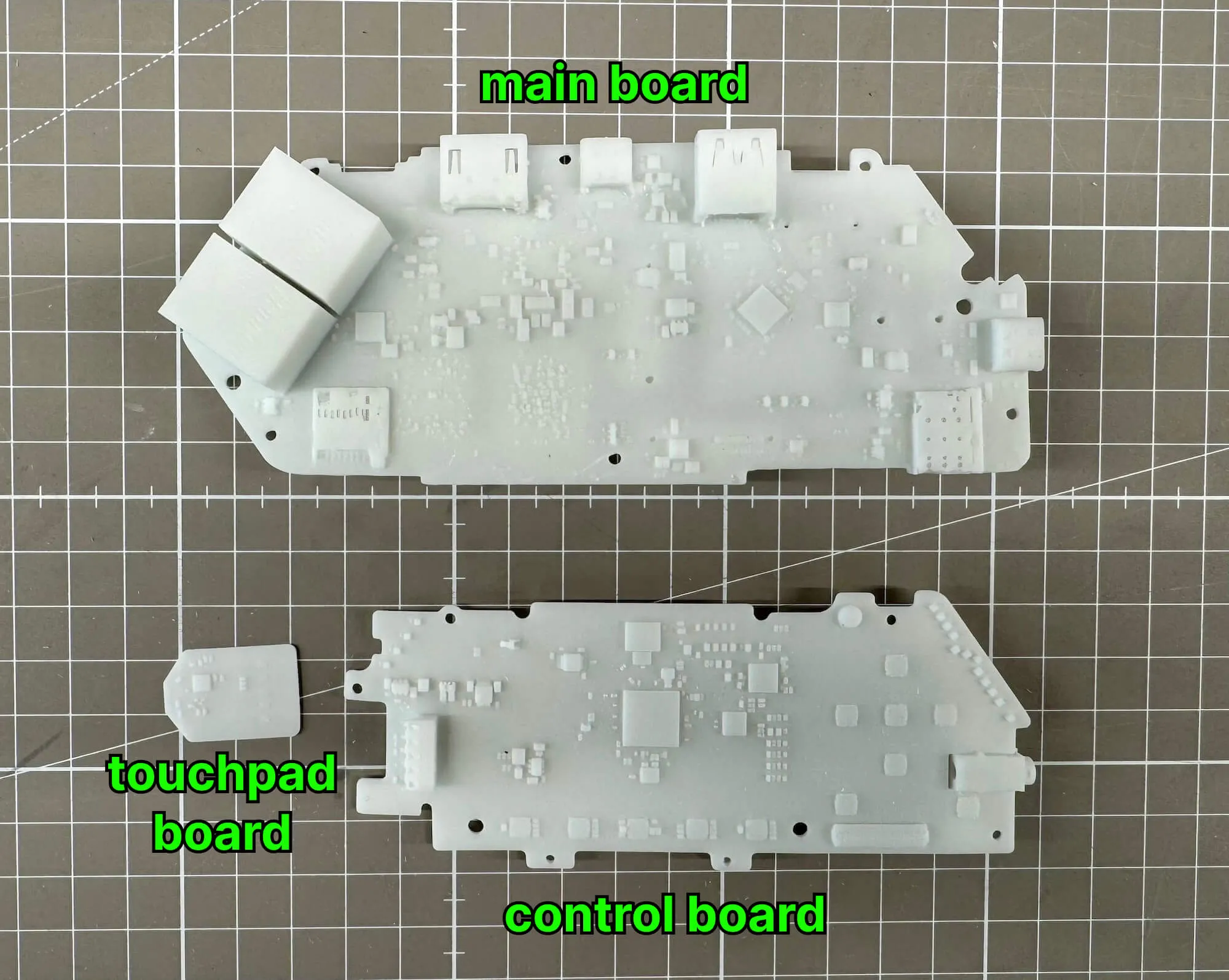
Last week we released the PCB revision 2.F0B1C2. As a part of pre-release testing, we 3D-printed all PCB models to make sure they fit in the body and the whole device could be assembled. On the photo you can see the main board model, the small touchpad board, and the control board:
More patches going upstream
We've upstreamed a fix to the Linux code that controls fractional PLL rate generation for the system clock controller on the RK3576 (the CPU in Flipper One) and RK3588. This further enables driving arbitrary display clocks for monitors connected over a Type-C cable via DisplayPort Alt Mode: it uses a system PLL as the source for its pixel clock, and that clock has to be matched precisely within about 0.1%, or you get a black screen.
See the patch on the linux-rockchip mailing list.
Another USB bug — [help wanted]
Last week, we found and fixed a bug that rendered USB unusable. This new week brought us a new one, not so severe, but slightly annoying. Every time a USB gadget (like our MTP/mass-storage/NCM composite) is torn down, the kernel logs a was not queued to ep0out error. The request has already completed by the time it's dequeued, so nothing leaks and no transfer is affected, but this message drowns out real USB errors in the logs.
If you're in contribution mood, we invite you to help us with this bug. See flipperdevices/flipper-linux-kernel#20.
Join Flipper One development and make your contribution
- We have tasks open to the community! See the full list on the 🚧 Open tasks page.
- Building a project that helps test or improve Flipper One? Add it to the community projects page.
- 3rd-party module contributions are welcome! Check out the contribution guide and open a pull request in flipperdevices/flipperone-mechanics.
See you in the next Dev Log!