#9: New boot menu & Flipper OS Installer
This is our Dev Log where we share how the development of Flipper One is going.
In this Dev Log: Flipper OS Installer, Flipper One portable DevKit, new Falcon-based boot menu, and Power Meter emulator.
New way to install Flipper OS
We created Flipper OS Installer — a small application (less than 20 MB) that loads over USB into the RK3576's RAM and runs directly from there. It downloads Flipper OS and OS profiles from the internet over Ethernet, then installs them to the device's storage: UFS or microSD.
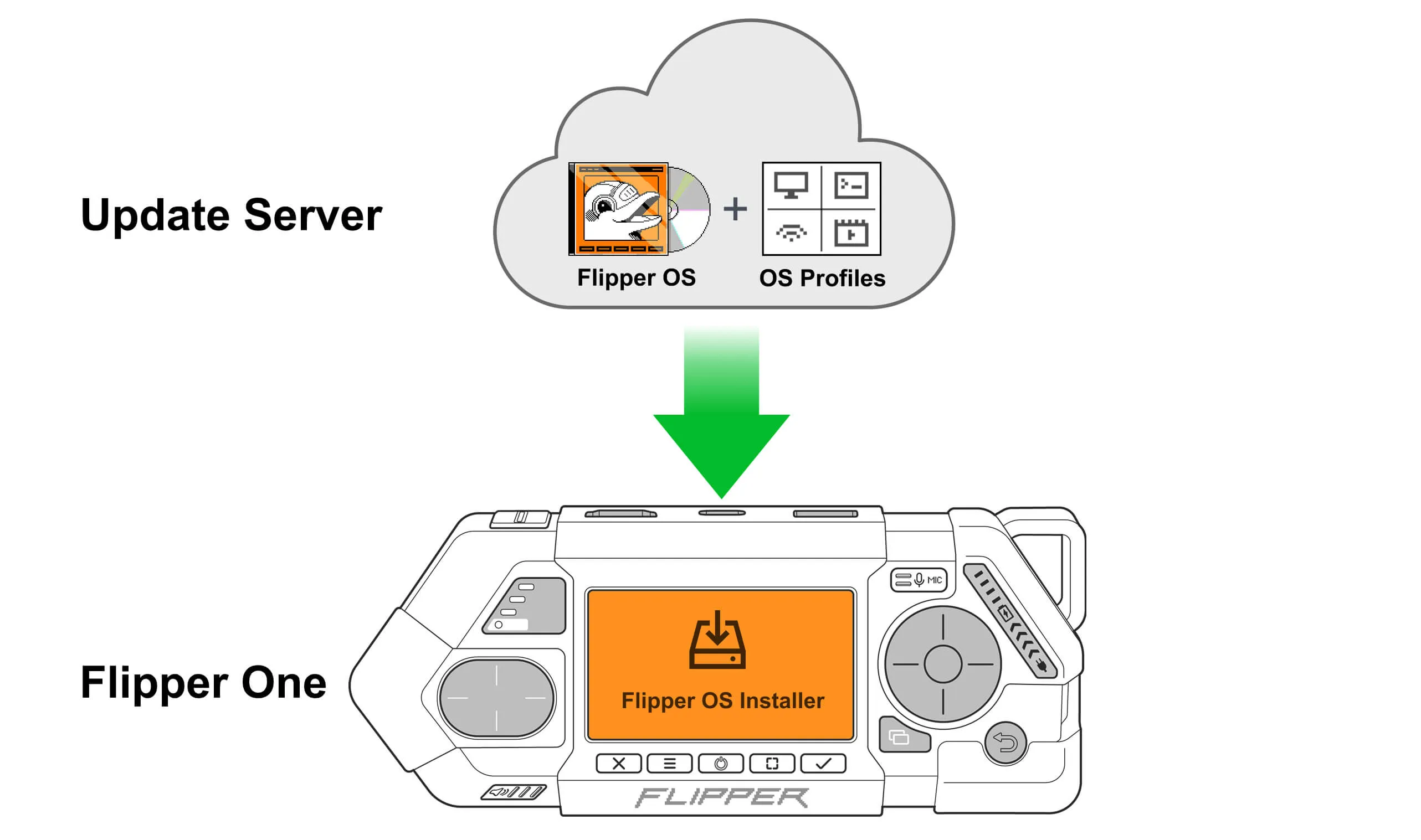
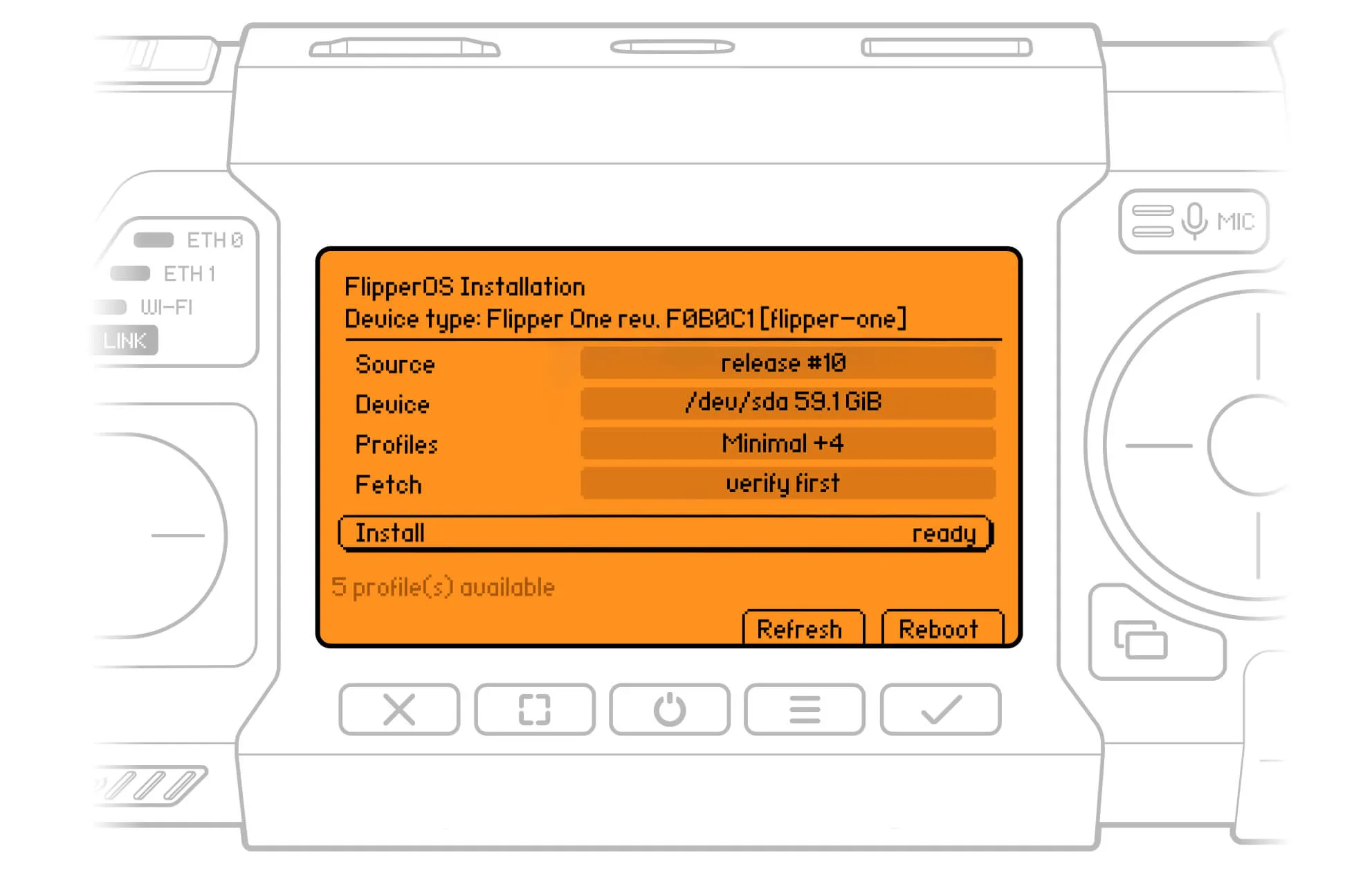
On Flipper One, the installation process is controlled using the built-in buttons and screen. On other supported boards, you can use an external monitor and keyboard. For detailed steps on how to install Flipper OS check out the updated installation guide on the Dev Portal.
Portable development kit
This portable version of the standard development kit includes:
- Flipper One PCBs with easy access to key components, controls, and ports.
- A battery.
- A Debug Probe.
Everything is enclosed in a durable 3D-printed enclosure and ready to take on the road!
New boot menu
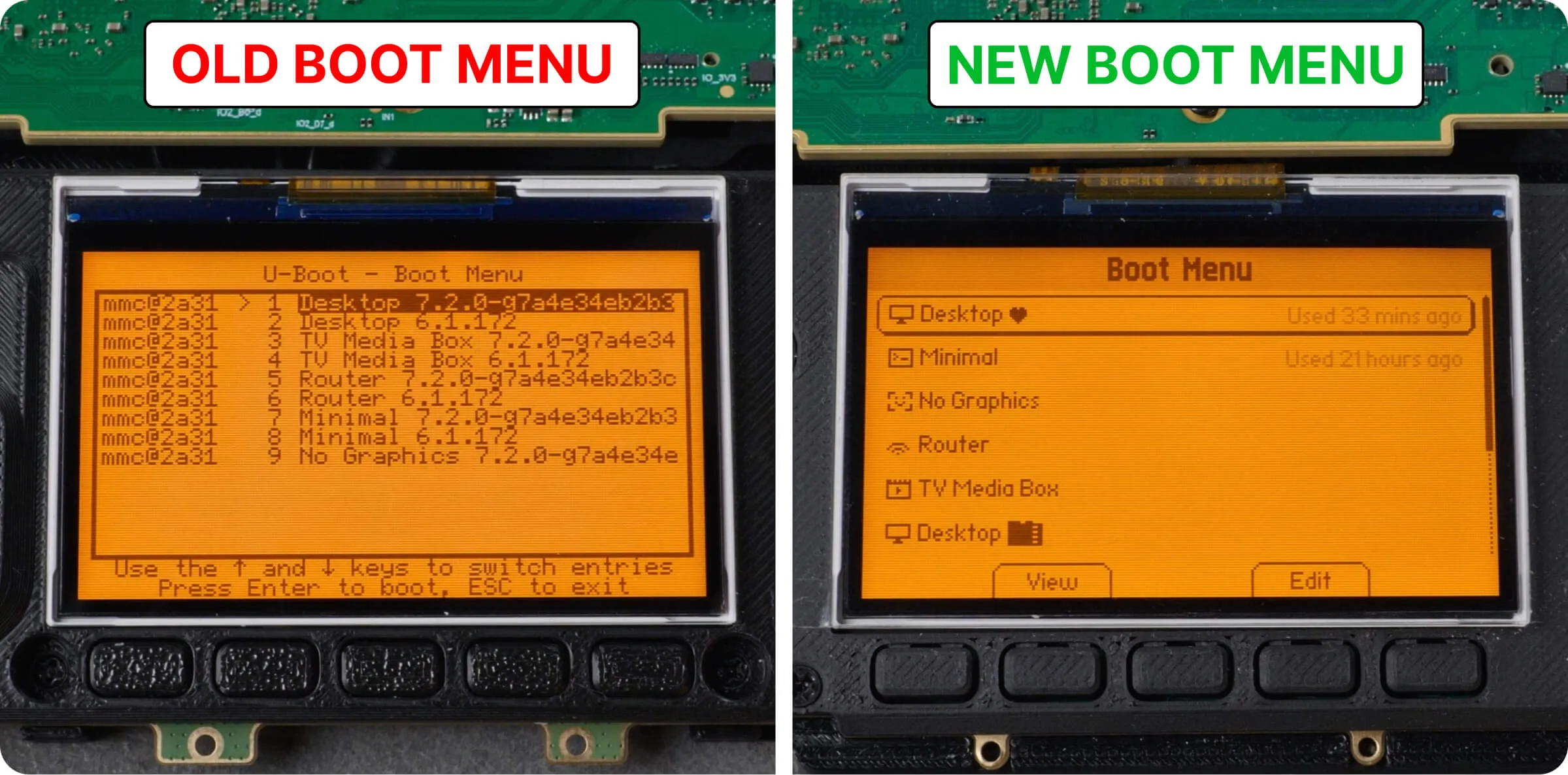
The old boot menu, based on U-boot, was relatively slow and limited. The new one is based on a full Linux system, uses Falcon Mode and is built with the FlipCTL UI framework, resulting in a cleaner UI, more features, and faster menu start.
New features
The old boot menu only let you select an OS profile from a list. With the new boot menu, you can:
- Boot OS profiles from UFS or microSD storage.
- Set a preferred (🖤) OS profile to boot automatically on startup.
- Clone, rename, or delete OS profiles.
- Reset profiles to their initial state.
- View OS profile details, including storage, kernel, and more.
- Change OS profile settings such as the kernel and video output.
ㅤ
The new boot menu launches automatically when the device starts. You can also open it from a running OS in the device's menu to switch between OS profiles.
Under the hood
The new boot menu loads faster (3.9 sec → 2.8 sec) by replacing U-Boot with a full Linux kernel with a minimal initramfs, which uses the hardware more efficiently and skips some of U-Boot's slow boot steps. It also preloads the selected OS profile's kernel into RAM while you're in the boot menu, speeding up OS booting.
Booting the OS profile
Once you select an OS profile, it starts booting. Since Falcon is also Linux, we need a way to boot another Linux system from an already running one. We have two options:
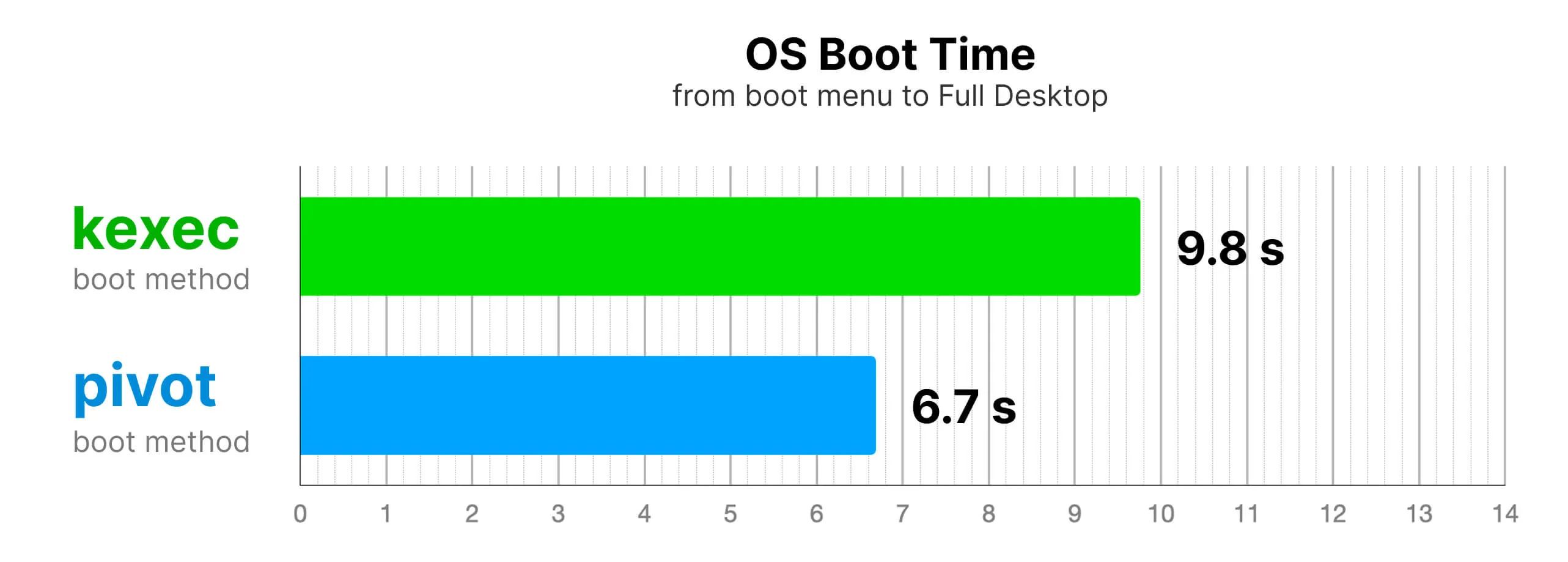
- kexec method (universal, but slower) loads the OS kernel into RAM and reboots without clearing RAM. It works regardless of the loaded kernel and Device Tree.
- pivot method (faster, but not always available) works similarly, but skips reloading the kernel and drivers. It only works when switching between OS profiles with the same kernel and Device Tree.
The chart shows OS boot time from the boot menu to a fully loaded Desktop OS:
Power Meter emulator
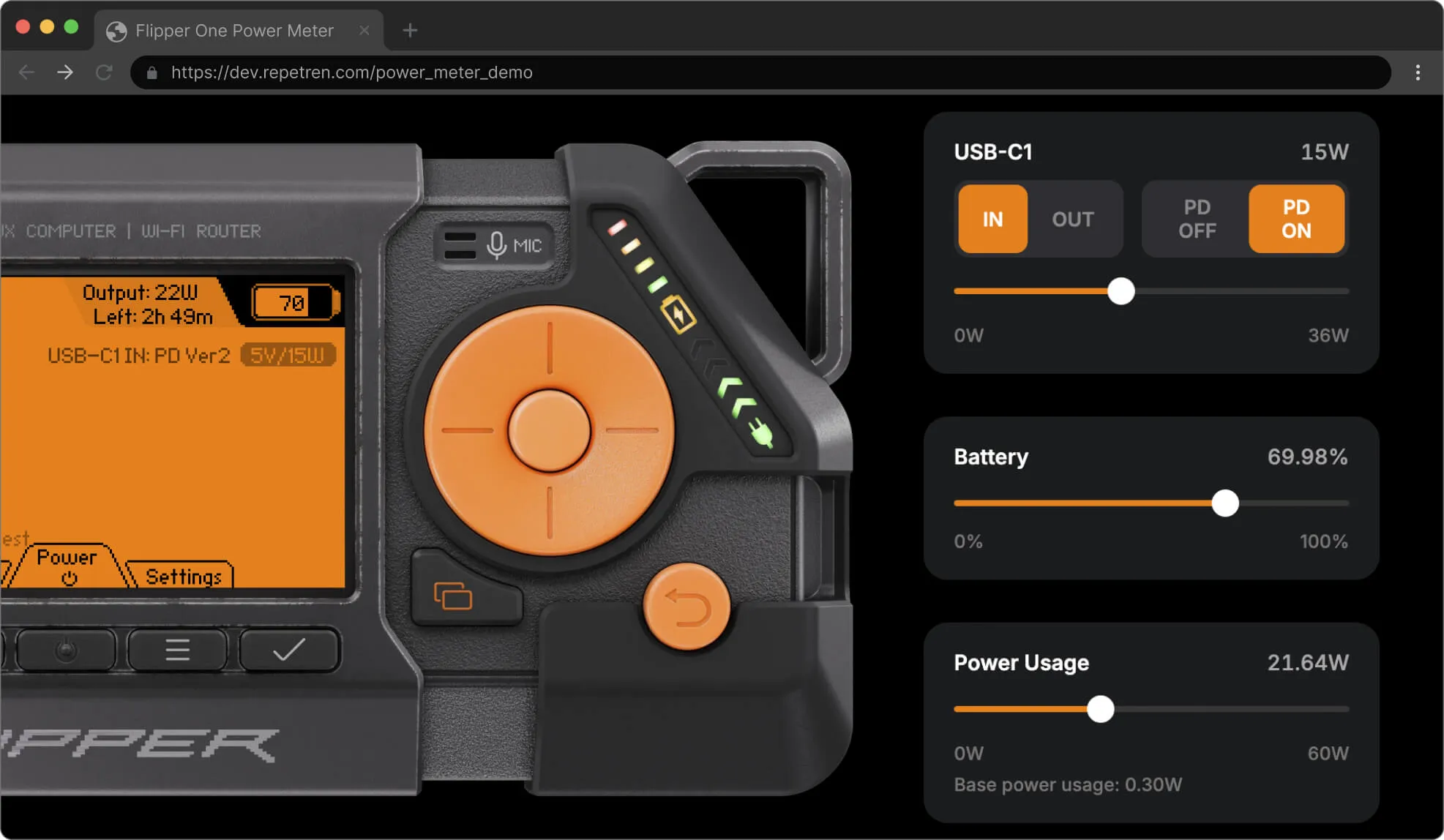
Flipper One includes a Power Meter that shows the charging status, power coming from the charger, and power being drawn from the battery.
We've made a Power Meter emulator — you can try it out right in your browser and test different scenarios. We'd love to hear what you think in the comments below.
Join Flipper One development and make your contribution
- We have tasks open to the community! See the full list on the 🚧 Open tasks page.
- Building a project that helps test or improve Flipper One? Add it to the community projects page.
- 3rd-party module contributions are welcome! Check out the contribution guide and open a pull request in flipperdevices/flipperone-mechanics.
See you in the next Dev Log!