Style guide
This page is the writing style guide for Flipper One documentation. It exists to keep tone, formatting, and terminology consistent across every page contributors write or edit.
ℹ️ How to use this guide
Before opening a pull request in the Docs repository, skim this page to make sure your contribution follows our style guide.
If you use an AI assistant to write or edit, point it to this guide so it matches our tone and formatting.
Tone of voice
Three principles guide our voice:
- Clear & accessible
- Friendly
- Open & honest
Clear & accessible
- Keep it simple. Use plain language. Avoid jargon unless you define it. Choose the most common, easy-to-read words.
- Show, don’t tell. Use visuals such as diagrams, screenshots, and short videos wherever they help.
- Be empathetic. Think like a reader. What do they want to know? How would they search for it?
- Focus on the user. Build the narrative around the reader’s benefit, not around us. Instead of listing features, explain what those features let the user do.
- Be brief. Say it clearly and keep it short. Can the sentence lose words without losing meaning?
✅ Put pasta in a pan.
❌ Take a deep metal cooking vessel, open a pack of pasta…
Show interaction
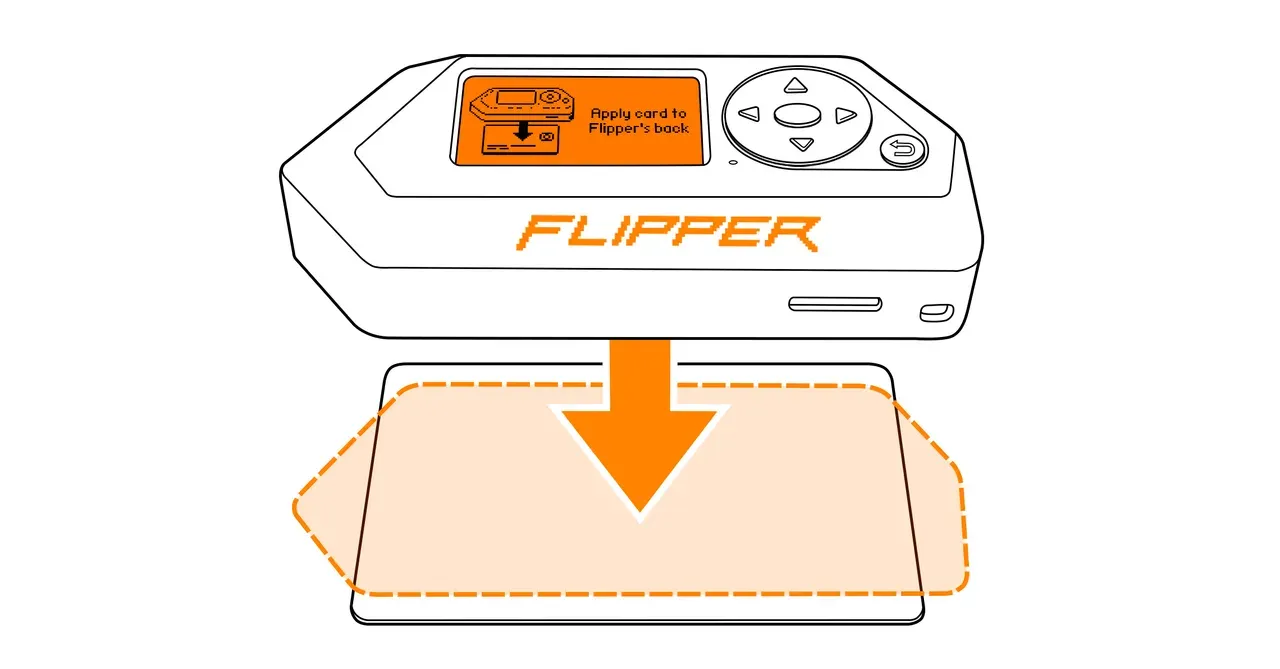
Clear and short instructions
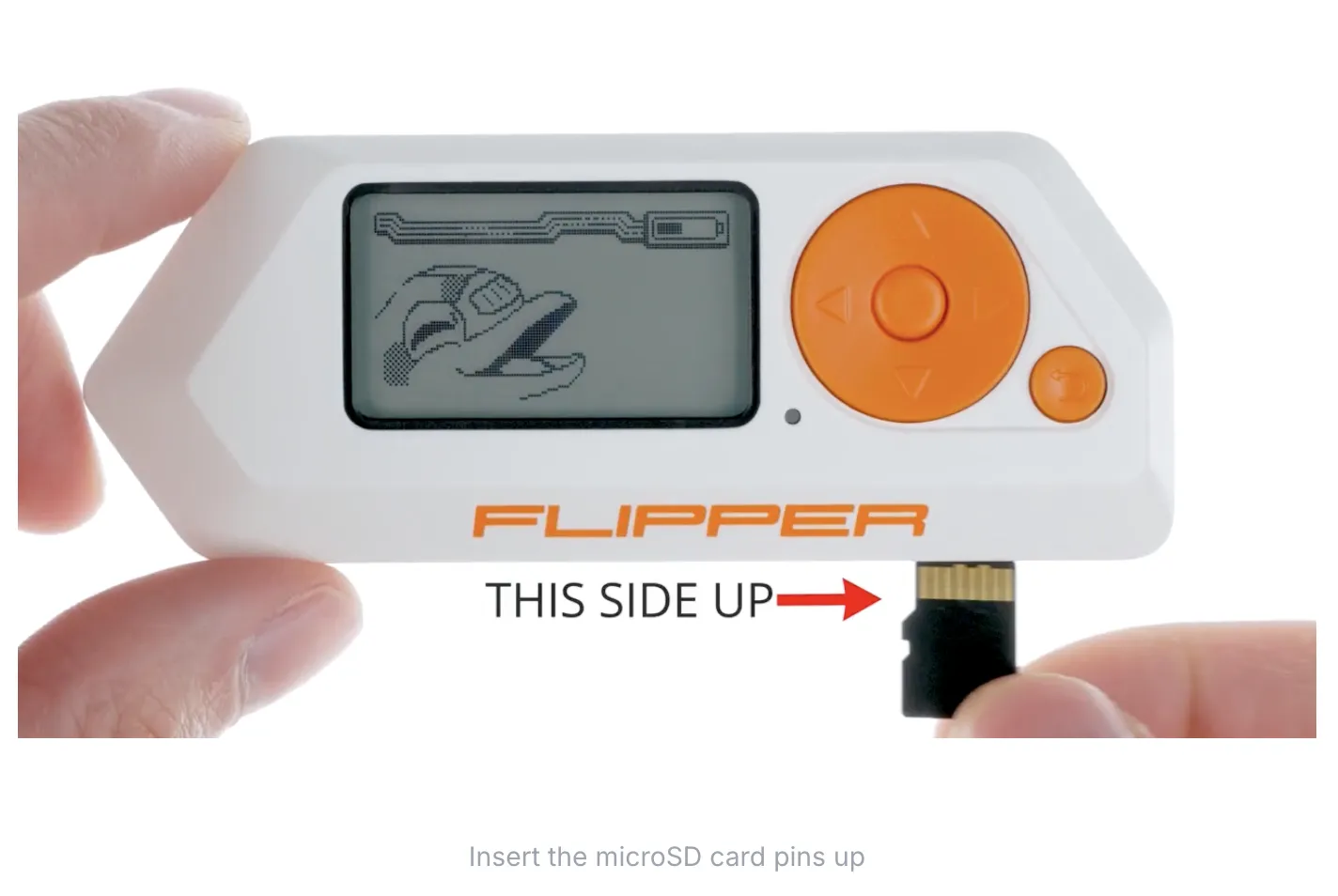
Friendly
Write as if you’re speaking directly to a reader. Be polite and human, without being overly familiar.
This means:
- Keeping a dialogue with the community.
- Healthy, non-cringe communication. Compare “PROHIBITED!!” with “Please do not touch the flowers.”
Open & honest
We follow open-source values: honest, transparent, human communication. We don’t hide problems. We admit mistakes, share experience, and let readers see what happens behind the scenes.
Language
We use American English minus Americanisms. We aim for the simplest possible language (Basic / Plain English) that an A2–B1 English speaker can easily understand.
ℹ️ General rules:
- Always use an automatic spell checker (Grammarly, VS Code spell-check extension, or similar).
- When choosing words, terms, or phrases, prefer the most common and simplest options.
Where to check spelling:
- Merriam-Webster for general vocabulary.
- Google style guide — Word list for technical / IT vocabulary.
Structure and layout
Preparing text for publication is closely tied to layout and design.
Visual hierarchy
The reader should immediately see what is primary and what is secondary. Create a visual hierarchy from large to small elements using heading levels and text formatting.
ℹ️ The larger, the more important.
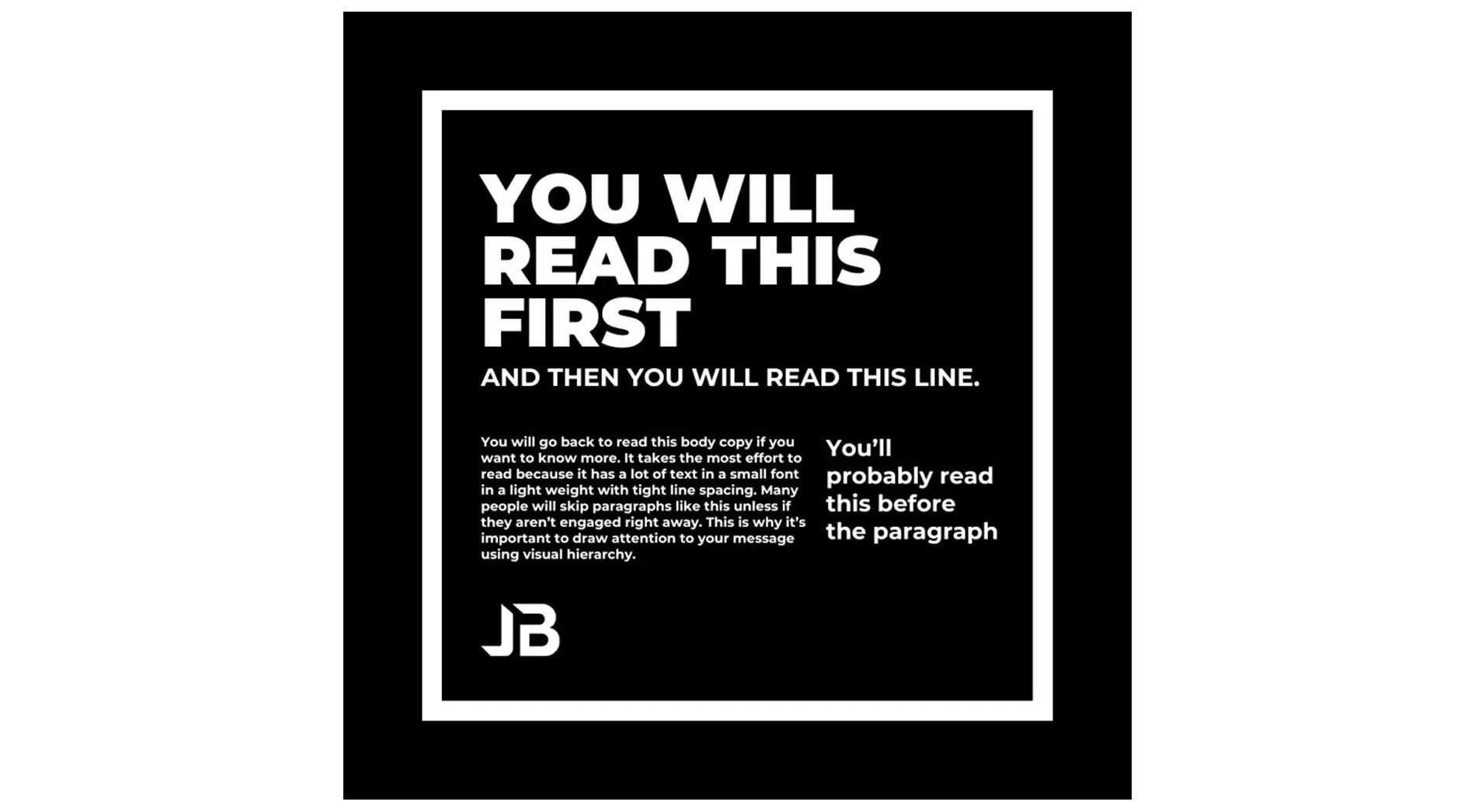
Captions for pictures and videos
Captions are typically required. Exceptions:
- The image already contains a title or text.
- The illustration’s meaning is obvious without one.
For videos, start the caption with [video].
ℹ️ No period at the end of a caption.
Avoid typographic orphans
Avoid leaving a single word alone on the last line of a paragraph or heading, especially for important elements like page titles or call-to-action lines.
Avoid repeating the same word on neighboring lines
Rewrite to reduce visual monotony when the same word lands on two adjacent lines.
Formatting
Heading and title format
Element | Case |
|---|---|
Page title | Sentence case |
Headings in the body of a page | Sentence case |
Bold
Bold is used for emphasis, inline headings, and to attract attention. Use it sparingly. When everything is bold, nothing is.
⚠️ Avoid mixing bold with links within the same paragraph. It makes the text look cluttered.
Descriptive and meaningful link text
Use link text that accurately describes the destination. Nobody likes links with vague targets.
❌ Bad | 👍 Better | 💎 Perfect |
|---|---|---|
Click here | See source code | See source code on GitHub |
Use the entire logical phrase for link text:
✅ Read about the mJS scripting engine.
❌ Read about the mJS scripting engine.
Do not include the article (unless it’s part of a proper name) or any punctuation after the link text.
URLs as link text
URLs can be used as link text when the URL itself is informative. In that case:
- Remove http:// and www from the beginning.
- Place URLs only at the end of a paragraph, with no text following.
- Do not add a period after the URL.
- Make sure the URL stays short and readable.
✅ Reader-friendly URL | ❌ Long and unreadable URL |
|---|---|
wikipedia.org/wiki/Flipper_Zero | https://ru.wikipedia.org/wiki/%D0%9E%D0%BA%D0%B8%D0%BD%D0%B0%D0%B2%D0%B0 |
Emojis
Emojis are welcome as they add helpful visual anchors and make content easier to scan.
Some readers associate emojis with AI-generated text, but that’s not a reason to avoid them. Use emojis with intent:
- Use an emoji when it adds a clear visual anchor, not as decoration.
- Keep them consistent. Reuse the same emoji for the same meaning across a page.
Grammar and syntax
Keep sentences short, simple, and concise. Avoid complex grammar that may cause confusion.
Articles with Flipper devices
The same rules apply to Flipper Zero and Flipper One:
- Without an article: the device as a platform or tech solution; emphasis on the idea. Example: Flipper One is built around a Rockchip RK3576.
- A Flipper Zero / a Flipper One: one non-specific device.
- The Flipper Zero / the Flipper One: a specific device, or the concept as a category (compare: The apple is a healthy fruit).
Contractions
Mostly use the contracted form (don’t, can’t, we’ll) as it makes text more natural and concise. But when you want to emphasize something, switch to the full form.
Use full forms for emphasis:
Full form | What it emphasizes |
|---|---|
We will contact you. | A definite promise that we’ll contact you for sure. |
Please do not unplug the device. | A firm instruction not to do something. |
We have added a new feature. | This is the latest news. |
Words and spelling
General rules
Always use an automatic spell checker. Recommended tools: Grammarly, the VS Code spell-check extension, or any equivalent.
Where to check spelling:
- Merriam-Webster for general vocabulary.
- Google style guide — Word list for technical / IT vocabulary.
Terminology
Use consistent terms that are actually used in the industry. Readers scan rather than read every word, so a term that shifts mid-page (for example, switching between “firmware update” and “device update”) makes content harder to follow.
Abbreviations
Use abbreviations when they improve readability. Common slang abbreviations like TL;DR are fine.
- Avoid Latin abbreviations like i.e. or e.g. Instead, write that is or for example.
- Spelling out abbreviations. If an abbreviation might be unfamiliar, spell it out the first time, followed by the abbreviation in parentheses. Subsequent mentions can use the abbreviation alone. Examples:
- Border Gateway Protocol (BGP)
- Elliptic-curve cryptography (ECC)
If the first mention is in a heading, you can spell it out in the first paragraph after the heading.
- Plurals. Abbreviations form plurals like regular words: APIs, SDKs, IDEs.
Hyphenated words
Use a hyphen (-) to prevent misreading or to build compound words. When multiple options exist, prefer the unhyphenated form.
✅ Firmware update
❌ Firmware-update
Always hyphenate in these cases:
- self or cross: self-managing, cross-region
- Before a capitalized noun or a number: non-Google, post-2000
- To avoid misreading: de-energize, intra-index, re-mark, re-sign
- When the term already contains hyphens or spaces: un-Google-like, non-twentieth-century
- For consistency within a document: pre-processing, post-processing
Punctuation and typography
Period
- A period normally ends a paragraph.
Comma
- Introductory comma. Use a comma after introductory words, phrases, or clauses at the start of a sentence.
- Oxford (serial) comma. Use a comma before and or or when listing three or more items:
Flipper Zero can emulate access badges, read radio signals, and write data to NFC tags.
- Space for exceptions. Sometimes a comma clutters the layout or sounds pedantic. In those cases, feel free to leave it out.
Lists
As a rule, don’t put punctuation at the end of list items. This style looks most natural in English and matches our tone.
ℹ️ Exception: If the list contains long or multiple sentences, use a period at the end of every item.
Dash
- Use an em dash (—) for parenthetical breaks and asides, with spaces on both sides.
- Use a hyphen (-) for ranges and compound words instead.
- Avoid en dashes (–).
✅ The module is powered by the first chip designed by Raspberry Pi — the RP2040 microcontroller.
❌ The module is powered by the first chip designed by Raspberry Pi - the RP2040 microcontroller.
Even though we use em dashes, place them sparingly, as extensive use is often considered a sign of AI-generated text.
Quotation marks and apostrophes
In documentation, use typographic (“curly”) quotation marks and apostrophes: ‘…’ and “…”.
Mixing straight and curly marks in the same sentence (for example, doesn’t with a curly apostrophe and you'll with a straight one) looks unprofessional. It’s a common mistake, so watch for it.
ℹ️ On macOS, you can have curly quotes inserted automatically: System Settings → Keyboard → Text Input → Edit, then enable Use smart quotes and dashes.
Numbers
Spell out numbers as words up to ten, then switch to digits.
ℹ️ Exceptions:
- The reader needs to scan the number quickly.
- The number is followed by a unit of measurement.
Ranges of numbers
Use a hyphen between two numbers. Avoid using en or em dashes.
✅ 2012-2016
Suspended hyphens
When two or more hyphenated compounds modify the same word, drop the repeated word from the earlier compounds and keep the hanging hyphens:
✅ You can set up the system to scan for new files at one-, two-, or three-hour intervals.
Currency
Currency symbols are always written before the number. For US dollars, use the $ sign with no space between the sign and the number.
✅ The price is $0.006653 per vCPU hour.
$10,000 in fees is out of reach for many developers.
Commas and decimal points
Use commas and decimal points according to standard American number formatting:
- In numbers of four or more digits, use commas to group threes (counting leftward from the decimal point).
- Use a period for the decimal point.
✅ | ❌ |
|---|---|
The limit is 1,532,784 bytes per day. | The limit is 1532784 bytes per day. |
The API supports up to 2,000 vertices. | The API supports up to 2000 vertices. |
$0.031611/vCPU hour | $0,031611/vCPU hour |
Dimensions
Use a lowercase x between numerals, with no space between the numerals and the x.
✅ 192x192
❌ 192 x 192
Dates
Write out months whenever possible. Separate the month from the year with a comma because it's easier to read and the most commonly used format:
✅ August 8, 2024
The abbreviated form Aug 8, 2024 is also fine.
If using all numerals, the most universally understood format is dd.mm.yyyy. You can use periods or forward slashes as separators (dd.mm.yyyy or dd/mm/yyyy). Stay consistent within a single document.
ℹ️ Avoid all-numeric forms like 1/2/2011 as they can be read as either January 2 or February 1, depending on the reader’s region.
Units of measurement
Spacing
Put a space between the number and the unit, and use a non-breaking space so the value never wraps onto two lines.
✅ 64 GB, 25 mm, 300 K
Exceptions: use no space for currency, percentages, and angles:
✅ $10, 65%, 180°
For temperatures, put a space before the degree symbol but none between the symbol and the scale:
✅ 50 °C
❌ 50°C, 50° C
Ranges
Repeat the unit for each number and use to between them instead of a hyphen.
✅ -40 °C to 85 °C
❌ -40-85 °C
Multiplied units
When the parts of a unit are multiplied together, hyphenate them.
✅ 5 vCPU-hours, 40 person-hours
Rates
Use per instead of a division slash (/) when space allows. Use abbreviated rate units like Gbps or MBps only when they’re well established.
Thousands
Use a lowercase k with no space, and add a clarifying noun so it isn’t mistaken for kilobytes.
✅ 55k download operations
Decimal vs. binary units
Keep decimal and binary units distinct: kB / MB / GB are decimal, while KiB / MiB / GiB are binary. Don’t write MB when you mean MiB, or GB when you mean GiB.